Best AI Paraphraser (2026)
Which ai paraphraser options actually fit content production and which ones create extra cost, handoff friction, or weak output.


This playbook helps content managers and growth marketers compare the best ai paraphraser options for content production. It breaks down where grammarly, wordtune stand out, when alternatives such as jasper, copy-ai make more sense, and which setup fits B2B companies and B2C brands and solo operators and small businesses.
TL;DR
Finding the right AI paraphraser comes down to one question: do you need a tool that rewrites at the sentence level with tight editorial control, or do you need something that handles full documents without losing your voice? For most content managers working in B2B and SaaS companies, the answer depends on volume, workflow integration, and how much manual cleanup you can tolerate after each rewrite.
QuillBot is the strongest all-around option if dedicated paraphrasing is the primary job. Grammarly makes more sense when paraphrasing is a secondary need inside a broader writing and grammar workflow. Wordtune gives the most sentence-level control for teams that rewrite one line at a time. ChatGPT works best when you already pay for it and want flexible, prompt-driven rewrites. Hemingway Editor fits teams that care more about readability and clarity than raw paraphrasing power.
This guide breaks down all five tools across features, pricing, strengths, and limitations so you can pick the right stack for your content operation.
Table of Contents
Best AI Paraphrasers (Quick Comparison)
| Tool | Best For | Starting Price | Free Tier? |
|---|---|---|---|
| QuillBot | Dedicated paraphrasing with multiple modes | $8.33/mo (annual) | Yes — 125 words, 2 modes |
| Grammarly | Grammar-first teams that also need rewrites | $12/mo (annual) | Yes — basic grammar only |
| Wordtune | Sentence-level rewrites with tone control | $13.99/mo ($6.99/mo annual) | Yes — 10 rewrites/day |
| ChatGPT | Flexible prompt-driven rewriting | $20/mo (Plus) | Yes — daily limits apply |
| Hemingway Editor | Readability-focused simplification | $8.33/mo (annual) | Yes — free web editor |
Best AI Paraphrasers (Quick Comparison)
1. QuillBot
What It Does
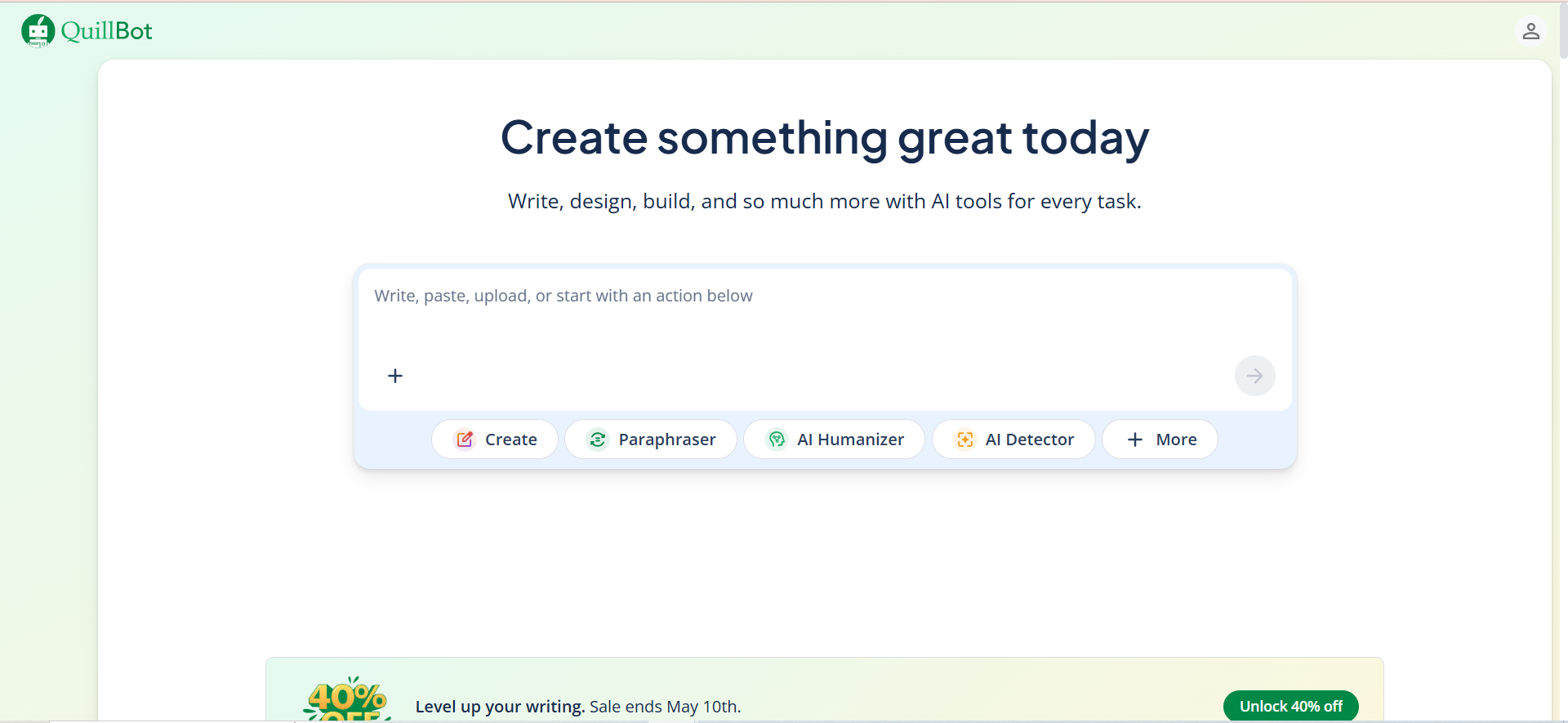
QuillBot is a dedicated AI paraphrasing tool that rewrites text using multiple modes. It packs eight main tools into one dashboard: Paraphraser, Grammar Checker, AI Detector, Plagiarism Checker, AI Humanizer, AI Chat, Translator, and Summarizer. The paraphraser itself offers ten rewriting modes including Standard, Fluency, Creative, Shorten, Expand, and Formal, letting you fine-tune tone and structure without leaving the tool.
Why Teams Use It
Content teams choose QuillBot because it does one job extremely well: rewriting text while preserving meaning. Unlike broader AI writing tools, QuillBot is purpose-built for paraphrasing, which means the output tends to stay closer to the original intent. The multiple modes let different team members use the same tool for different goals — a copywriter might use Creative mode while an SEO specialist sticks with Fluency.
What It Is Good For
QuillBot excels at high-volume rewriting where you need consistent output quality across many pieces. The Google Docs and Word integrations mean writers can paraphrase without leaving their existing workflow. The AI Humanizer feature is particularly useful for teams that need rewrites that pass AI detection checks. The built-in plagiarism checker adds a useful QA layer before publishing.
When It Is a Good Fit
QuillBot fits best when your team produces a high volume of written content and needs a reliable, fast paraphrasing tool that integrates into existing workflows. It works well for content managers at B2B and SaaS companies who need to repurpose existing content across channels — turning a blog post into social copy, reformatting a whitepaper into email sequences, or refreshing older content for SEO purposes.
When It Is Not a Good Fit
QuillBot is less useful when you need full-document rewriting with deep contextual understanding, or when your workflow requires the paraphraser to also handle research, outlining, and drafting. If your team already pays for ChatGPT Plus or Claude Pro, the standalone paraphrasing use case may not justify the additional subscription.
How to Use It
Sign up at QuillBot, paste your text into the paraphraser, select a mode, and hit the paraphrase button. For workflow integration, install the Chrome extension or the Google Docs/Word add-on. Premium users can toggle between all ten modes and process unlimited text. For team deployments, use the Team plan to get centralized billing and shared style guides.
Key Capabilities
Ten paraphrasing modes (Standard, Fluency, Creative, Shorten, Expand, Formal, and more). Google Docs and Microsoft Word integration. Built-in grammar checker, plagiarism checker, AI detector, and AI humanizer. Summarizer for condensing long documents. Translator supporting 45+ languages. Chrome browser extension for in-context rewriting.
Pricing
Free plan: 125-word limit per paraphrase, 2 modes (Standard and Fluency). Premium: $8.33/month billed annually ($99.95/year), or $19.95/month billed monthly. Student plan: $6.25/month ($74.95/year) with student verification. Team plan: $7.50/user/month with admin controls and shared style guides. All paid plans include a 3-day money-back guarantee.
Free Tier?
Yes. The free tier includes the paraphraser (capped at 125 words per request), summarizer (capped at 1,200 words), and basic grammar checking. You get two paraphrasing modes: Standard and Fluency. Useful for light, occasional rewriting but too limited for production content workflows.
Downsides and Limitations
The free tier's 125-word cap makes it impractical for anything beyond quick sentence rewrites. Some modes produce output that reads as stilted or overly formal. The tool sometimes changes the meaning of technical or industry-specific terms. No built-in workflow for team review or approval. The AI Humanizer feature is not always reliable at passing newer AI detection models.
2. Grammarly
What It Does
Grammarly is primarily a grammar, spelling, and style correction tool that has expanded to include AI-powered paraphrasing as a secondary feature. The paraphrasing capability lets you rewrite sentences while preserving meaning, with options for concise, formal, friendly, or confident versions. The AI rewriting is powered by GPT-4 and lives inside the same interface as grammar checking, tone detection, and style suggestions.
Why Teams Use It
Teams choose Grammarly because they already need grammar and style correction, and paraphrasing comes as a bonus inside that subscription. The closed-loop correction is the real differentiator: if you paraphrase a sentence and it introduces a grammar error, Grammarly flags it immediately in the same view. This saves the extra QA step that standalone paraphrasers require.
What It Is Good For
Grammarly works best when paraphrasing is one of several writing tasks your team handles daily. If your content managers spend time correcting grammar, adjusting tone, and rewriting sentences, Grammarly covers all of those in a single tool. The browser extension means it works across email, CMS platforms, Google Docs, and social media editors without switching tools.
When It Is a Good Fit
Grammarly fits teams that need a comprehensive writing assistant first and a paraphraser second. It is ideal for content managers and marketing teams at B2B companies who write across multiple platforms daily and want grammar, tone, and style consistency without managing multiple subscriptions. The team plans with shared style guides are useful for maintaining brand voice across writers.
When It Is Not a Good Fit
If dedicated paraphrasing is your primary need, Grammarly is overpriced and underbuilt for that specific job. The paraphrasing feature lacks the depth and mode variety of QuillBot or the sentence-level alternative generation of Wordtune. You are paying $12/month or more for a grammar suite where paraphrasing is a side feature.
How to Use It
Sign up at Grammarly, install the browser extension or desktop app, and start writing or pasting text. To paraphrase, highlight a sentence and use the AI rewrite suggestion. Choose between concise, formal, friendly, or confident rewrites. For teams, set up a Grammarly Business account to share style guides and manage permissions.
Key Capabilities
AI-powered sentence rewriting with tone control (concise, formal, friendly, confident). Real-time grammar, spelling, and punctuation correction. Tone detection and style suggestions. Plagiarism detection. Multi-language paraphrasing (English, Spanish, French, German, Portuguese, Italian). Browser extension, desktop app, Google Docs and Word integration. Team style guides and admin controls on Business plan.
Pricing
Free plan: basic grammar, spelling, and punctuation checks — no paraphrasing. Pro plan: $12/month billed annually or $30/month billed monthly, includes AI rewriting, tone detection, plagiarism detection, and advanced suggestions. Enterprise plan: custom pricing, adds style guides, brand tones, admin controls, analytics, and dedicated account management.
Free Tier?
Yes, but it does not include paraphrasing. The free tier covers basic grammar, spelling, and punctuation correction only. You need the Pro plan ($12/month annual) to access AI-powered rewriting and tone adjustments.
Downsides and Limitations
Paraphrasing is a secondary feature, not the core product. Fewer rewriting modes compared to QuillBot — you get four tone options versus ten dedicated modes. The AI rewriting consumes credits on top of the subscription. Not the most cost-effective choice if paraphrasing is your primary use case. The free tier offers zero paraphrasing capability.
3. Wordtune
What It Does
Wordtune is an AI writing tool that specializes in sentence-level rewriting. When you paste a sentence, Wordtune returns multiple rewritten versions simultaneously, each preserving meaning but varying in tone, length, and structure. It is available as a browser extension, standalone web app, mobile app, and API.
Why Teams Use It
Teams choose Wordtune because it offers the most granular control over individual sentence rewrites. Instead of giving you one paraphrased version, it shows you several alternatives and lets you pick the best one. This approach works well for writers who care about nuance and want to maintain their voice while improving clarity or adjusting tone.
What It Is Good For
Wordtune excels at rewriting emails, ad copy, social media posts, and any short-form content where each sentence matters. The tone controls (formal, casual, shortened) are specifically designed for professional communication. The summarization feature handles YouTube videos and long documents, making it useful for research workflows.
When It Is a Good Fit
Wordtune fits writers and content managers who work primarily with short-form content or need to rewrite individual sentences with precision. It is ideal for email marketing teams, social media managers, and anyone who writes customer-facing copy where tone and word choice directly impact conversion. The $6.99/month price point makes it the most affordable dedicated option.
When It Is Not a Good Fit
Wordtune struggles with long-form content. If you need to rewrite entire blog posts, whitepapers, or reports, you will be working sentence by sentence, which slows down high-volume rewriting workflows significantly. Teams that need batch processing or full-document paraphrasing should look at QuillBot or ChatGPT instead.
How to Use It
Sign up at Wordtune, install the browser extension or open the web app. Highlight any sentence in your browser or paste it into the editor. Wordtune generates multiple alternatives — click the one that fits best. Use the tone controls to shift between formal, casual, or shortened versions. The API option is available for teams that want to integrate Wordtune into custom workflows.
Key Capabilities
Multiple simultaneous sentence rewrites with different tones and structures. Tone controls: formal, casual, shortened, expanded. YouTube video summarization. Long document summarization. Browser extension for in-context rewriting. Mobile app for on-the-go editing. API access for custom integrations. Real-time writing suggestions.
Pricing
Free plan: 10 rewrites per day with basic features. Advanced plan: $13.99/month ($6.99/month billed annually) with 30 daily rewrites and tone controls. Unlimited plan: $19.99/month ($9.99/month billed annually) with unlimited rewrites. Teams plan: $15.99/seat/month ($7.99/seat billed annually) with unlimited access and centralized billing.
Free Tier?
Yes. The free tier gives you 10 rewrites per day, which is enough for occasional use but too limited for daily content production. Upgrading to Plus ($6.99/month) unlocks unlimited rewrites and full tone controls.
Downsides and Limitations
Sentence-level only — no full-paragraph or full-document rewriting in a single action. The 10 rewrites/day free cap is restrictive for any serious use. Less effective for long-form content workflows. Fewer integrations than Grammarly or QuillBot. The output quality drops noticeably for complex or technical sentences.
4. ChatGPT
What It Does
ChatGPT is a general-purpose AI assistant that handles paraphrasing through natural language prompts. You paste text, tell it how to rewrite (conversational tone, 20 percent shorter, more formal), and it returns a rewritten version. Unlike dedicated paraphrasers, ChatGPT does not have preset modes — you control the output entirely through your prompt.
Why Teams Use It
Teams choose ChatGPT for paraphrasing because they already pay for it and use it for other tasks. A prompt like "rewrite this in a more conversational tone, keep all facts, aim for 20 percent shorter" produces results as good as any dedicated paraphraser. The flexibility to specify exactly how you want text rewritten — including length, tone, audience, and format — makes it more adaptable than tools with fixed modes.
What It Is Good For
ChatGPT handles full-document rewriting better than most dedicated paraphrasers. It understands context across paragraphs, maintains thematic consistency, and can follow complex instructions about what to change and what to preserve. It is also the best option for rewriting content while simultaneously adapting it for a different audience, channel, or format.
When It Is a Good Fit
ChatGPT fits teams that already have a subscription and need flexible, context-aware rewriting without adding another tool to their stack. It works well for content managers who need to repurpose long-form content across different formats and audiences, and for anyone who values prompt-level control over preset rewriting modes.
When It Is Not a Good Fit
ChatGPT is not ideal if you need inline, in-context paraphrasing inside Google Docs or your CMS — it requires copy-pasting into a separate interface. It also fails at producing rewrites that consistently pass AI detection tools, which matters for teams that publish content under human bylines. The lack of built-in plagiarism checking, grammar correction, and workflow integrations means you need additional tools for QA.
How to Use It
Open ChatGPT or the ChatGPT app, paste your text, and provide specific rewriting instructions. Be explicit about tone, length, audience, and what to preserve. For best results, include examples of the output style you want. Use the custom instructions feature to set default rewriting preferences that persist across conversations.
Key Capabilities
Full-document rewriting with contextual understanding. Prompt-driven control over tone, length, format, and audience. Simultaneous translation and paraphrasing. Content format conversion (blog to social, whitepaper to email). Custom instructions for consistent output style. Voice input for dictation-based rewriting. Advanced model access on Plus plan for higher quality output.
Pricing
Free tier: access to standard models with daily limits, basic web browsing, and limited voice mode. Plus plan: $20/month with advanced model access, native computer use, Deep Research, Sora, DALL-E, and priority access. Team plan: $30/user/month ($25/user/month billed annually) with admin controls, shared workspace, and data privacy features. Enterprise: custom pricing.
Free Tier?
Yes. The free tier provides access to standard models with daily limits, which handles basic paraphrasing adequately. The Plus plan ($20/month) delivers noticeably better rewriting quality with access to advanced models, especially for nuanced or technical content.
Downsides and Limitations
No inline integration with Google Docs, Word, or CMS platforms — requires copy-paste workflow. Output frequently triggers AI detection tools. No built-in grammar checker, plagiarism checker, or readability scoring. Inconsistent output quality between sessions — the same prompt can produce different results. No dedicated paraphrasing modes or presets. The $20/month price is high if paraphrasing is your only use case.
5. Hemingway Editor
What It Does
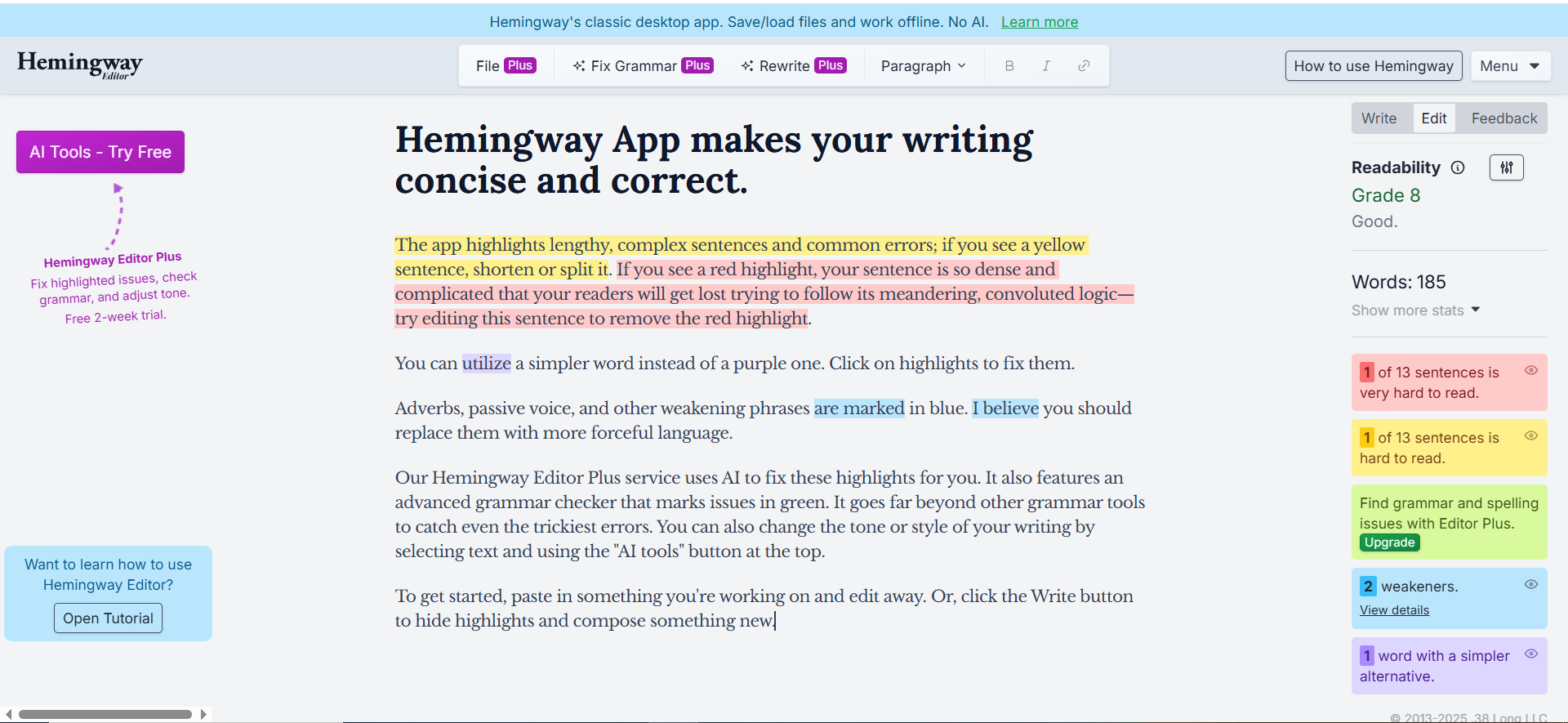
Hemingway Editor is a readability-focused writing tool that highlights complex sentences, passive voice, adverb overuse, and hard-to-read passages. The Plus subscription adds AI-powered rewriting that can simplify wordy sentences, adjust tone, and restructure text for clarity. It is not a traditional paraphraser — it is a readability optimizer that includes rewriting as one of several editing features.
Why Teams Use It
Teams choose Hemingway Editor because it solves a different problem than other paraphrasers: it makes writing clearer and more readable rather than just different. The readability grade scoring (based on the Hemingway readability index) gives writers an objective measure of how accessible their content is, which matters for B2B companies writing for broad audiences.
What It Is Good For
Hemingway Editor excels at simplifying complex, jargon-heavy content into plain language. It is particularly useful for turning technical documentation, internal reports, or expert-written content into customer-facing copy that a wider audience can understand. The tone adjustment options (confident, friendly, casual, professional, persuasive) help adapt content for different channels without full rewrites.
When It Is a Good Fit
Hemingway Editor fits teams where readability and clarity are the primary goals, not just word variation. It works well for content managers at SaaS and B2B companies who receive drafts from subject matter experts and need to make them accessible for marketing content. The free web editor is useful for quick readability checks even without a subscription.
When It Is Not a Good Fit
If your goal is to rewrite content for SEO variation, repurpose text across channels, or generate multiple paraphrased versions for testing, Hemingway Editor is the wrong tool. It does not offer multiple rewriting modes, bulk processing, or the kind of output variation that content repurposing workflows require. The credit-based AI system also limits high-volume usage.
How to Use It
Open Hemingway Editor for the free web editor or download the desktop app ($19.99 one-time). For AI-powered rewriting, subscribe to Hemingway Editor Plus. Paste your text, review the highlighted readability issues, and use the AI suggestions to fix wordy sentences or adjust tone. The color-coded highlights (yellow for hard to read, red for very hard to read, purple for simpler alternatives, blue for adverbs, green for passive voice) guide your editing.
Key Capabilities
Readability grade scoring. Color-coded highlighting for complex sentences, passive voice, adverbs, and hard-to-read passages. AI-powered sentence simplification and rewriting (Plus plan). Tone adjustment: confident, friendly, casual, professional, persuasive. Desktop app for offline editing. Distraction-free writing mode. Export to HTML and Markdown.
Pricing
Free web editor: full readability analysis with no AI features. Desktop app: $19.99 one-time purchase. Hemingway Editor Plus: $8.33/month billed annually ($100/year) or $10/month billed monthly, includes 5,000 AI sentences per month. Team 10K Plan: $12.50/user/month ($150/user/year) with 10,000 AI credits per user and team management features.
Free Tier?
Yes. The free web editor provides full readability analysis, sentence highlighting, and readability grade scoring. No AI-powered rewriting, tone adjustment, or advanced suggestions — those require the Plus subscription.
Downsides and Limitations
Not a dedicated paraphraser — readability optimization is the primary function. AI rewriting consumes credits, which limits high-volume use. No browser extension or CMS integration — requires copy-paste into the web editor or desktop app. No plagiarism checker, AI detection, or grammar correction beyond basic suggestions. The sentence-by-sentence AI rewriting is slower than bulk paraphrasing tools. Limited to English only.
How to Choose the Right AI Paraphraser for Your Team
The best AI paraphraser depends on what role rewriting plays in your content workflow. If paraphrasing is your primary daily task, QuillBot gives you the deepest toolset at a reasonable price. If paraphrasing is one task among many writing needs, Grammarly bundles it with grammar, tone, and style correction. If you rewrite mostly short-form content and care about sentence-level precision, Wordtune delivers the best per-sentence options. If you already use ChatGPT and want flexibility without adding tools, it handles full-document rewriting competently. If your real problem is readability rather than word variation, Hemingway Editor solves the right problem.
Before committing, map your actual workflow: how many pieces do you rewrite per week, what formats do they cover, how much manual QA do you add after paraphrasing, and what integrations does your team depend on. Test each shortlisted option against the same piece of content so you can compare output quality, speed, and editing overhead in realistic conditions.
What Is an AI Paraphraser and How Does It Work
An AI paraphraser is a tool that takes existing text and rewrites it using different words and sentence structures while preserving the original meaning. Modern AI paraphrasers use large language models trained on billions of text samples to understand context, tone, and intent before generating alternative versions. The best tools go beyond simple synonym replacement — they restructure sentences, adjust reading level, and adapt tone for different audiences. For content teams, AI paraphrasers serve three practical functions: repurposing existing content for new channels, refreshing older published content for SEO, and improving clarity without starting from scratch.
Can AI Paraphrasers Pass AI Detection Tools
Most dedicated AI paraphrasers like QuillBot include AI humanizer features designed to produce output that reads more naturally to AI detection tools. However, results vary significantly depending on the detection tool used and the complexity of the original text. In testing, QuillBot's humanizer produces better results than ChatGPT rewrites, but no tool guarantees undetectable output consistently. Grammarly and Wordtune do not market AI detection avoidance as a feature. If passing AI detection is a hard requirement, you should test each tool's output against your specific detection software before committing to a workflow.
Are Free AI Paraphrasers Good Enough for Business Use
Free tiers from QuillBot (125 words, 2 modes), Wordtune (10 rewrites/day), and Hemingway Editor (readability only) are useful for occasional, light rewriting but fall short for production content workflows. The word and usage caps make them impractical for teams processing multiple pieces of content daily. Grammarly's free tier does not include paraphrasing at all. ChatGPT's free tier (GPT-3.5) handles basic rewrites but produces lower quality than GPT-4. For serious business use, plan on paying for at least one premium tool — QuillBot Premium at $8.33/month or Wordtune Advanced at $6.99/month (annual billing) offer the best value for dedicated paraphrasing.
How AI Paraphrasers Compare to Manual Rewriting
AI paraphrasers handle the mechanical parts of rewriting — finding synonyms, restructuring sentences, adjusting length — faster than any human editor. A sentence that takes a writer 2-3 minutes to manually rewrite takes an AI paraphraser under 5 seconds. The tradeoff is quality control: AI-generated rewrites sometimes change the meaning of technical terms, introduce awkward phrasing, or flatten the voice that made the original effective. The best approach for content teams is to use AI paraphrasers for the first pass and then apply human editorial judgment for tone, accuracy, and brand voice consistency.
Which AI Paraphraser Works Best for SEO Content
For SEO content specifically, QuillBot and ChatGPT offer the most useful features. QuillBot's multiple modes let you create variations of the same content for different pages without duplicating text — useful for location pages, product variations, and content refreshes. ChatGPT handles the more complex SEO task of rewriting content while adapting it for different search intents or audience segments. Grammarly and Wordtune work at the sentence level, which is helpful for improving on-page readability (a ranking signal) but less useful for producing full content variations. Hemingway Editor improves readability scores, which indirectly supports SEO by reducing bounce rates and increasing time on page.
Can You Use Multiple AI Paraphrasers Together
Yes, and many content teams do. A common stack is Grammarly for grammar and style correction plus QuillBot or Wordtune for dedicated paraphrasing. Another approach is using ChatGPT for the initial full-document rewrite and then running the output through Hemingway Editor for readability optimization. The key is to avoid redundancy — paying for three tools that all do sentence-level rewriting differently is usually waste. Pick one paraphraser for your primary rewriting workflow and one complementary tool that covers a gap (grammar checking, readability scoring, or AI detection).
What Are the Risks of Using AI Paraphrasers for Published Content
The primary risks are accuracy drift, brand voice inconsistency, and potential plagiarism. AI paraphrasers can subtly change the meaning of specialized terminology, introduce factual inaccuracies by swapping terms that are not true synonyms, or produce output that sounds generic compared to your brand voice. Plagiarism risk exists when paraphrasers produce output too close to existing published content — always run paraphrased text through a plagiarism checker before publishing. The operational risk is over-reliance: teams that use AI paraphrasers without human QA tend to publish content that reads competently but lacks the specificity and voice that differentiate strong content marketing.
How Much Do AI Paraphrasers Cost Compared to Hiring a Freelance Editor
A freelance editor charges $30-60 per hour for rewriting work. At typical content volumes (10-20 pieces per month), that is $300-1,200/month for editing alone. The most expensive AI paraphraser on this list (ChatGPT Plus) costs $20/month. Even stacking QuillBot Premium ($8.33/month) with Grammarly Pro ($12/month) totals $20.33/month — roughly 2-7 percent of what a freelance editor costs. The AI tools handle 70-80 percent of the mechanical rewriting work, freeing your editor budget for the high-judgment tasks that AI still handles poorly: brand voice refinement, strategic messaging, and content quality assurance.
FAQs
QuillBot's free tier is the best free option for dedicated paraphrasing, offering two rewriting modes (Standard and Fluency) with a 125-word cap per request. For unlimited free paraphrasing, ChatGPT's free tier handles basic rewrites with daily limits, though output quality is lower than premium options.
Yes, for dedicated paraphrasing QuillBot is significantly better. QuillBot offers ten rewriting modes versus Grammarly's four tone options, and paraphrasing is QuillBot's core product rather than a secondary feature. Grammarly is better if you need grammar correction, style suggestions, and paraphrasing in one subscription.
ChatGPT handles full-document rewriting most effectively because it maintains context across paragraphs. QuillBot can process longer text but works best in chunks. Wordtune operates sentence by sentence, making it impractical for full documents. Grammarly and Hemingway Editor rewrite at the sentence level only.
AI paraphrasers significantly reduce plagiarism risk compared to manual paraphrasing, but they do not guarantee plagiarism-free output. Always run paraphrased text through a plagiarism checker before publishing. QuillBot includes a built-in plagiarism checker on premium plans, while other tools require a separate check.
Accuracy drops noticeably with specialized terminology. AI paraphrasers sometimes swap technical terms for incorrect synonyms or simplify jargon in ways that change the meaning. ChatGPT handles technical content best because you can instruct it to preserve specific terms. QuillBot and Wordtune require manual review of technical passages after paraphrasing.
QuillBot and Grammarly both offer Google Docs add-ons that work inline without copy-pasting. QuillBot's integration gives you access to paraphrasing modes directly inside the document. Grammarly's integration covers grammar, style, and rewriting in one sidebar. Wordtune's browser extension also works with Google Docs but with less native integration.
It depends on your workflow. If you paraphrase frequently and want inline integration with your writing tools, a dedicated paraphraser like QuillBot ($8.33/month) adds enough convenience and specialized features to justify the cost. If you paraphrase occasionally and prefer prompt-based control, ChatGPT Plus already covers the use case adequately.