Best AI To Rewrite Text (2026)
How B2B companies and B2C brands can shortlist the best ai tools for rewrite text without wasting evaluation cycles.


This playbook helps content managers and growth marketers compare the best ai options for rewrite text. It breaks down where grammarly, wordtune stand out, when alternatives such as jasper, copy-ai make more sense, and which setup fits B2B companies and B2C brands and solo operators and small businesses.
If you are managing content at scale, rewriting text is no longer a manual grind. AI-powered text rewriting tools now handle everything from fixing grammar and tone to completely restructuring sentences for clarity or style. Grammarly and Wordtune lead the pack for integrated workflows, while ChatGPT dominates for flexible, custom rewrites. QuillBot works best for students and quick paraphrases, and Hemingway Editor excels when readability is the priority. The right choice depends on your team size, budget, and workflow—but you likely do not need all five.
Table of Contents
Best AI Tools for Rewriting Text (Quick Comparison)
| Tool | Best For | Starting Price | Free Tier |
|---|---|---|---|
| Grammarly | Teams needing tone-matched rewrites | $12/mo (annual) | 100 AI prompts/month |
| Wordtune | Speed and sentence-level alternatives | $6.99/mo (annual) | 10 rewrites/day |
| QuillBot | Paraphrasing and mode-based rewrites | $8.33/mo (annual) | 125-word limit, 2 modes |
| ChatGPT | Custom, flexible rewrites with reasoning | Free | GPT-5.3 (limited) |
| Hemingway Editor | Clarity and readability scoring | $8.33/mo (annual) | Free basic highlighting only |
Best AI Tools for Rewriting Text (Quick Comparison)
1. Grammarly
What It Does
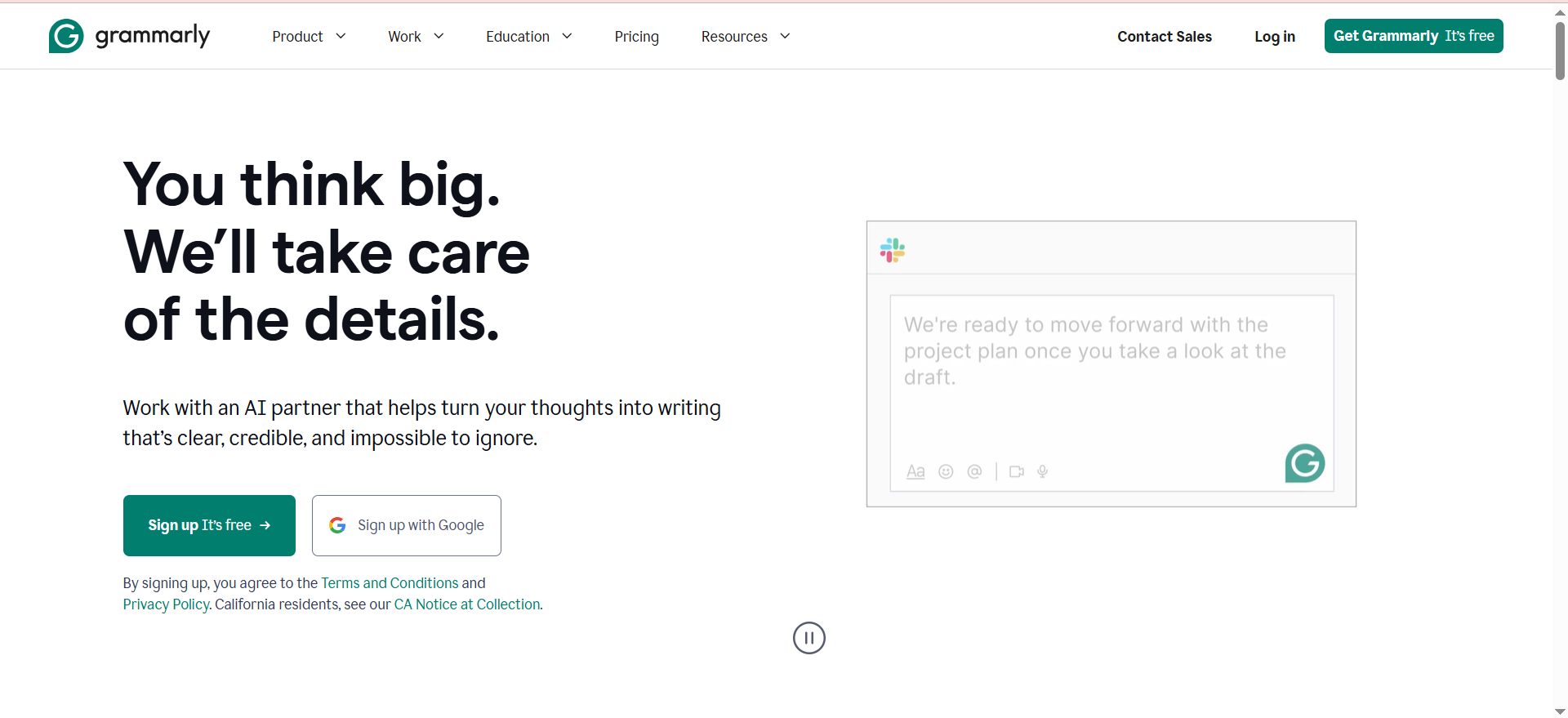
Grammarly is an AI-powered writing assistant that rewrites text while preserving your intended tone and meaning. Beyond basic grammar checks, it now includes a dedicated AI rewrite function that can rephrase sentences, paragraphs, or full sections with options to adjust tone (confident, friendly, formal, etc.). The 2026 update brought smarter contextual rewrites—you can now rewrite entire paragraphs at once while matching your brand voice.
Why Teams Use It
Teams use Grammarly because it integrates seamlessly into their existing workflows. Whether you are writing in Google Docs, Microsoft Word, Gmail, or a web browser, Grammarly's extension works quietly in the background. For B2B companies and SaaS teams, the Brand Voice feature (Pro and Business tiers) lets you set writing standards so every rewrite aligns with your company's tone.
What It's Good For
Grammarly excels at tone matching, letting you rewrite sentences in a specific tone such as casual, formal, confident, or friendly. It also detects when your text reads too aggressive, uncertain, or passive. The plagiarism detection feature checks against billions of documents on Premium and Business tiers. For teams, Brand Voice ensures the whole team writes consistently. And with real-time integration across every major writing app, it works wherever you already write.
When It's a Good Fit
Choose Grammarly if you write in multiple apps and need a unified solution for rewriting, if your team needs consistency across brand voice, if you want tone adjustments and not just grammar fixes, if you are willing to pay for professional-grade features, or if you manage content across email, docs, and web.
When It's Not a Good Fit
Grammarly is not ideal if you need unlimited rewrites for under $15/month since the free tier caps at 100 AI prompts per month. It also falls short if you want full-paragraph rewrites without using prompts on the free tier, if you are on a strict per-user budget for teams larger than 10 people, or if you need bulk rewriting of pre-written content in a single session.
How to Use It
Install the Grammarly browser extension or integrate with your writing app. Write or paste your text. Click the rewrite icon next to underlined suggestions. Choose your tone (confident, friendly, formal, etc.) or let Grammarly suggest alternatives. Accept, reject, or edit the rewritten version. For longer content, highlight a paragraph and select Rewrite for AI-powered restructuring.
Key Capabilities
Grammarly provides contextual rewrites that understand the meaning of your text and rewrite with intent. It offers 8+ tone settings including friendly, formal, and confident. It catches 400+ writing issues beyond grammar. Plagiarism detection is available on Pro tier and above. And Brand Voice provides a custom style guide for teams on the Enterprise tier.
Pricing
The Free plan includes 100 AI prompts per month with basic grammar and style checks. Pro costs $12 per month on annual billing or $30 per month on monthly billing, and includes 2,000 AI prompts per month, plagiarism detection, and tone adjustments. Enterprise offers custom pricing with team collaboration, Brand Voice, admin controls, advanced security, and single sign-on.
Free Tier
Grammarly's free tier includes basic grammar and spelling checks, but AI rewrites are limited to 100 prompts per month. This is enough for light users but insufficient for content teams managing multiple pieces daily.
Downsides and Limitations
The free tier only provides 100 AI rewrites per month. Each rewrite or tone adjustment counts against your monthly limit. Grammarly requires an internet connection with no offline mode. New users may not understand the difference between grammar corrections and AI rewrites. And your writing is stored on Grammarly's servers, so check their privacy policy if that matters.
2. Wordtune
What It Does
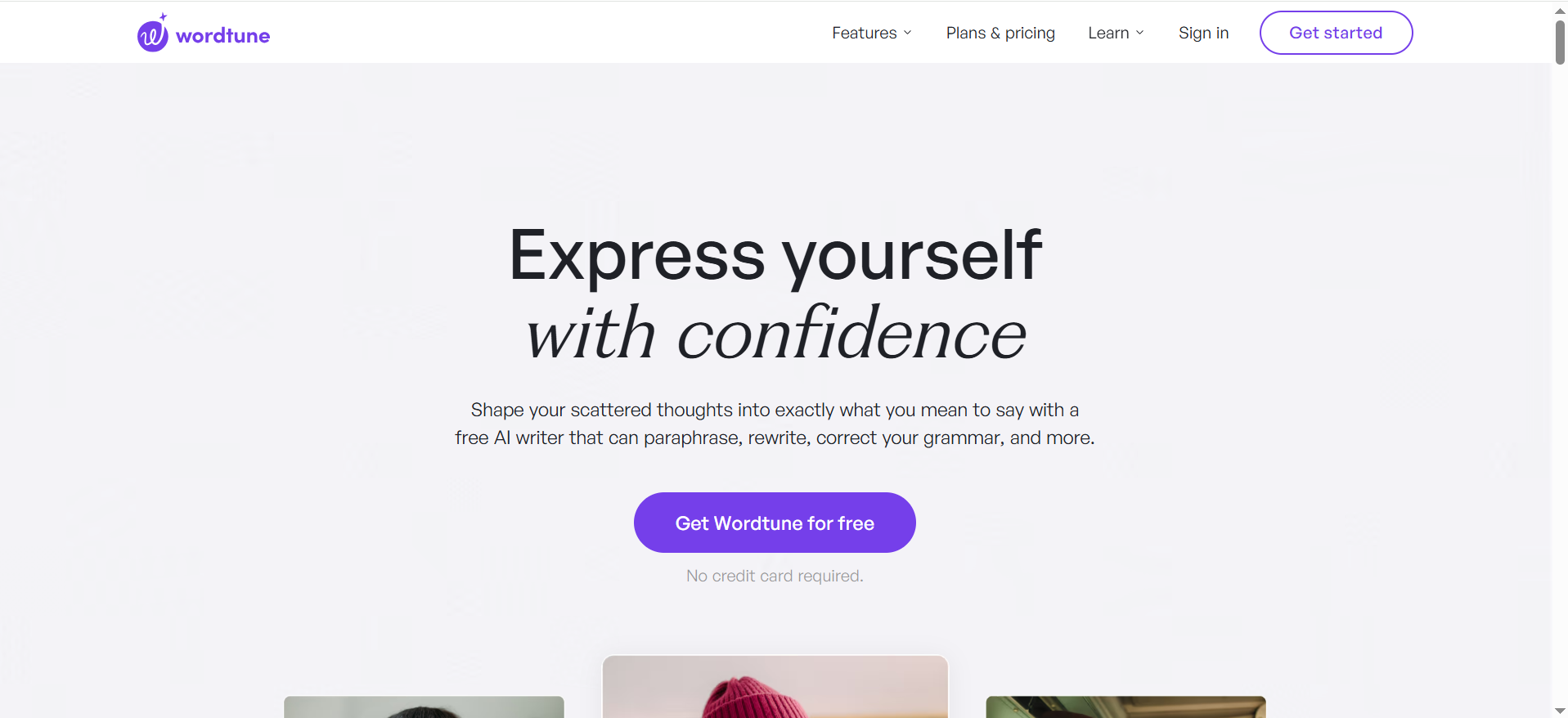
Wordtune is a rewriting tool that focuses on sentence-level alternatives. Instead of a single suggestion, it shows you 2-4 different ways to rephrase the same sentence. You can adjust tone from casual to formal, shorten, expand, or smarten sentences without changing the core meaning. Its Smart Summarizer also condenses paragraphs, and it runs on the AI21 Labs Jurassic-3 architecture.
Why Teams Use It
Teams love Wordtune because it is fast and visual. Seeing multiple rewrite options simultaneously means you can compare styles in seconds rather than clicking through one suggestion at a time. The pricing is also aggressive—even the paid tiers are cheaper than most competitors—making it accessible for solo operators and small teams.
What It's Good For
Wordtune is best for sentence-level refinement where you want to tweak individual sentences. It handles tone adjustment well, letting you shift from casual to formal instantly. You see multiple variants at once (2-4 alternatives) and can pick the best fit. It works quickly without deep customization, offers Smart Summarizer to condense paragraphs to key points, and integrates with Chrome, Word, Gmail, LinkedIn, and Slack.
When It's a Good Fit
Choose Wordtune if you rewrite sentences more than paragraphs, if you want to see multiple alternatives quickly, if you are on a tight budget and need quick rewrites, if you write in Gmail, LinkedIn, or Slack and need in-context rewrites, or if you prefer visual side-by-side comparisons.
When It's Not a Good Fit
Wordtune is not ideal if you need full-paragraph or multi-paragraph rewrites, if you want deep customization or brand voice alignment, if you are managing a large team that needs admin controls, if you need plagiarism detection, or if you require offline functionality.
How to Use It
Install the Wordtune Chrome extension or use the web app. Highlight a sentence or paste text into the web editor. Click the Wordtune icon to see 2-4 rewrite options. Use the tone slider from casual to formal to adjust the style. Click Shorten or Expand for length adjustments. Select your preferred version and insert it into your document.
Key Capabilities
Wordtune shows multiple rewrites at once with 2-4 options simultaneously. It provides a single tone adjustment slider from casual to formal. Shorten and Expand features reduce word count or elaborate on ideas. Smart Summarizer condenses paragraphs to 1-2 sentences. It integrates with Chrome, Word, Gmail, LinkedIn, Slack, and the web app, and is backed by the Jurassic-3 AI model.
Pricing
The Free plan gives you 10 rewrites per day plus 3 summaries per month. Advanced costs $6.99 per month on annual billing or $13.99 per month on monthly billing with 30 rewrites per day and 15 AI summaries per month. Unlimited costs $9.99 per month on annual billing or $19.99 per month on monthly billing with unlimited rewrites, AI suggestions, and summaries. Teams plan ranges from $7.99 to $15.99 per user per month with centralized billing and enterprise features.
Free Tier
Wordtune's free tier is surprisingly generous with 10 rewrites per day plus 3 summaries per month. For solo writers or occasional users, this may be enough. The limit resets daily, so you can test the tool risk-free over time.
Downsides and Limitations
Free and paid tiers do not include brand voice or team management. Wordtune is less suited for full-document rewrites due to its sentence-level focus. There is no plagiarism detection. The tone slider is simple but lacks granular control. And the tool works best within the Chrome extension since the standalone app is less full-featured.
3. QuillBot
What It Does
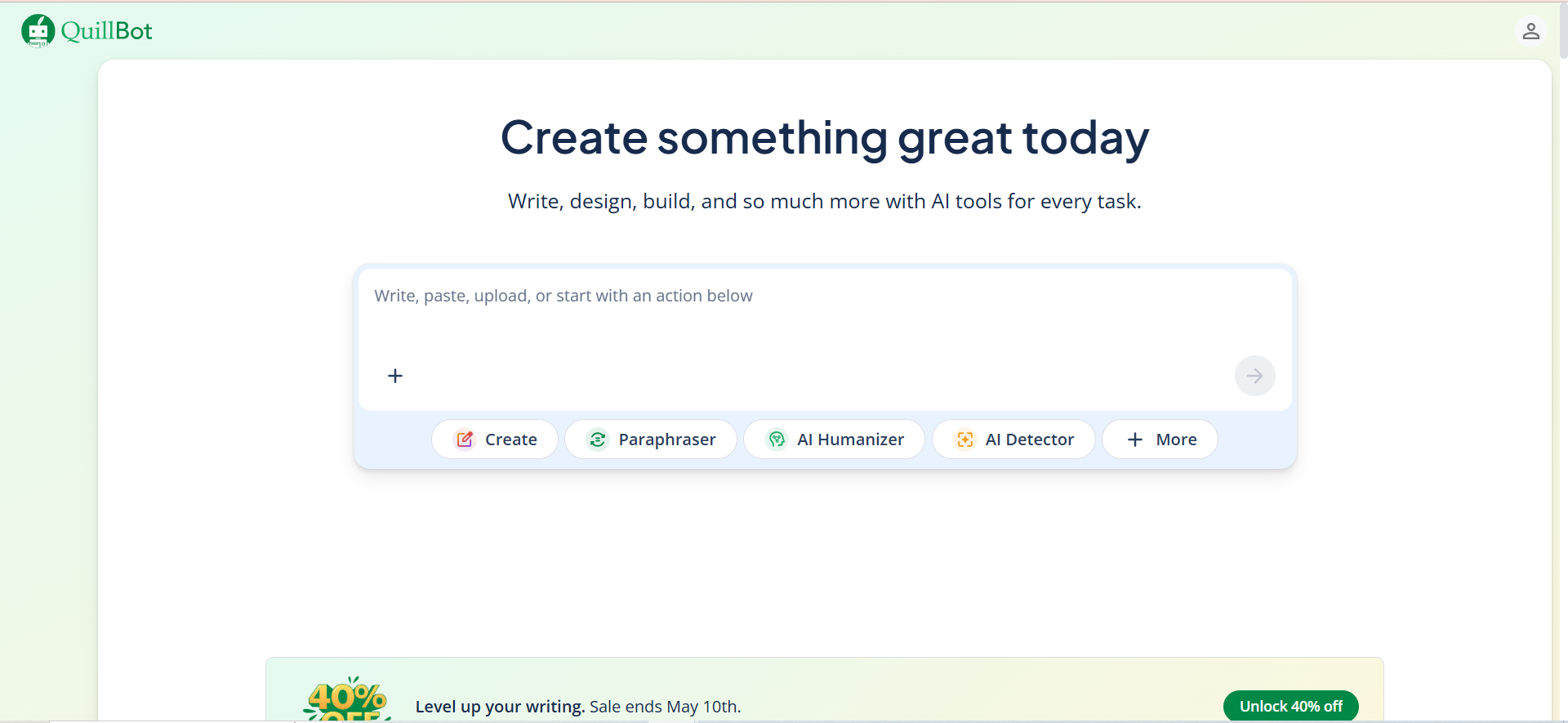
QuillBot is a paraphrasing tool with 7 different rewriting modes, each serving a different purpose. Standard mode rewrites for clarity, Fluency smooths awkward phrasing, Formal elevates tone for academic writing, Simple uses common words, Creative adds flair, Expand adds detail, and Shorten reduces length. It also includes grammar checking, a summarizer, and citation generation.
Why Teams Use It
QuillBot appeals to students, academics, and content creators because it offers mode-based control over rewrites. Unlike Grammarly which focuses on tone or Wordtune which emphasizes speed, QuillBot gives you explicit control over the type of rewrite happening. With over 50 million users, it is also the most widely adopted paraphrasing tool globally.
What It's Good For
QuillBot excels at mode-based rewriting with 7 modes for different rewrite types. It is built for academic writing with students and researchers in mind. The synonym slider lets you fine-tune how many synonyms the tool suggests. Built-in citation generation supports MLA, APA, and Chicago styles. Summarization condenses text to key points. Grammar checking and plagiarism detection are integrated on Premium, and the AI humanizer makes AI-written text sound more natural.
When It's a Good Fit
Choose QuillBot if you are a student or academic writer, if you need explicit control over rewrite types like formal, creative, or simple, if you want mode-based rather than tone-based adjustments, if you need citation generation, if you are rewriting academic or technical content, or if you want an affordable premium tier at $8.33 per month on annual billing.
When It's Not a Good Fit
QuillBot is not ideal if you need team-wide brand voice consistency, if you write in multiple apps and need seamless integration, if you require plagiarism detection in the free tier, if you prefer visual side-by-side comparisons of alternatives, or if you are managing non-academic content at enterprise scale.
How to Use It
Paste your text into QuillBot's web editor or use the Chrome extension. Select your rewriting mode from Standard, Fluency, Formal, Simple, Creative, Expand, Shorten, Academic, or Custom. Adjust the synonym slider to control how much variation appears. Click Paraphrase to generate rewritten text. Review and accept the output or regenerate for another option. Use the summarizer or grammar checker on the same piece.
Key Capabilities
QuillBot provides 7 paraphrasing modes that control exactly how the text is rewritten. The synonym slider adjusts boldness of word substitutions. A grammar checker identifies errors and suggests fixes. The summarizer condenses paragraphs to key points. A citation generator formats citations in MLA, APA, and Chicago. The AI humanizer removes AI-detected patterns from text. Plagiarism detection is available on Premium and above. And with over 50 million users, it is trusted by students and professionals globally.
Pricing
The Free plan offers a 125-word limit per rewrite with 2 modes (Standard and Fluency) and limited daily rewrites. Premium costs $8.33 per month on annual billing ($99.95 per year) or $19.95 per month on monthly billing and includes unlimited words, all 7 modes, summarizer, citation generator, grammar checker, and plagiarism detection. Teams plan starts at $7.50 per user per month for 2-10 seats.
Free Tier
QuillBot's free tier is functional but limited with a 125-word limit per rewrite and access to only 2 modes. For testing the tool or occasional use it is sufficient. For serious writers, Premium at $8.33 per month annual is a practical upgrade.
Downsides and Limitations
Only 2 modes and a 125-word limit are available on the free tier. Free and paid tiers lack brand voice or admin management. Sometimes the AI changes verb tense unexpectedly. It can suggest words that are technically correct but feel unnatural. And integration with Google Docs and Microsoft Word is less seamless than Grammarly.
4. ChatGPT
What It Does
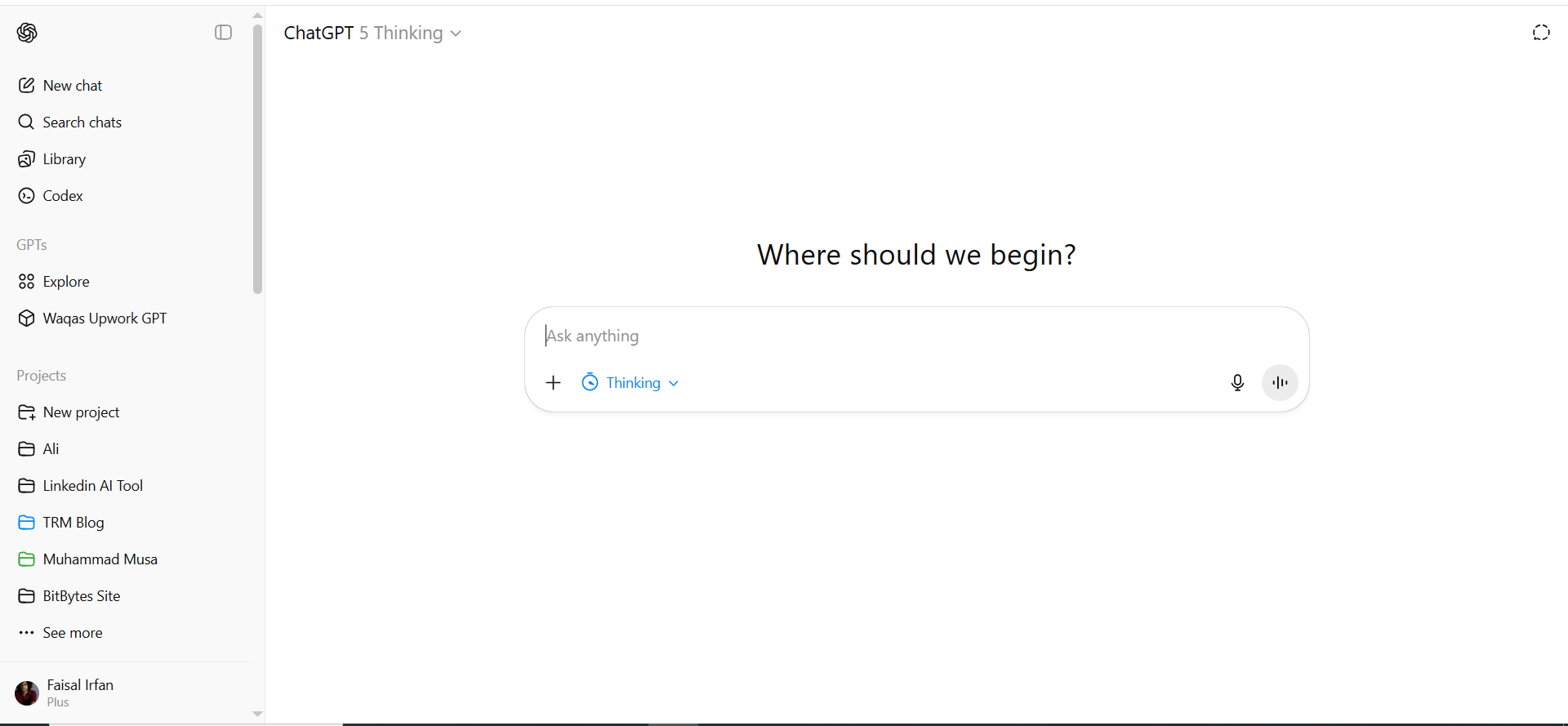
ChatGPT is a large language model that can rewrite text in any way you specify through prompts. Unlike tools with predefined rewrite buttons, ChatGPT gives you complete control. You can ask it to rewrite for simplicity, formality, brand voice, target audience, or any custom criteria. The 2026 upgrade includes Prism, a dedicated writing and editing environment that keeps your original, rewrites, references, and notes in one space. GPT-5.4, launched in March 2026, brings improved reasoning and contextual understanding.
Why Teams Use It
Advanced content teams use ChatGPT because it is flexible enough to handle any rewrite scenario. When you cannot find a preset rewrite option in other tools, ChatGPT handles it. Teams also use it for bulk rewrites via API or custom workflows, and the new Prism writing environment keeps multiple drafts and versions organized in one place.
What It's Good For
ChatGPT handles custom rewrite instructions where any rewrite rule you specify can be executed. It supports bulk processing to rewrite 50 pieces at once with a single prompt. Style transfer matches your text to another writer's style, brand voice, or format. GPT-5.4 provides reasoning-based rewrites that explain why it rewrote something. The 320-page context window on Plus tier means it remembers your instructions across multiple rewrites. API access integrates ChatGPT into custom tools and workflows. And the new Prism writing environment keeps drafts, references, and notes together.
When It's a Good Fit
Choose ChatGPT if you need custom rewrite instructions for marketing or other specialized content, if you are rewriting dozens of pieces and want consistency across all of them, if you are integrating text rewriting into a larger workflow or API, if you have a specific brand voice or style guide ChatGPT should follow, or if you want to understand the reasoning behind a rewrite with GPT-5.4.
When It's Not a Good Fit
ChatGPT is not ideal if you want a one-click rewrite button without writing prompts, if you need plagiarism detection, if you want integrations in Gmail, Google Docs, or LinkedIn, if you are managing a team and need brand voice controls with shared voice settings, or if you are on a strict budget since the Pro tier is $100 per month as of April 2026.
How to Use It
Open ChatGPT or use it in Prism (the writing environment). Paste your text and specify your rewrite instruction, for example "Rewrite this for a 10-year-old audience" or "Rewrite to match a confident, direct tone." ChatGPT generates the rewritten text. Request variations, ask it to explain the changes, or iterate. Use Prism to keep multiple versions side-by-side and compare. For bulk rewrites, use a prompt like "Here are 5 paragraphs. Rewrite each one with this instruction. Format as a numbered list."
Key Capabilities
ChatGPT offers unlimited customization with no preset buttons so you define the rewrite rules. Bulk processing handles multiple pieces in a single request. The Prism writing environment keeps original, rewrites, research, and notes together as a 2026 feature. GPT-5.4 reasoning lets you understand why ChatGPT made specific changes. A 320-page context on Plus tier retains instructions across many rewrites. API access is available for Plus and Pro users to automate rewrites in custom tools. And multi-turn conversations allow you to iterate and refine rewrites across multiple exchanges.
Pricing
Free tier gives you GPT-5.3 with limits and ads in the US. Go costs $8 per month with higher usage limits and no ads. Plus costs $20 per month with GPT-5.4, Prism, 320-page context, and priority access. Pro starts at $100 per month (5x Plus limits, new April 2026) or $200 per month (20x Plus limits) as the highest performance tier with advanced features. Business runs $25 per user per month with team collaboration and admin controls. Enterprise offers custom pricing with single sign-on and dedicated support.
Free Tier
ChatGPT's free tier with GPT-5.3 works for testing but has rate limits and includes ads in the US. For serious rewriting work, Plus at $20 per month is recommended to access GPT-5.4 and Prism.
Downsides and Limitations
ChatGPT requires writing a prompt each time with no one-click rewrite. Results vary based on prompt quality and specificity. There is no plagiarism detection. You must copy-paste between ChatGPT and your writing app since there are no integrations. The Pro tier at $100 per month is expensive for pure rewriting. It requires prompt engineering skills for best results. And beyond usage limits, rewriting via API incurs token fees.
5. Hemingway Editor
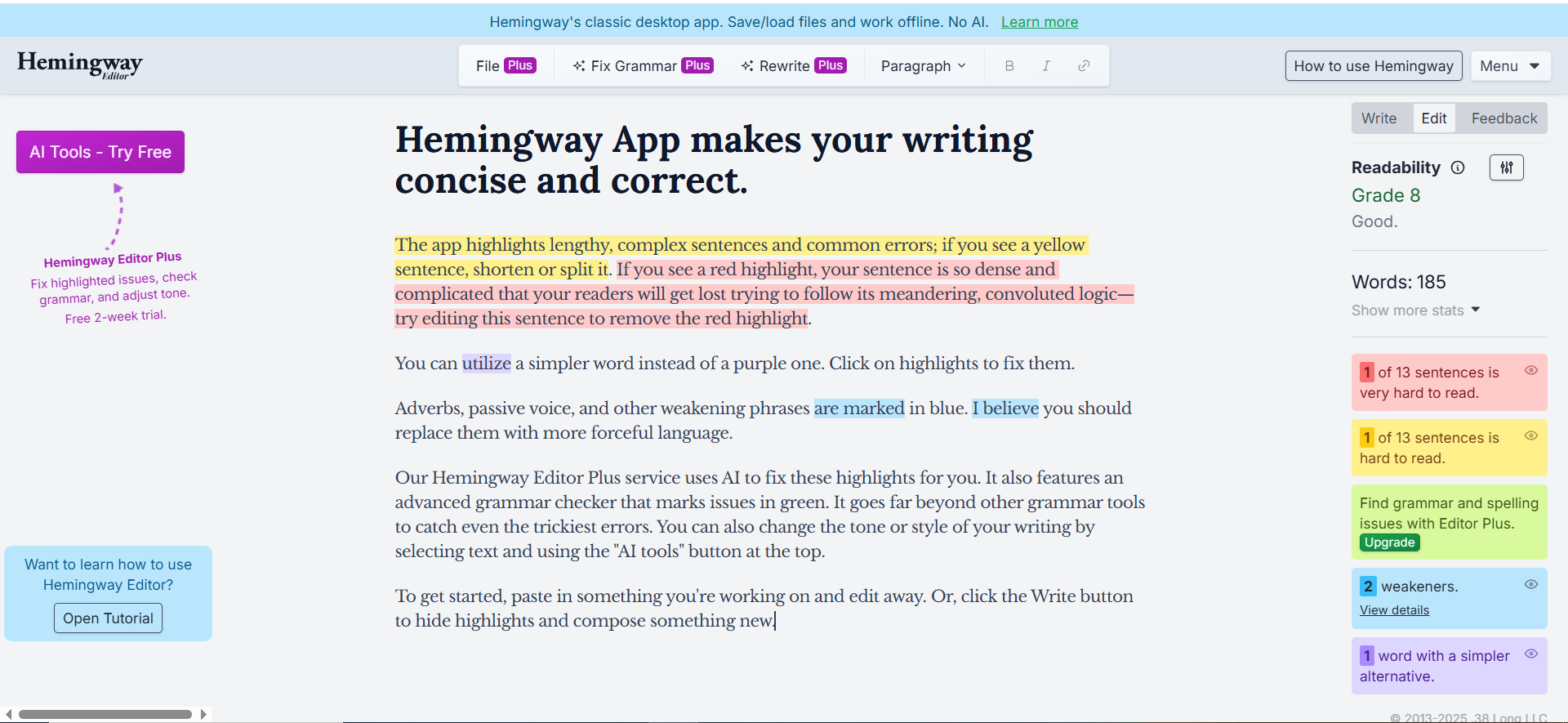
What It Does
Hemingway Editor highlights dense, hard-to-read sentences and suggests ways to make them clearer. Unlike other rewriting tools that focus on tone or paraphrasing, Hemingway is obsessed with readability. It scores your prose on a grade-level scale and identifies adverbs, passive voice, complex phrases, and unnecessarily long sentences. The Plus tier adds AI rewrites that automatically simplify these problematic sentences.
Why Teams Use It
Content teams use Hemingway when readability is the priority. B2C brands, publishers, and UX writers love it because it forces you to write short, clear, direct sentences. The free online editor is useful for a quick readability check, and the Plus tier adds AI rewrites for automated cleanup.
What It's Good For
Hemingway provides readability scoring so you see exactly how hard your text is to read with a grade level calculation. Passive voice detection identifies issues and suggests active voice alternatives. Adverb highlighting flags unnecessary adverbs that weaken prose. Sentence complexity highlighting catches overly long or convoluted sentences. The Plus tier rewrites wordy and passive sentences automatically. Eight writing styles are available including confident, formal, and friendly. And the free online version provides basic highlighting without AI and requires no login.
When It's a Good Fit
Choose Hemingway Editor if readability and clarity are your top writing priorities, if you want to reduce sentence length and complexity, if you are writing for a broad audience and need content optimization, if you want a free tool for quick checks, or if you are using it alongside another rewriter since Grammarly plus Hemingway is a common combination.
When It's Not a Good Fit
Hemingway is not ideal if you need integrations with Google Docs, Word, or email, if you want tone-based rewrites since it is readability-focused, if you need plagiarism detection, if you are writing technical or academic content where complex sentences are necessary, or if you need team-wide consistency controls.
How to Use It
Go to Hemingway Editor for free or open the desktop/Plus app. Paste your text into the editor. Review the highlighted issues where yellow marks adverbs and weak phrases, blue marks passive voice, purple marks complex phrases, and red marks very hard to read sentences. Click any highlight to see suggestions. On Plus tier, use AI rewrites to automatically fix wordy or passive sentences. Iterate until your readability score improves.
Key Capabilities
Hemingway provides readability scoring from grade level 1 to 18 where lower is better for broad audiences. Issue highlighting covers passive voice, adverbs, complex phrases, and long sentences. AI rewrites on the Plus tier automatically rewrite problematic sentences. Writing styles include confident, formal, friendly, and more on the Plus tier. The free online editor requires no registration and provides basic highlighting only. Desktop apps are available for Mac and Windows for offline use.
Pricing
The free version is an online editor with readability highlighting and no AI. A 14-day free trial of Plus provides 200 AI corrections. Plus Individual 5K costs $10 per month or $8.33 per month on annual billing and includes 5,000 AI sentence rewrites. Plus 10K costs $15 per month or $12.50 per month on annual billing with 10,000 AI rewrites. Team 10K costs $12.50 per user per month with all features plus team management.
Free Tier
Hemingway's free online editor is fully functional for readability checking, but it only highlights issues and does not rewrite. For AI rewrites, you need Plus at a minimum of $8.33 per month annual for 5,000 rewrites.
Downsides and Limitations
Hemingway is a standalone tool with no integrations, so you must copy-paste from your writing app. It is not useful if tone or style is your priority since it focuses only on readability. AI rewrites are good but less sophisticated than Grammarly or ChatGPT. It may flag necessary complexity in academic or technical content. There is no plagiarism detection. And the web and desktop app versions do not sync.
How to Choose the Right AI Text Rewriter
The right tool depends on four factors: your workflow, team size, budget, and rewrite depth.
Choose Grammarly if you write in multiple apps like Google Docs, Word, and email and need tone consistency across your team. It is the most integrated solution and the only one with a true Brand Voice feature for teams.
Choose Wordtune if you are optimizing sentence-level copy and want to see multiple alternatives fast. It is the cheapest option and works brilliantly in Gmail and LinkedIn.
Choose QuillBot if you are an academic writer, student, or creator who needs explicit control over rewrite types like formal, creative, or simple. Mode-based control is unique to QuillBot.
Choose ChatGPT if you need maximum flexibility and do not mind using prompts. It is the most powerful for custom rewrites but requires more manual effort than dedicated rewriting tools.
Choose Hemingway Editor if clarity and readability are your top priority. It highlights dense prose and offers readability scoring alongside rewrites.
What to Test Before You Commit
Before choosing a tool, run these tests on your actual content.
Rewrite a challenging paragraph from your work. Paste a dense, multi-idea paragraph into each tool and see which produces the clearest rewrite. Does the tool preserve meaning? Does it understand context?
Check integration with your workflow. If you write in Google Docs, test whether the tool integrates seamlessly or requires copy-pasting. One-click rewrites save time while clunky integrations waste it.
Test tone adjustments. If brand voice matters, rewrite the same sentence with different tone settings across tools. Grammarly and Wordtune handle this well while ChatGPT requires explicit prompting.
Evaluate free tier limits. Grammarly's 100 prompts per month, Wordtune's 10 rewrites per day, and QuillBot's 125-word limit might seem limiting, but if you are a light user, free might be enough.
Check team features. If you are managing a team, only Grammarly offers meaningful Brand Voice controls. For larger teams, ChatGPT Business and Grammarly Business are better choices than solo tools.
Compare pricing at scale. A $5 per month tool for one person costs $150 per month for 30 people. Run the math for your team size and adjust tool choice accordingly.
What Is the Best AI Tool for Rewriting Text for SEO
For SEO-focused rewriting, Grammarly and ChatGPT are the strongest options. Grammarly helps you rewrite for clarity and readability, which directly impacts dwell time and user engagement—two signals that influence rankings. ChatGPT is more versatile for SEO because you can prompt it to rewrite content while preserving target keywords, matching search intent, and adjusting for a specific reading level. If you want a dedicated SEO rewriting workflow, pair ChatGPT with a tool like Surfer SEO or Frase to ensure your rewrites maintain keyword density and topical coverage. QuillBot's Formal and Academic modes can help with authoritative rewrites, but it lacks SEO-specific features.
Which AI Rewriter Is Best for Academic Writing
QuillBot is the clear winner for academic writing. Its 9 rewriting modes include Academic and Formal, both designed for scholarly content. The citation generator supports MLA, APA, and Chicago styles, and the plagiarism checker on Premium helps verify originality. Grammarly is a strong second choice because of its tone matching and grammar depth, but it lacks citation generation. ChatGPT can rewrite academic content well if you provide detailed prompts, but it requires more manual oversight to ensure accuracy and proper citation.
How Do I Rewrite Text to Match a Specific Tone
Grammarly and Wordtune are the best tools for tone matching. Grammarly offers 8+ tone presets including confident, friendly, formal, and direct. You can select a tone before rewriting, and the AI adjusts word choice, sentence structure, and phrasing accordingly. Wordtune provides a casual-to-formal slider and shows multiple alternatives so you can pick the version that best matches your intended tone. ChatGPT is the most flexible but requires you to describe the desired tone in your prompt, such as "rewrite this in a warm, conversational tone for a B2C audience." Hemingway Editor does not handle tone—it focuses solely on readability.
What Is the Cheapest AI Tool for Text Rewriting
QuillBot Premium at $8.33 per month on annual billing is the cheapest full-featured option. Wordtune Advanced at $6.99 per month annual is a close second. Both offer meaningful rewriting capabilities at these price points. If budget is the primary constraint and you do not need advanced features, QuillBot Free (125-word limit, 2 modes) and Wordtune Free (10 rewrites per day) are usable for light work. ChatGPT Free works for rewriting but comes with rate limits and ads in the US. Grammarly Free is limited to 100 AI prompts per month. Hemingway's free online editor highlights readability issues but does not include AI rewrites.
Can I Use ChatGPT to Rewrite Text at Scale
Yes. ChatGPT is the best option for rewriting text at scale, especially if you use the API. You can feed it batches of paragraphs with a single instruction ("Rewrite each paragraph in a confident, direct tone while keeping technical accuracy") and it processes them in one response. The Plus tier's 320-page context window means it retains your style instructions across long sessions. For automated pipelines, the API lets you integrate rewriting into content workflows via n8n, Zapier, or custom scripts. The tradeoff is cost—API usage incurs token fees, and the Pro tier at $100 per month is expensive compared to dedicated rewriting tools. Always spot-check the first 5-10 outputs when rewriting at scale, since ChatGPT can drift in quality on longer batches.
How Does Grammarly's AI Rewrite Feature Work
Grammarly's 2026 AI rewrite function uses a contextual engine that analyzes the meaning, tone, and intent of your text before suggesting alternatives. When you highlight a sentence or paragraph, you can click the Rewrite button to see AI-generated alternatives. You can also choose a specific tone (confident, friendly, formal, etc.) and Grammarly rewrites accordingly. On the Pro and Business tiers, Brand Voice lets you define your company's writing standards once, and Grammarly enforces them across all rewrites for every team member. Each rewrite counts against your monthly AI prompt limit: 100 on Free and 2,000 on Pro.
Is Wordtune Better Than Grammarly for Rewriting
It depends on what you need. Wordtune is better for quick, sentence-level rewrites where you want to see multiple alternatives side by side. It is also significantly cheaper at $6.99 per month versus Grammarly's $12 per month on annual billing. Grammarly is better for comprehensive writing assistance that goes beyond rewriting—it catches grammar issues, checks plagiarism, enforces brand voice for teams, and integrates more deeply into your workflow across more apps. If you only need rewriting and you are budget-conscious, Wordtune wins. If you need a complete writing assistant with rewriting as one feature, Grammarly wins.
What Is the Best Free AI Text Rewriter
Wordtune Free is the best free AI text rewriter for most users. With 10 rewrites per day and daily resets, it provides enough capacity for solo writers who rewrite a few pieces per week. QuillBot Free is a close second, especially for academic users, though the 125-word limit per rewrite is restrictive. ChatGPT Free (GPT-5.3) offers unlimited flexibility but comes with rate limits and ads. Grammarly Free gives 100 AI prompts per month, which is generous but runs out quickly if you rewrite daily. Hemingway's free editor highlights readability issues but does not include AI rewrites.
How Do I Rewrite Text to Avoid Plagiarism
AI rewriters change wording, but the underlying ideas remain the same. Using a rewriter does not make plagiarism acceptable—you must still cite your sources. That said, tools like QuillBot's Creative and Expand modes produce rewrites that are structurally different enough from the original to pass plagiarism checkers with undetectable rewrites. ChatGPT can also deeply restructure text when prompted correctly ("Rewrite this passage using completely different sentence structures and vocabulary while preserving the core argument"). For plagiarism checking after rewriting, use QuillBot Premium's built-in checker or dedicated tools like Copyscape or Turnitin. Grammarly Premium also includes plagiarism detection.
Which AI Rewriter Works Best in Google Docs
Grammarly has the deepest Google Docs integration among AI rewriters. Its extension embeds directly into the Google Docs interface, showing real-time suggestions and rewrite options inline. QuillBot also integrates with Google Docs through its Chrome extension, though the experience is less seamless than Grammarly's native integration. Wordtune works in Google Docs via Chrome extension but focuses on sentence-level suggestions rather than full document rewrites. ChatGPT has no native Google Docs integration—you must copy-paste between tabs. Hemingway Editor has no Google Docs integration at all. It is also worth noting that Google's own Gemini AI is now built into all paid Workspace plans for free, offering Rephrase, Shorten, Elaborate, and Summarize functions directly inside Docs.
What Is the Difference Between Paraphrasing and Rewriting
Paraphrasing is restating text in your own words while preserving the original meaning—it typically operates at the sentence level and focuses on vocabulary substitution and structural rearrangement. Rewriting is broader: it can change tone, style, length, structure, and even the approach to presenting an idea while keeping the core message intact. QuillBot is primarily a paraphraser that swaps words and rearranges sentences. Grammarly and Wordtune are rewriters that adjust tone, clarity, and style. ChatGPT can do both—from light paraphrasing to deep rewrites that restructure entire sections. For content marketing, rewriting is usually more valuable than paraphrasing because you need to adjust for different audiences, channels, and tones.
Can I Use AI to Rewrite Social Media Captions
Yes, and Wordtune is the best tool for this. Its Chrome extension integrates directly with LinkedIn and its quick sentence-level rewrites are perfect for crafting concise, punchy captions. Hemingway Editor helps make captions more scannable by flagging wordy or complex phrasing. ChatGPT is good for generating multiple caption variations from a single prompt, especially if you need versions for different platforms (LinkedIn vs. Instagram vs. Twitter). Grammarly works well for tone-matching captions to your brand voice. For social media specifically, speed and brevity matter more than deep customization, which is why Wordtune and Hemingway tend to outperform heavier tools like ChatGPT for this use case.
How Do I Rewrite Text to Improve Readability
Hemingway Editor is purpose-built for this. It scores your text on a grade-level scale and highlights sentences that are too long, uses of passive voice, unnecessary adverbs, and complex phrases. The free version highlights issues, and the Plus tier rewrites them automatically. For a more comprehensive approach, combine Hemingway with Grammarly: use Hemingway to identify readability problems and Grammarly to rewrite while matching your desired tone. ChatGPT can also improve readability if you prompt it with specific instructions like "Rewrite this at a 6th-grade reading level" or "Simplify this paragraph so a non-technical reader understands it."
What Are the Best AI Rewriters for Content Marketing
For content marketing teams, Grammarly and ChatGPT form the strongest combination. Grammarly handles day-to-day rewriting with Brand Voice consistency, tone matching, and deep workflow integration across Google Docs, Word, and email. ChatGPT handles the creative and custom rewriting that Grammarly cannot—like adapting a blog post for a different audience, rewriting for a new channel, or bulk-processing content. Wordtune fills the gap for quick, sentence-level copy tweaks in LinkedIn and email. Hemingway ensures everything is readable before publishing. The ideal content marketing stack combines Grammarly for daily writing, ChatGPT for custom rewrites, and Hemingway for a final readability pass.
How Do I Choose Between QuillBot and Grammarly
QuillBot and Grammarly serve different primary purposes. QuillBot is a paraphrasing tool with mode-based control—choose from 7 modes like Formal, Creative, Simple, and Expand to control how your text is rewritten. It is best for students, academics, and anyone who needs explicit control over the type of rewrite. Grammarly is a comprehensive writing assistant where rewriting is one feature alongside grammar checking, plagiarism detection, Brand Voice, and deep app integrations. Choose QuillBot if you primarily need paraphrasing at a lower price ($8.33 per month vs $12 per month). Choose Grammarly if you need a complete writing solution that works across all your apps and enforces team-wide consistency.
FAQs
Rewriting changes word choice, sentence structure, tone, or style while preserving meaning. Paraphrasing specifically means restating text in your own words, often to simplify or condense. Tools like QuillBot specialize in paraphrasing while Grammarly and Wordtune offer broader rewriting options covering tone, clarity, and style.
No. Rewriting text does not make plagiarism acceptable—you must still cite your sources. AI rewriters change wording, but the underlying ideas remain the same. Use these tools to improve clarity and style, not to disguise unoriginal work. For plagiarism checking, use dedicated tools like Copyscape or Turnitin.
Wordtune and Hemingway Editor are best for social media. Wordtune integrates directly with LinkedIn and shows multiple alternatives quickly, making it perfect for crafting the right tone for your audience. Hemingway keeps posts scannable and clear, which performs better on social feeds.
Solo tools work but lack consistency. If your team is under 5 people, using a free or Pro tier individually is fine. For larger teams, Grammarly Business or ChatGPT Business ensures everyone uses the same brand voice and style guidelines. Without alignment, your content will sound fragmented.
ChatGPT sometimes rewrites text in ways that change the original meaning or introduce errors. Always review rewrites before publishing. If accuracy is mission-critical, use Grammarly or Wordtune alongside ChatGPT since they have narrower, safer rewrite scopes. For bulk rewrites, always spot-check the first 5-10 outputs.
Most AI rewriting tools process your text on remote servers. Grammarly encrypts data in transit and at rest, but your text is still stored temporarily. ChatGPT retains conversation data unless you opt out. For sensitive business content, review each tool's privacy policy before pasting confidential information. If privacy is a hard requirement, consider the Hemingway desktop app which works offline.
Support varies. ChatGPT handles dozens of languages well for rewriting. QuillBot supports 26 languages for paraphrasing. Grammarly and Wordtune are primarily English-focused with limited support for other languages. Hemingway is English-only. If multilingual rewriting is a priority, ChatGPT is the clear winner.