Best Deep Research AI (2026)
How B2B companies and B2C brands can shortlist the best deep research ai tools for generate pipeline without wasting evaluation cycles.

This playbook helps content managers and growth marketers compare the best deep research ai options for content production. It breaks down where perplexity, chatgpt stand out, when alternatives such as jasper, copy-ai make more sense, and which setup fits B2B companies and B2C brands and solo operators and small businesses.
TL;DR
If you need an AI tool that can run multi-step web research, cross-reference dozens of sources, and hand you a structured report with citations, deep research AI is the category to watch in 2026. Perplexity leads on speed and citation quality for web-based research. ChatGPT delivers the most thorough long-form reports when time is not a constraint. Claude handles analytical depth and large-context synthesis better than anything else. NotebookLM is the best option for working with your own uploaded documents. Elicit is purpose-built for academic literature reviews. The right pick depends on whether you are researching the open web, your own files, or the academic literature.
Table of Contents
Best Deep Research AI Tools (Quick Comparison)
| Tool | Best For | Deep Research Speed | Free Tier | Paid Price | Citation Style |
|---|---|---|---|---|---|
| Perplexity | Web research with speed and source transparency | 2–5 minutes | Limited access | $20/mo (Pro) | Inline numbered sources |
| ChatGPT | Thorough long-form reports with reasoning depth | 15–25 minutes | 5 runs/month | $20/mo (Plus) | Numbered references |
| Claude | Large-context analysis and document synthesis | Varies by task | Daily usage limits | $20/mo (Pro) | In-context references |
| NotebookLM | Source-grounded research on your own documents | 2–8 minutes | 50 queries/day | $19.99/mo (Pro) | Source-linked citations |
| Elicit | Academic literature review and systematic research | 1–3 minutes per extraction | 2 reports/month | $12/mo (Plus) | Sentence-level paper citations |
Best Deep Research AI Tools (Quick Comparison)
Tool 1: Perplexity
What It Does
Perplexity is an AI-powered answer engine that runs real-time web searches, reads through dozens to hundreds of pages, and returns structured answers with inline citations. Its Deep Research mode, powered by Claude Opus 4.5 and 4.6 for Pro users, can visit over 100 web pages in a single query, cross-reference data points, flag contradictions, and produce a full report with sections and numbered sources.
Why Teams Use It
Content teams and growth marketers use Perplexity because it collapses what used to be a multi-hour manual research process into a 2 to 5 minute automated workflow. Instead of opening 20 tabs, scanning articles, and copy-pasting quotes into a doc, Perplexity handles the search, the reading, and the synthesis in one pass. The output is a structured briefing that a content manager can turn into an article outline, a competitive analysis, or a market snapshot without starting from scratch.
The citation quality is a major draw. Perplexity tends to pull from authoritative, high-quality sources rather than padding reports with low-value links. For teams that need to verify claims before publishing, this saves a significant amount of fact-checking time.
What It Is Good For
Perplexity excels at web-based research tasks where speed and source transparency matter. Competitive intelligence, market research, content briefing, product comparisons, and trend analysis are its strongest use cases. It is also effective for answering specific factual questions with up-to-date information, since it searches the live web rather than relying on a static training cutoff.
The related questions feature is particularly useful for content teams doing query fan-out. After answering your initial question, Perplexity surfaces related questions that help you explore adjacent subtopics without starting new searches. This accelerates the research phase of content production.
When It Is a Good Fit
Perplexity is a good fit when the research task involves the open web, the team needs results fast, and citation quality matters more than report length. It works well for content managers building article outlines, SEO specialists doing SERP research, and growth marketers preparing competitive briefs.
Teams that run high-volume content operations benefit from the Pro plan, which offers up to 500 Deep Research queries per month at $20. For solo operators or freelancers, the free tier with 5 Deep Research queries per day is generous enough to handle light research workloads.
When It Is Not a Good Fit
Perplexity is not the right choice when the research task requires analyzing your own private documents, working with academic literature databases, or producing extremely long-form synthesis reports. It is a web research tool first, and while it handles that well, it does not replace tools designed for document-grounded or literature-based research.
Teams that need deep reasoning on ambiguous, multi-layered questions may find that Perplexity's speed-optimized approach sacrifices some analytical depth. For those cases, ChatGPT or Claude may produce more nuanced outputs.
How to Use It
Sign up at Perplexity and start with the free tier. Use the search bar to enter your research question. For Deep Research, toggle the Deep Research mode before submitting. The system will show its progress as it searches and reads through sources. Once the report is ready, review the citations, export the output, and use it as the foundation for your content workflow.
For content teams, the most effective workflow is to use Perplexity for the initial research pass, then bring the structured output into your drafting tool for expansion and editing.
Key Capabilities
Real-time web search across hundreds of pages per query. Structured report generation with sections and inline citations. Related questions for query fan-out and topic expansion. Source quality filtering that prioritizes authoritative domains. Multiple AI model options for Pro users including Claude Opus. Collections for organizing research across projects. API access for developers building research workflows.
Pricing
Perplexity Free gives access to basic search and limited Deep Research at 5 queries per day. Perplexity Pro costs $20 per month and unlocks up to 20 Deep Research queries per month, access to premium AI models, and unlimited standard searches. Perplexity Max is $200 per month for power users who need unlimited Deep Research and priority processing. Enterprise pricing is available for teams with security and compliance requirements.
Free Tier?
Yes. The free tier includes unlimited basic searches and limited Deep Research access. This is sufficient for solo researchers or light-usage content teams who want to test deep research capabilities before upgrading.
Downsides and Limitations
Reports tend to be shorter than what ChatGPT Deep Research produces. The tool cannot analyze private documents or uploaded files in the same way Claude or NotebookLM can. Some users report that the depth of analysis on highly ambiguous or multi-faceted questions falls short compared to tools that spend more time reasoning. The API pricing for Sonar Deep Research adds up quickly for high-volume programmatic use cases, with charges for citation tokens, reasoning tokens, and search queries on top of base token rates.
Tool 2: ChatGPT
What It Does
ChatGPT's Deep Research feature, available through OpenAI, runs autonomous multi-step research loops. When you submit a deep research query, it issues web searches, reads full pages, follows citation chains, and synthesizes everything into a structured long-form report with numbered references. The process is more thorough than most competitors, often taking 15 to 25 minutes per query as it explores topics in depth before generating its output.
Why Teams Use It
Teams choose ChatGPT Deep Research when they need the most comprehensive output possible and are willing to wait for it. The reports are typically the longest and most detailed among the tools in this category, with visible reasoning on ambiguous topics that other tools gloss over. For content teams producing in-depth guides, whitepapers, or research-backed articles, this depth is valuable.
ChatGPT also benefits from the broader ChatGPT ecosystem. Teams already using ChatGPT for drafting, brainstorming, and editing can run Deep Research within the same interface and immediately work with the output in follow-up conversations.
What It Is Good For
ChatGPT Deep Research is strongest for tasks that require comprehensive coverage of a topic, detailed reasoning, and long-form output. Strategy research, market analysis, technical deep dives, and content pieces that need to cover a topic exhaustively are where it shines. It handles nuanced, multi-layered questions better than speed-optimized alternatives because it spends more time reasoning through ambiguities.
When It Is a Good Fit
ChatGPT is a good fit when the team values thoroughness over speed, the research question is complex or ambiguous, and the output needs to be long-form. Content managers producing comprehensive guides, SEO specialists building pillar content, and growth marketers conducting strategic research will get the most value from ChatGPT Deep Research.
The Plus plan at $20 per month with 10 Deep Research runs per month is enough for most professional workflows where deep research is a weekly rather than daily task.
When It Is Not a Good Fit
ChatGPT Deep Research is not the right choice when speed is the priority. At 15 to 25 minutes per run, it is significantly slower than Perplexity or NotebookLM. Teams that need multiple quick research passes throughout the day will find the pace frustrating.
The 10 runs per month on the Plus plan can also be limiting for teams with heavy research needs. Upgrading to Pro at $200 per month removes the cap, but the price jump is steep for teams that only occasionally need more than 10 runs.
How to Use It
Log into ChatGPT. Start a new conversation and select the Deep Research option before submitting your query. The system will display its research progress, including which searches it is running and which pages it is reading. Wait for the full report to generate, then use the output as your research foundation.
For best results, write detailed, specific prompts. ChatGPT Deep Research responds well to queries that define the scope, the audience, and the specific questions that need answering.
Key Capabilities
Multi-step autonomous web research with citation chain following. Long-form structured report generation with numbered references. Deep reasoning on ambiguous and multi-layered topics. Integration with the broader ChatGPT ecosystem for follow-up work. Canvas mode for collaborative editing of research outputs. File upload support for contextual research.
Pricing
ChatGPT Free includes limited Deep Research access with approximately 5 runs per month. ChatGPT Plus costs $20 per month and includes 10 Deep Research runs per month. ChatGPT Pro costs $200 per month and includes 250 Deep Research runs per month for power users. ChatGPT Business is $25 to $30 per user per month and includes Deep Research for teams. ChatGPT Enterprise offers custom pricing with advanced security and admin features.
Free Tier?
Yes. The free tier includes approximately 5 Deep Research runs per month. This is limited but enough to test the feature and determine if the depth of output justifies upgrading to Plus.
Downsides and Limitations
The 15 to 25 minute processing time per query is the biggest drawback for teams that need fast turnarounds. The 10 runs per month on Plus can feel restrictive for heavy users. The Go plan at $8 per month does not include Deep Research at all, which may confuse users who expect it at every paid tier. Report quality can vary depending on the topic and how well the query is structured.
Tool 3: Claude

What It Does
Claude, built by Anthropic, offers deep research capabilities through its extended thinking and large context window. Claude's 200,000 token context window allows users to upload entire research papers, book chapters, or multiple documents and analyze them simultaneously. The extended thinking feature enables Claude to reason through complex problems step by step before generating its response, producing analytical depth that is hard to match.
Claude's research mode performs multi-step web searches and synthesizes findings into structured reports, similar to Perplexity and ChatGPT but with a stronger emphasis on analytical reasoning.
Why Teams Use It
Teams choose Claude when analytical depth and document synthesis are more important than speed or web search breadth. Claude's ability to hold and reason over large amounts of context makes it the strongest option for tasks like analyzing long documents, comparing multiple sources side by side, and producing nuanced summaries that capture subtlety rather than just surface-level facts.
The writing quality is another differentiator. Claude's outputs tend to be more polished, natural, and well-structured than competitors, which matters for content teams that want to minimize editing after the research phase.
What It Is Good For
Claude excels at document analysis, synthesis across multiple sources, detailed analytical writing, and tasks that require holding a lot of context in memory at once. It is particularly strong for content teams that need to analyze competitor content, synthesize information from multiple reports, or produce nuanced strategic analysis.
The extended thinking feature makes Claude effective for complex, multi-step reasoning tasks where the answer is not straightforward and requires careful consideration of tradeoffs.
When It Is a Good Fit
Claude is a good fit when the research task involves analyzing uploaded documents, the output needs to be analytically sophisticated, and the team values writing quality. Content managers working on thought leadership pieces, SEO specialists analyzing competitor content strategies, and growth marketers synthesizing market research reports will find Claude's strengths align well with their needs.
When It Is Not a Good Fit
Claude is not the strongest option for pure web research tasks where you need the tool to search the internet, read dozens of pages, and compile findings. While Claude does offer web research capabilities, Perplexity and ChatGPT have more mature and faster web search loops. Claude also lacks the specialized academic literature search capabilities of Elicit.
How to Use It
Sign up at Claude. Upload your documents or start a conversation with your research question. For deep analysis, use the Projects feature to organize your sources and maintain context across conversations. Enable extended thinking for complex reasoning tasks by toggling it in the interface.
For content teams, the most effective workflow is to upload all relevant source materials into a Claude Project, then use targeted prompts to extract insights, compare sources, and draft content outlines based on the analysis.
Key Capabilities
200,000 token context window for large document analysis. Extended thinking for step-by-step analytical reasoning. Research mode for web-based multi-step search and synthesis. Projects feature for organizing sources across sessions. High-quality writing output that requires minimal editing. File upload support for PDFs, documents, and code. Claude Code for terminal-based agentic workflows.
Pricing
Claude Free includes basic access with daily usage limits. Claude Pro costs $20 per month and adds extended usage, Claude Code terminal access, file creation and code execution, and unlimited projects. Claude Max starts at $100 per month for 5x Pro usage or $200 per month for 20x Pro usage. API pricing scales by model: Haiku 4.5 at $1/$5, Sonnet 4.6 at $3/$15, and Opus 4.6 at $5/$25 per million input/output tokens.
Free Tier?
Yes. The free tier includes access across web, iOS, Android, and desktop with text, image, and code generation subject to daily usage limits. The limits are restrictive enough that professional use will likely require the Pro plan.
Downsides and Limitations
Claude's web research capabilities are less mature than Perplexity's dedicated search infrastructure. The daily usage limits on the free tier are tight for professional research workflows. Claude does not have a dedicated academic paper search like Elicit, so literature reviews require manually uploading papers. The research mode, while capable, can be slower and less structured in its web search approach compared to purpose-built research tools.
Tool 4: NotebookLM
What It Does
Google NotebookLM is an AI research tool designed to work with your own uploaded sources. You create notebooks, upload documents like PDFs, Google Docs, web URLs, YouTube videos, audio files, and images, and then query the AI to analyze, summarize, and synthesize your source material. The Deep Research mode goes beyond your uploaded sources to search the web and produce in-depth reports.
NotebookLM's standout feature is its Audio Overviews, which generate podcast-style discussions of your documents. The Studio panel also produces mind maps, slide decks, infographics, data tables, quizzes, and flashcards from your sources.
Why Teams Use It
Teams use NotebookLM when the research task centers on their own materials. Instead of asking an AI to search the web and hope it finds the right sources, NotebookLM lets you control the source material and then use AI to extract insights, find patterns, and create outputs grounded in those specific documents.
The audio overview feature has become popular for teams that want to quickly absorb the key points from long documents or research collections without reading everything manually.
What It Is Good For
NotebookLM is strongest for source-grounded research where you need the AI to stay within the boundaries of specific documents. Competitive analysis using uploaded competitor content, internal knowledge synthesis across company documents, literature review using uploaded papers, and meeting preparation from collected briefing materials are all strong use cases.
The multimedia output options make it useful for teams that need to transform research into different formats, whether that is an audio briefing for executives, a slide deck for stakeholders, or a quiz for training purposes.
When It Is a Good Fit
NotebookLM is a good fit when the research material already exists and the task is synthesis, analysis, or transformation rather than discovery. Content managers who have collected their source material and need to organize and extract insights before writing will find it valuable. Teams that need to collaborate around a shared set of sources benefit from the notebook structure.
When It Is Not a Good Fit
NotebookLM is not the right tool for open-ended web research where you do not already have the source material. While Deep Research mode does search the web, the tool's core strength is working with uploaded documents. For pure web discovery tasks, Perplexity or ChatGPT are stronger options.
The free tier limits, including 50 chat queries per day and limited Deep Research sessions, may not be enough for teams running heavy daily research workflows.
How to Use It
Go to NotebookLM and create a notebook. Upload your sources, including PDFs, Google Docs, web URLs, YouTube links, or audio files. Use the chat interface to ask questions about your sources. Toggle Deep Research mode for comprehensive analysis that goes beyond your uploaded materials. Use the Studio panel to generate audio overviews, mind maps, or other formatted outputs.
Key Capabilities
Source-grounded AI chat that stays within your uploaded documents. Deep Research mode for web-extended analysis. Audio Overviews that generate podcast-style discussions. Studio panel for mind maps, slide decks, infographics, and more. Support for PDFs, Google Docs, Sheets, web URLs, YouTube videos, audio, and images. Up to 300 sources per notebook on Pro. Enterprise tier with SOC 2, ISO 27001, and GDPR compliance.
Pricing
NotebookLM Free includes 50 chat queries per day, limited sources per notebook, and limited Deep Research sessions. NotebookLM Pro costs $19.99 per month and increases sources per notebook to 300, chat queries to 500 per day, Audio and Video Overviews to 20 per day, and Deep Research to 20 sessions per day. NotebookLM Ultra is $249.99 per month with enhanced limits across all features. NotebookLM Enterprise is $9 per user per month with security, compliance, and shared organizational notebooks.
Free Tier?
Yes. The free tier is functional for light research with 50 chat queries per day and limited access to Deep Research and Audio Overviews. It is sufficient for testing the tool and handling occasional research tasks.
Downsides and Limitations
NotebookLM is less effective for open web research compared to Perplexity or ChatGPT. The tool is tightly integrated with the Google ecosystem, which can be a friction point for teams using other platforms. The Ultra tier at $249.99 per month is expensive for features that competitors offer at lower price points. Audio Overviews, while innovative, are not always accurate in their interpretation of complex or technical source material.
Tool 5: Elicit
What It Does
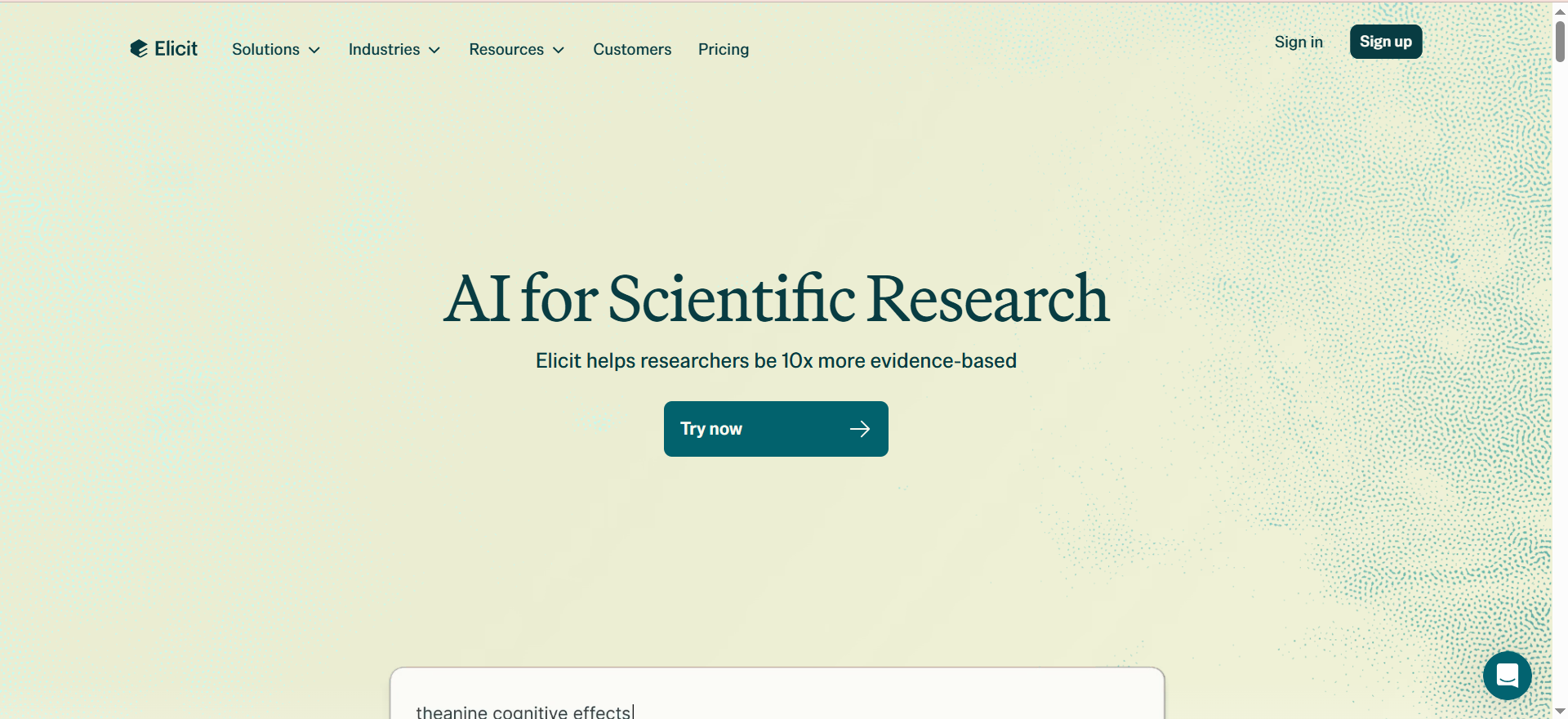
Elicit is an AI research assistant built specifically for academic and scientific literature review. It searches across 138 million academic papers using semantic similarity matching, meaning it finds relevant papers even without exact keyword matches. The platform extracts structured data from papers, generates automated research reports, and supports systematic review workflows.
What sets Elicit apart from general-purpose research AI is its focus on research integrity. Every AI-generated claim includes sentence-level citations from the underlying source papers, making verification straightforward.
Why Teams Use It
Teams use Elicit when the research task involves academic or scientific literature rather than the open web. For content teams producing evidence-based articles, conducting market research backed by academic studies, or building credibility through cited research, Elicit provides a workflow that general-purpose tools cannot match.
The systematic review capabilities on Pro and Enterprise plans are particularly valuable for teams that need to screen large volumes of papers against specific criteria, which is common in healthcare, policy, and evidence-based marketing content.
What It Is Good For
Elicit excels at academic literature discovery, structured data extraction from papers, systematic reviews, and evidence synthesis. It is the strongest tool in this comparison for finding, organizing, and analyzing published research. The Research Agent feature on Pro plans extends beyond academic publications to include clinical trial data, regulatory documents, and press releases.
When It Is a Good Fit
Elicit is a good fit when the content needs to be grounded in academic evidence, the research involves scanning large volumes of published literature, or the team needs structured data extraction from research papers. Content managers producing health, science, or policy content will find it essential. Growth marketers building data-backed thought leadership content can use it to find supporting evidence quickly.
When It Is Not a Good Fit
Elicit is not designed for general web research, competitive analysis, or real-time information gathering. It searches academic databases, not the live web. Teams that need current market data, competitor pricing, or trending topics should use Perplexity or ChatGPT instead. Elicit's free tier is also quite limited at 2 reports per month and 2 columns per extraction table.
How to Use It
Sign up at Elicit. Start by entering a research question in the search bar. Elicit will return relevant academic papers ranked by semantic relevance. Use the data extraction tables to pull structured information from papers, such as sample sizes, methodologies, key findings, and conclusions. Generate automated research reports for a synthesized overview. Export results to CSV, BIB, or RIS formats for use in other tools.
Key Capabilities
Semantic search across 138 million academic papers. Structured data extraction with customizable columns. Automated research report generation. Systematic review workflows on Pro and Enterprise. Sentence-level citations for every AI-generated claim. Export to CSV, BIB, and RIS formats. Research Agent for broader source types including clinical trials and regulatory documents. Paper alerts for ongoing research monitoring.
Pricing
Elicit Basic is free and includes 2 Automated Research Reports per month, unlimited search, and 2 columns per extraction table. Elicit Plus costs $12 per month or $120 per year and adds 600 data extractions per year, CSV and BIB and RIS export, high-accuracy mode, and 5 custom columns. Elicit Pro costs $49 per month or $499 per year billed annually and includes systematic review workflows, unlimited high-accuracy columns, and research alerts. Enterprise pricing is custom and offers screening up to 40,000 papers, 40 extraction columns, SSO, and dedicated support.
Free Tier?
Yes. The Basic plan is free and includes unlimited paper search across 138 million papers and 2 automated research reports per month. The extraction capabilities are limited to 2 columns, which restricts how much structured data you can pull from papers without upgrading.
Downsides and Limitations
Elicit is narrowly focused on academic literature and does not handle general web research. The free tier is quite limited for professional use. Data extraction caps on paid plans can be a bottleneck for teams running large systematic reviews. The tool does not produce the kind of long-form synthesized reports that ChatGPT or Perplexity generate. It is a research discovery and extraction tool, not a content drafting tool.
What Is Deep Research AI?
Deep research AI refers to a category of artificial intelligence tools that go beyond simple question-and-answer interactions to perform multi-step, autonomous research workflows. Unlike standard AI chat, where you ask a question and get an immediate response based on the model's training data, deep research AI actively searches the web or academic databases, reads through multiple sources, cross-references information, and produces structured reports with citations.
The key difference is autonomy and depth. A deep research AI tool will issue its own search queries, follow links from one source to another, evaluate the quality and relevance of what it finds, and synthesize everything into a coherent output. This process can take anywhere from 2 minutes to 25 minutes depending on the tool and the complexity of the query.
For content teams, this means replacing the manual research phase, the part of content production where someone opens dozens of tabs, reads through articles, takes notes, and compiles findings, with an automated workflow that delivers a structured briefing ready for the next step.
How Does Deep Research AI Differ From Regular AI Chat?
Regular AI chat tools like standard ChatGPT or Claude respond based on their training data, which has a fixed knowledge cutoff. They generate answers from what they learned during training, which means the information can be outdated and is not verified against current sources.
Deep research AI adds three capabilities that regular chat does not have. First, it searches the live web or specialized databases in real time, so the information is current. Second, it reads and processes multiple sources autonomously, following citation chains and comparing information across pages. Third, it provides citations for its claims, so you can verify the output rather than trusting the model's training data alone.
The practical difference for content teams is significant. Regular AI chat is useful for brainstorming, drafting, and editing. Deep research AI is useful for the research phase, where accuracy, currency, and source transparency matter.
Which Deep Research AI Is Best for Academic Papers?
Elicit is the clear leader for academic paper research. It searches across 138 million academic papers using semantic matching, extracts structured data from papers, and provides sentence-level citations for every claim. The systematic review workflows on Pro plans are designed specifically for academic and scientific research processes.
For teams that need both academic and web research, combining Elicit for literature discovery with Perplexity or Claude for web-based analysis creates a comprehensive research stack. NotebookLM is also strong for analyzing uploaded academic papers, particularly when you need to synthesize insights across multiple documents you already have.
Can Deep Research AI Replace Human Researchers?
Deep research AI accelerates the research process but does not replace the judgment, domain expertise, and critical thinking that human researchers bring. These tools are excellent at the mechanical parts of research: finding sources, reading through large volumes of material, extracting data, and organizing findings. For teams that also need help with the writing and content production phase that follows research, dedicated AI writing tools can complement deep research workflows. They significantly reduce the time spent on discovery and compilation.
However, they can miss nuance, misinterpret context, or fail to identify when a source is unreliable in ways that a domain expert would catch. The most effective approach is to use deep research AI for the initial research pass and then apply human judgment to evaluate, refine, and build on the output.
For content teams specifically, deep research AI handles the briefing phase well. The strategic decisions about what angle to take, which claims to emphasize, and how to frame the narrative for the target audience still require human input.
Is Perplexity Deep Research Better Than ChatGPT Deep Research?
The answer depends on the use case. Perplexity is faster, typically finishing deep research runs in 2 to 5 minutes compared to ChatGPT's 15 to 25 minutes. Perplexity also tends to use more authoritative sources and provides cleaner citation formatting. For teams that need quick, citation-heavy research briefings, Perplexity is the stronger choice.
ChatGPT Deep Research produces longer, more detailed reports with deeper reasoning on ambiguous topics. It follows citation chains more aggressively and is better at handling complex, multi-layered questions where the answer requires weighing competing evidence. For teams producing comprehensive long-form content, ChatGPT's thoroughness may justify the extra wait time.
On pricing, both offer Pro tiers at $20 per month, but Perplexity gives significantly more deep research runs at that price point. ChatGPT Plus limits users to 10 runs per month, while Perplexity Pro offers up to 500.
What Are Free Deep Research AI Tools?
All five tools in this comparison offer free tiers, though with varying levels of usefulness. Perplexity offers limited Deep Research access on the free plan, with unlimited standard searches. ChatGPT provides approximately 5 Deep Research runs per month for free users. NotebookLM's free tier includes limited Deep Research sessions alongside 50 chat queries per day. Claude offers basic access with daily usage limits. Elicit provides unlimited paper search and 2 automated research reports per month for free.
For teams testing the category before committing to a paid plan, Perplexity's free tier offers the best balance of access and capability. Elicit's free tier is the best option for academic research specifically, given the unlimited paper search.
How Accurate Are Deep Research AI Tools?
Accuracy varies by tool and by the type of question. On standardized benchmarks, Perplexity Deep Research scored 21.1% on Humanity's Last Exam and 93.9% on the SimpleQA benchmark, indicating strong factual accuracy for straightforward questions. Perplexity also showed the highest accuracy rate at 34% in comparative evaluations of deep research tools.
ChatGPT Deep Research tends to produce the most thorough outputs but accuracy depends heavily on how well the query is structured. Claude's extended thinking feature improves accuracy on complex reasoning tasks by working through problems step by step.
The most important accuracy factor for content teams is citation quality. Tools that provide inline citations from authoritative sources, like Perplexity and Elicit, allow teams to verify claims quickly. Tools that generate uncited analysis require more manual fact-checking.
What Is the Best Deep Research AI for Business?
For business research, specifically competitive intelligence, market analysis, and strategic planning, Perplexity and ChatGPT are the strongest options. Perplexity delivers fast, citation-rich briefings that are ideal for competitive analysis and market monitoring. ChatGPT produces more detailed strategic reports that are better for executive briefings and long-form analysis.
Claude is the best choice when business research involves analyzing internal documents, long reports, or complex strategic materials. Its large context window and analytical writing quality make it effective for synthesizing information from multiple business documents.
NotebookLM is useful for teams that want to build a shared research base from company documents and use AI to extract insights across that collectio
FAQs
Perplexity is the fastest, with most Deep Research runs completing in 2 to 5 minutes. Elicit is similarly fast for academic paper search and extraction. ChatGPT is the slowest, often taking 15 to 25 minutes per deep research run, but produces the most comprehensive outputs.
Yes. All five tools in this guide offer free tiers. Perplexity provides 5 Deep Research queries per day for free, making it the most accessible option. Elicit offers unlimited academic paper search on its free plan. ChatGPT, Claude, and NotebookLM all have free tiers with varying levels of deep research access.
Perplexity and Elicit lead on citation quality. Perplexity provides inline numbered citations from authoritative web sources. Elicit provides sentence-level citations from academic papers. ChatGPT includes numbered references but citation quality can vary. Claude and NotebookLM provide in-context references but are less structured in their citation formatting.
Yes. Deep research AI tools are particularly useful for SEO content production. Perplexity accelerates the research phase for comparison articles, listicles, and informational content. ChatGPT helps produce comprehensive pillar content. Claude is effective for analyzing competitor content. The combination of speed and citation quality helps content teams produce well-researched, authoritative articles that satisfy both search engines and AI overview systems.
Perplexity Pro offers up to 20 Deep Research queries per month at $20. ChatGPT Plus provides 10 Deep Research runs per month at $20. NotebookLM Pro allows 20 Deep Research sessions per day at $19.99 per month. Claude Pro offers extended usage at $20 per month with daily limits rather than monthly caps. Elicit Plus provides 600 data extractions per year at $12 per month.