Best Autonomous AI Agents (2026)
How B2B companies and B2C brands can shortlist the best autonomous ai agents tools for lower operating cost without wasting evaluation cycles.


This playbook helps marketing ops leaders and product managers compare the best autonomous ai agents options for AI agents and workflow automation. It breaks down where n8n, zapier stand out, when alternatives such as workato, relay-app make more sense, and which setup fits B2B companies and B2C brands and small businesses and mid-market companies.
TL;DR
If you need an autonomous AI agent platform that actually runs workflows without constant hand-holding, n8n is the strongest pick for technical teams that want full data control and deep AI node support, while Zapier is the fastest path for non-technical teams that need 7,000+ app connections out of the box. Make sits in between with the best price-to-power ratio, Voiceflow leads for conversational agents, and Relevance AI is purpose-built for multi-agent orchestration. This guide breaks down each option by what it does, who it fits, what it costs, and where it falls short so you can pick the right stack without running a three-month pilot.
Best Autonomous AI Agents Platforms (Quick Comparison)
Best Autonomous AI Agents Platforms (Quick Comparison)
| Platform | Best For | Starting Price | Free Tier | Key Strength |
|---|---|---|---|---|
| n8n | Technical teams wanting full control | €24/mo (cloud) or free self-hosted | Yes (self-hosted) | 70+ native AI nodes, LangChain integration, full data sovereignty |
| Zapier | Non-technical teams needing speed | $19.99/mo (tasks) + $33.33/mo (agents) | Yes (limited) | 7,000+ app integrations, natural language agent builder |
| Make | Budget-conscious teams at scale | $9/mo for 10,000 credits | Yes (1,000 credits/mo) | Visual workflow builder with best cost-per-operation ratio |
| Voiceflow | Conversational AI agents | $60/mo per editor | Yes (100 credits) | Purpose-built conversation designer with multi-turn context |
| Relevance AI | Multi-agent orchestration | $19/mo (Pro) | Yes (200 actions/mo) | Visual multi-agent canvas for collaborative agent systems |
Best Autonomous AI Agents Platforms (Quick Comparison)
1. n8n
What It Does
n8n is a workflow automation platform with native AI agent capabilities that runs on your own infrastructure or in the cloud. Since the n8n 2.0 launch in January 2026, it includes sandboxed code execution, persistent agent memory, and over 70 dedicated AI nodes that connect directly to LangChain. It lets you build, test, and deploy autonomous agents that chain LLM calls with deterministic logic, API integrations, and human-in-the-loop checkpoints in a single visual canvas.
Why Teams Use It
Teams choose n8n when they need to own their data and their infrastructure. The self-hosted Community edition is genuinely free with no execution caps, no workflow limits, and no node restrictions. For regulated industries, healthcare startups, and SaaS companies handling sensitive customer data, that means the agent never sends data through a third-party cloud unless you explicitly configure it to. The LangChain integration also means you can swap LLM providers, add vector databases for RAG workflows, and build tool-calling agents without leaving the platform.
What It Is Good For
n8n excels at complex, multi-step AI agent workflows that combine structured automation with LLM reasoning. Think: an agent that monitors a support inbox, classifies tickets using an LLM, routes them to the right team via Slack, drafts a response, and logs the outcome to your CRM, all in a single workflow with error handling and retry logic baked in. It handles background processing, data pipelines, and internal tooling agents particularly well.
When It Is a Good Fit
n8n fits best when your team has at least one person comfortable with APIs, JSON, and basic DevOps. If you are a B2B SaaS company or mid-market team that needs production-grade agents with audit trails, version control, and the ability to run custom code mid-workflow, n8n is hard to beat. It is also the right choice when you want to avoid per-task pricing that scales unpredictably.
When It Is Not a Good Fit
If your team has zero technical resources and needs to ship an agent by Friday, n8n's learning curve will slow you down. The self-hosted option requires server management, and even the cloud version assumes you are comfortable debugging workflow logic. Non-technical marketing teams or solo operators who just want a simple chatbot should look elsewhere.
How to Use It
Sign up for n8n Cloud or deploy the Community edition on your own server using Docker. Open the workflow editor, drag in an AI Agent node, connect it to your LLM provider (OpenAI, Anthropic, or a local model), attach tool nodes for the actions it should take (send email, query database, call API), and define the agent's system prompt. Test the workflow with sample data, set a trigger (webhook, schedule, or event), and activate it.
Key Capabilities
n8n offers 400+ integrations across the full platform, 70+ dedicated AI nodes, native LangChain support, persistent memory across executions, vector database connectors for RAG, human-in-the-loop approval nodes, sandboxed JavaScript and Python execution, webhook triggers, error handling with retry logic, version history, and credential management with encryption.
Pricing
n8n Cloud starts at €24/month for 2,500 executions on the Starter plan. The Pro plan runs €60/month for 10,000 executions. The Business plan is €800/month with SSO and 40,000 executions. All cloud plans include unlimited users and unlimited active workflows. Annual billing saves 17%. The self-hosted Community edition is completely free with no limits.
Free Tier?
Yes. The self-hosted Community edition is free forever with no execution limits, no workflow limits, and no node restrictions. You only pay for your own server infrastructure, which can be as low as €5/month on a basic VPS. There is no free tier for n8n Cloud.
Downsides and Limitations
The learning curve is steeper than Zapier or Make, especially for non-technical users. Self-hosting requires DevOps knowledge for updates, backups, and scaling. The integration library (400+) is significantly smaller than Zapier's 7,000+. Community support is strong but paid support requires the Business plan. The UI can feel overwhelming for simple automations.
2. Zapier
What It Does
Zapier connects over 7,000 apps and now includes a dedicated AI Agents product that lets you build autonomous agents through natural language instructions. You describe what the agent should do in plain English, connect the apps it needs access to, and Zapier handles the orchestration. Zapier Agents can browse the web, reference uploaded knowledge bases, take actions across connected apps, and operate via a Chrome extension that triggers agents from any website.
Why Teams Use It
Teams choose Zapier because it removes the technical barrier completely. A marketing manager can build an agent that monitors a Gmail inbox, enriches leads using Clearbit, adds them to HubSpot, and sends a Slack notification, all without writing a single line of code. The 7,000+ integration library means the app your team uses is almost certainly already supported, so setup time drops from days to hours.
What It Is Good For
Zapier is strongest for connecting SaaS tools in straightforward, trigger-action patterns and for deploying simple agents that handle repetitive tasks across multiple apps. Lead routing, data sync between CRM and marketing tools, notification workflows, and basic customer support triage are all sweet spots. The Agents product adds the ability to handle multi-step reasoning tasks that traditional Zaps cannot.
When It Is a Good Fit
Zapier fits when your team is non-technical, your stack is mostly mainstream SaaS tools, and you value speed of deployment over depth of control. If you need an agent running by end of week and your workflow does not require custom code, complex branching, or self-hosted infrastructure, Zapier is the fastest path to production. It also works well for teams already using Zapier for traditional automation who want to layer in AI capabilities.
When It Is Not a Good Fit
Zapier struggles when workflows get complex. Deeply nested conditional logic, custom code execution, and agents that need persistent memory across sessions push against its limits. The per-task pricing model also becomes expensive at scale: a workflow that runs thousands of times per month will cost significantly more on Zapier than on Make or n8n. Teams that need data sovereignty or self-hosting should rule it out.
How to Use It
Log into Zapier and navigate to the Agents section. Create a new agent, describe its behavior in natural language, connect the apps it needs, and define its triggers. You can attach knowledge sources (documents, URLs) for the agent to reference. Test the agent in chat mode, then activate it. Use the Chrome extension to trigger agents from any webpage.
Key Capabilities
Zapier offers 7,000+ app integrations, natural language agent builder, Chrome extension for browser-triggered agents, knowledge base attachments, web browsing, team agent sharing via pods, multi-step Zaps with conditional logic, built-in AI actions (summarize, draft, extract), webhook support, and a Copilot that suggests workflow improvements.
Pricing
Zapier's standard automation plans start at $19.99/month for 750 tasks. AI Agents are priced separately, starting free with 400 activities/month and scaling to $33.33/month (Pro) for 1,500 activities. Teams share a pooled activity budget. Organizations running both Zaps and Agents need two subscriptions, which can push total spend higher than expected.
Free Tier?
Yes. The free plan includes 100 tasks/month for standard Zaps and 400 activities/month for AI Agents. This is enough to test basic workflows but runs out quickly for production use. The free tier is limited to single-step Zaps and basic agent capabilities.
Downsides and Limitations
Pricing scales aggressively. A workflow with 10 steps counts as 10 tasks, so high-volume multi-step automations become expensive fast. The dual pricing model (tasks + agent activities) is confusing and can lead to surprise bills. Deep customization options are limited compared to n8n or Make. Data always routes through Zapier's cloud, so there is no self-hosting option. Complex agent workflows with persistent state remain challenging.
3. Make
What It Does
Make (formerly Integromat) is a visual automation platform that lets you build complex workflows through a drag-and-drop scenario builder. It supports 3,000+ app integrations and now includes native AI modules plus the Maia AI assistant that helps you build scenarios from natural language. Since August 2025, Make uses a credit-based billing system that accommodates both traditional automations and AI-powered workflows in a single plan.
Why Teams Use It
Teams pick Make when they need more workflow complexity than Zapier offers but do not want the technical overhead of n8n. The visual scenario builder makes branching logic, error handling, and parallel execution visible and debuggable. The pricing is dramatically cheaper at scale: 10,000 credits for approximately $9/month compared to Zapier's 750 tasks at $19.99. For teams running thousands of operations monthly, the cost difference is substantial.
What It Is Good For
Make handles multi-branch workflows, data transformation, and conditional logic better than Zapier. It is excellent for marketing automation sequences, content publishing pipelines, CRM data enrichment, e-commerce order processing, and any workflow where you need to route data through multiple paths based on conditions. The AI modules let you inject LLM calls at any point in a scenario.
When It Is a Good Fit
Make fits when you need visual workflow control, your operations volume is moderate to high (5,000+ per month), and your team can handle a slightly steeper learning curve than Zapier. It is the right choice for growing B2B and SaaS teams that have outgrown Zapier's pricing but do not need n8n's self-hosting capabilities. Teams that value being able to bring their own AI provider keys (OpenAI, Anthropic) will appreciate Make's flexibility on paid plans.
When It Is Not a Good Fit
Make's integration library (3,000+) is smaller than Zapier's, so check that your critical apps are supported before committing. It does not offer self-hosting, so data sovereignty requirements rule it out. Building truly autonomous agents (as opposed to deterministic workflows with AI steps) is more limited than on n8n or Relevance AI. The credit-based pricing can also be unpredictable for AI-heavy workflows since token usage consumes credits faster than standard operations.
How to Use It
Create a Make account, open the scenario builder, and add modules for each step of your workflow. Connect your apps via OAuth or API key, configure data mapping between modules, add routers for conditional logic, and set your trigger (webhook, schedule, or app event). For AI workflows, add an AI module, connect your LLM provider, and configure the prompt. Test with sample data, then activate the scenario.
Key Capabilities
Make provides 3,000+ app integrations, a visual drag-and-drop scenario builder, routers for conditional branching, iterators and aggregators for batch processing, native AI modules with BYOK (bring your own key) support, the Maia AI assistant for natural language scenario building, error handling with retry and rollback, data transformation functions, real-time execution logging, webhook triggers, and scheduling down to 1-minute intervals on paid plans.
Pricing
Make offers a free tier with 1,000 credits/month and 2 active scenarios. The Core plan is $9/month for 10,000 credits and unlimited scenarios. Pro is $16/month with priority execution and full logs. Teams is $29/month with collaboration features. Enterprise pricing is custom. AI workflows consume credits based on both operations and token usage, so costs can vary.
Free Tier?
Yes. The free plan includes 1,000 credits/month, 2 active scenarios, and a minimum 15-minute check interval. This is enough to prototype workflows but the 2-scenario limit means you will need to upgrade quickly for production use.
Downsides and Limitations
The credit system for AI workflows is unpredictable since token-heavy prompts consume credits faster than expected. The integration library is less than half the size of Zapier's. The platform does not support true autonomous agents with persistent memory the way n8n does. Self-hosting is not available. The learning curve for the scenario builder is moderate and the documentation, while improving, can lag behind new features.
4. Voiceflow
What It Does
Voiceflow is a conversational AI platform that builds chat and voice agents through a visual dialogue designer. It maps conversation flows, manages intents, handles multi-turn context, and deploys agents across web chat, phone, SMS, and messaging platforms. Unlike the other tools on this list, Voiceflow is purpose-built for agents that talk to humans rather than agents that run background workflows.
Why Teams Use It
Teams choose Voiceflow when the agent needs to have a conversation. Customer support bots, sales qualification agents, onboarding assistants, and interactive FAQ systems are its primary use cases. The visual conversation designer makes it easy to map complex dialogue trees, handle edge cases, and test conversational flows before deployment. It supports both rule-based and LLM-powered responses, so you can combine deterministic paths with generative AI where appropriate.
What It Is Good For
Voiceflow excels at building customer-facing conversational agents that need to handle multi-turn context, slot filling, intent classification, and handoff to human agents. It is particularly strong for support chatbots, product recommendation agents, lead qualification bots, and any use case where the agent needs to guide a user through a structured conversation while remaining flexible enough to handle unexpected inputs.
When It Is a Good Fit
Voiceflow fits when the primary job of your agent is to interact with end users through conversation. If you are a B2B SaaS company that needs a support chatbot, a product-led growth team building an onboarding assistant, or a marketing team deploying a lead qualification agent on your website, Voiceflow is purpose-built for that use case. Teams that need agents deployed across multiple channels (web, phone, SMS) from a single design will also benefit.
When It Is Not a Good Fit
If your agent does not talk to humans, Voiceflow is the wrong tool. Background workflow automation, data processing agents, internal tooling bots, and batch operations are all better handled by n8n, Zapier, or Make. Voiceflow's integration library is also more limited. Its per-editor pricing ($60/month) gets expensive for larger teams, and the credit system can cut off agents mid-conversation when credits run out.
How to Use It
Sign up for Voiceflow, create a new project, and open the conversation designer. Build your dialogue flow by adding steps: user inputs, AI responses, conditions, API calls, and handoff points. Configure your LLM provider for AI-powered responses, set up knowledge bases for retrieval-augmented answers, and connect integrations for actions the agent needs to take. Test in the built-in simulator, then deploy via embed code, API, or native channel integration.
Key Capabilities
Voiceflow includes a visual conversation designer, multi-turn context management, intent and entity recognition, LLM-powered responses with knowledge base retrieval, multi-channel deployment (web chat, phone, SMS, WhatsApp), human agent handoff, API integrations, custom functions, A/B testing for conversation flows, analytics and conversation transcripts, and team collaboration with version control.
Pricing
Voiceflow's Starter plan is free with 100 credits, 2 agents, and 1 editor. The Pro plan is $60/month per editor with 10,000 credits. Business is $150/month per editor. Enterprise pricing is custom. Annual billing saves 10%. Credits are consumed per conversation interaction, so high-traffic agents consume credits quickly.
Free Tier?
Yes. The free Starter plan includes 100 credits, 2 agents, and 1 editor. A 7-day free trial of the Pro plan is available. After the trial, the workspace downgrades to the free tier automatically. The 100-credit limit is tight for anything beyond basic testing.
Downsides and Limitations
Voiceflow is a conversation-first platform, so it is not suitable for background automation or workflow orchestration. When credits run out, agents stop responding with no mid-cycle top-up option available. Per-editor pricing adds up for teams with multiple builders. The integration library is narrower than general automation platforms. Building complex business logic beyond conversation flow requires workarounds through API calls and custom functions.
5. Relevance AI
What It Does
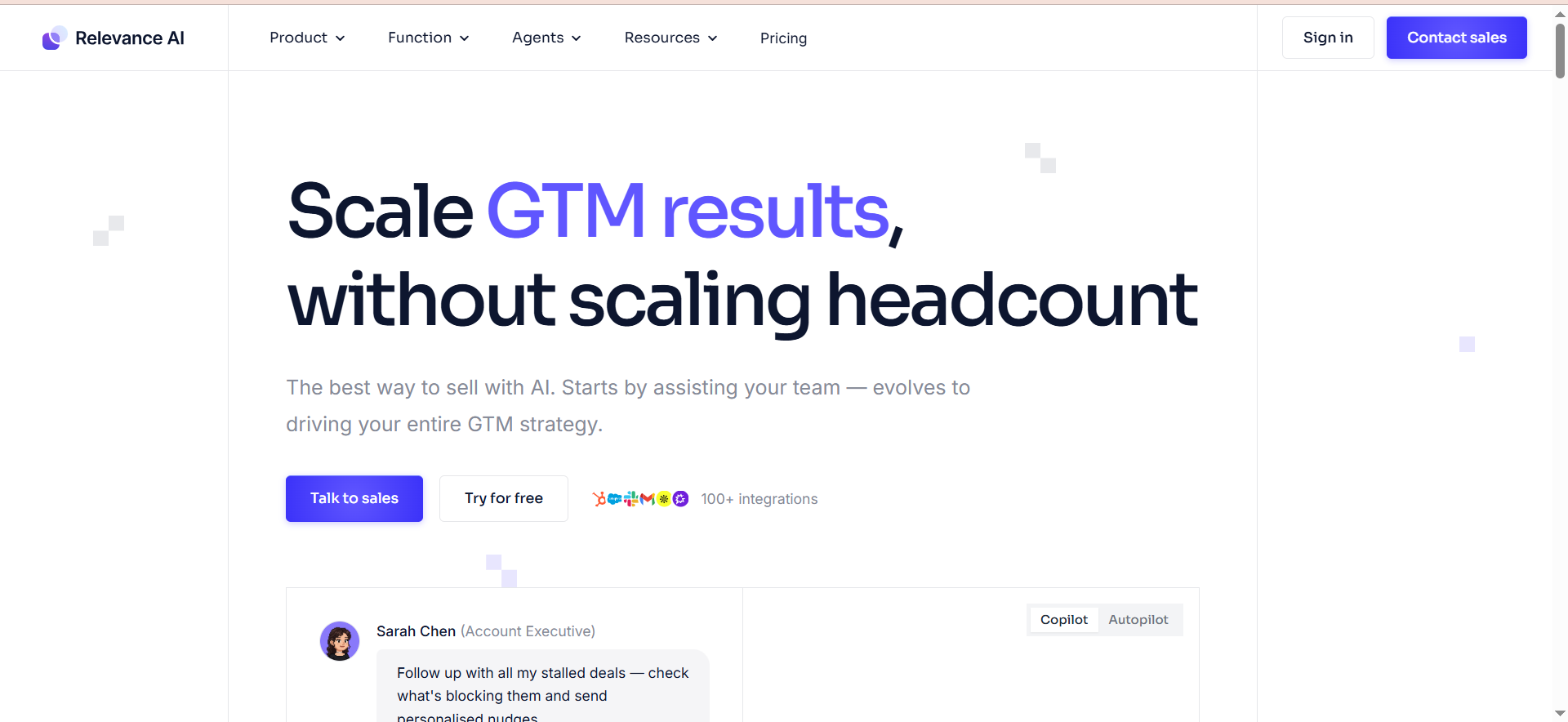
Relevance AI is a multi-agent platform that lets you build systems of specialized AI agents that collaborate to complete complex tasks. Its visual multi-agent canvas allows you to design workflows where one agent monitors data, another analyzes it, a third drafts outputs, and a fourth formats deliverables. Each agent handles one job, and the platform manages handoffs, context sharing, and orchestration between them.
Why Teams Use It
Teams choose Relevance AI when a single agent is not enough. Complex business processes like competitive intelligence, content research pipelines, sales outreach sequences, and multi-step analysis workflows benefit from having specialized agents that each do one thing well and pass results to the next. The platform handles the coordination layer so you do not have to build it yourself.
What It Is Good For
Relevance AI is strongest for multi-agent workflows where different AI capabilities need to work together. A typical setup might include an agent monitoring competitor pricing, another agent drafting summary reports, and a third agent formatting output into presentation templates. It also handles research automation, document processing pipelines, and any workflow where the output of one AI task feeds into another.
When It Is a Good Fit
Relevance AI fits when your workflow is too complex for a single agent and you need multiple specialized agents working in coordination. Growth teams, operations managers, and product teams at B2B SaaS companies that need to chain multiple AI capabilities together, such as research, analysis, drafting, and formatting, will get the most value. It also suits teams that want to experiment with multi-agent architectures without building infrastructure from scratch.
When It Is Not a Good Fit
If you need a simple single-agent automation or a traditional trigger-action workflow, Relevance AI adds unnecessary complexity. Its integration library is more limited than Zapier or Make, so connecting to a wide range of SaaS tools requires custom API work. The split between Actions and Vendor Credits (since September 2025) can make cost forecasting difficult, and the platform's focus on multi-agent design means simple use cases feel over-engineered.
How to Use It
Sign up for Relevance AI, open the multi-agent canvas, and create your first agent. Define its role, connect it to an LLM provider, and configure its tools (web search, API calls, file processing). Add more agents to the canvas, define handoff rules between them, and set up triggers. Test the full agent system with sample inputs, review the execution flow, and activate it for production.
Key Capabilities
Relevance AI offers a visual multi-agent canvas, agent-to-agent handoffs with context sharing, calling and meeting agents (on Team plan), built-in analytics, web scraping and research tools, document processing, template-based outputs, shared projects for team collaboration, BYOK support for LLM providers, and webhook triggers.
Pricing
Relevance AI offers a Free plan with 200 actions/month. The Pro plan is $19/month billed annually with 30,000 actions/year (2,500/month). The Team plan is $234/month with 7,000 actions/month, $70 in vendor credits, 5 build users, and 45 end users. Enterprise pricing is custom. Since September 2025, Actions and Vendor Credits are billed separately with no markup on vendor costs.
Free Tier?
Yes. The free plan includes 200 actions/month, which is enough to prototype a simple multi-agent workflow but insufficient for production use. The Pro plan at $19/month is the entry point for serious usage.
Downsides and Limitations
The split billing between Actions and Vendor Credits makes cost forecasting harder than flat-rate platforms. The integration library is narrower than general-purpose automation tools. Multi-agent setups have a learning curve and can be over-engineered for simple tasks. The platform is relatively newer, so documentation and community resources are thinner than n8n or Zapier. Scaling costs can grow faster than expected when agent chains get long.
What Are Autonomous AI Agents and How Do They Work?
Autonomous AI agents are software systems that use large language models to make decisions, take actions, and complete multi-step tasks without human intervention at every step. Unlike traditional automation, which follows fixed rules (if this, then that), autonomous agents can interpret context, reason through ambiguity, and adapt their approach based on what they find. They work by combining an LLM for reasoning, tools for taking actions (API calls, database queries, web searches), and memory for maintaining context across interactions. The platforms in this guide provide the infrastructure layer so you can build and deploy these agents without managing the underlying AI stack yourself.
How Do Autonomous AI Agents Differ From Traditional Automation?
Traditional automation is deterministic. You define every step, every condition, and every outcome in advance. A Zap or Make scenario runs the same way every time. Autonomous agents introduce non-deterministic behavior: the agent decides which tool to use, how to interpret the result, and what to do next based on LLM reasoning. This makes them more flexible for tasks that involve unstructured data, ambiguous inputs, or situations where the right action depends on context. The trade-off is unpredictability. Traditional automation is auditable and predictable. Autonomous agents can surprise you, which is why guardrails, human-in-the-loop checkpoints, and monitoring are critical in production deployments.
Can You Build Autonomous AI Agents Without Coding?
Yes, but with caveats. Zapier Agents and Voiceflow are genuinely no-code: you can build and deploy agents using natural language instructions and visual designers without writing a line of code. Make is low-code, meaning you can build most workflows visually but may need formula expressions for data transformation. n8n is low-code to code-friendly. The visual builder handles most setups, but you will likely write JavaScript or Python for custom logic. Relevance AI sits in the low-code range with its visual canvas. The real question is not whether you can avoid code, but whether your workflow complexity requires it. Simple agents work fine without code. Complex production agents almost always need some.
What Industries Benefit Most From Autonomous AI Agents?
Autonomous AI agents deliver the clearest ROI in industries with high-volume repetitive processes, complex data flows, and customer-facing interactions. SaaS companies use them for lead qualification, onboarding automation, and support triage. E-commerce businesses deploy them for order processing, inventory alerts, and customer service. Agencies use them for client reporting, content production, and campaign management. Healthcare and fintech companies benefit from data processing agents but need platforms with strong compliance and data sovereignty features like n8n's self-hosted option. Marketing teams across all industries use them for content workflows, SEO monitoring, competitive research, and social media management. For a broader comparison of platforms, see our guide to the best AI automation tools.
How to Choose the Right Autonomous AI Agent Platform
Start with three questions. First, who is building the agent? If your team is non-technical, Zapier or Voiceflow removes the most friction. If you have developers, n8n gives you the most power. Second, what is the agent doing? Conversational agents point to Voiceflow. Background workflow agents point to n8n or Make. Multi-agent orchestration points to Relevance AI. Simple cross-app automations point to Zapier. Third, what are your constraints? Budget-sensitive teams should look at Make or n8n's self-hosted option. Teams needing data sovereignty should choose n8n. Teams needing maximum integrations should choose Zapier. Match the platform to the choice that best suits your needs, not the feature list that looks longest.
What Are the Security Risks of Autonomous AI Agents?
The primary risks fall into three categories. Data exposure: agents process and transmit data through APIs and LLMs, so any data the agent touches could potentially be logged, cached, or leaked by the LLM provider. Unauthorized actions: an agent with broad tool access can take actions you did not intend if the prompt is poorly designed or if the LLM misinterprets context. Prompt injection: if an agent processes user-generated content, malicious inputs could manipulate the agent's behavior. Mitigations include using self-hosted infrastructure (n8n), limiting tool permissions to only what the agent needs, adding human approval steps for high-stakes actions, monitoring agent behavior with logging and alerts, and using LLM providers with strong data processing agreements.
How Much Do Autonomous AI Agents Cost to Run?
Total cost depends on the platform subscription plus LLM API costs. On the low end, n8n's self-hosted Community edition is free, and a basic VPS runs €5-10/month. Add $10-50/month in OpenAI or Anthropic API costs for a simple agent, and you are looking at $15-60/month total. On the high end, Zapier's combined Zap and Agent subscriptions can exceed $100/month before LLM costs, and Voiceflow's per-editor pricing reaches $150+/month for teams with multiple builders. Make offers the best unit economics at scale with 10,000 operations for $9/month. The biggest variable is LLM token consumption: agents that process long documents or make many LLM calls per execution can run up API bills quickly. Always estimate token usage based on actual workflow volume before committing to a plan.
Can Autonomous AI Agents Replace Human Workers?
Not in the way the question implies. Autonomous agents are strongest at handling repetitive, rule-based, and data-processing tasks that humans find tedious and error-prone. They can triage support tickets, enrich CRM records, draft initial content, process invoices, and route leads. They cannot replace strategic thinking, relationship building, creative judgment, or domain expertise that requires nuanced understanding. The practical outcome is that agents handle the operational load while humans focus on decisions, strategy, and exceptions. Teams that deploy agents effectively typically do not reduce headcount. They redirect existing team capacity from routine work to higher-leverage activities that drive revenue and growth.
Frequently Asked Questions
A chatbot responds to user messages within a conversation. An AI agent takes autonomous actions across tools and systems, often without real-time user interaction. A chatbot built on Voiceflow answers customer questions. An AI agent built on n8n monitors your inbox, classifies messages, takes actions in your CRM, and reports results, all without a conversation. Some platforms blur this line: Zapier Agents chat with users but also take actions in connected apps. The key distinction is agency, meaning the ability to decide and act independently.
For basic agents on Zapier or Voiceflow, no. For production-grade agents with custom logic, error handling, and complex integrations, some coding ability helps significantly. n8n's JavaScript and Python nodes handle edge cases that visual builders cannot. Make's formula system covers most data transformation needs without code. Start with a no-code platform, and move to low-code when your workflows outgrow it.
Make offers the best value for small businesses with its $9/month Core plan and 10,000 credits. It handles most workflow automation needs, supports AI modules, and keeps costs predictable. If your primary need is a customer-facing chatbot, Voiceflow's free tier is a good starting point. Zapier's free tier works for testing but becomes expensive quickly at production volume.
Yes, but the depth of integration varies by platform. Zapier leads with 7,000+ native integrations. Make offers 3,000+. n8n has 400+ with the ability to build custom integrations. Voiceflow and Relevance AI have narrower integration libraries but support custom API connections. Before choosing a platform, verify that your critical tools (CRM, email, project management, analytics) have native integrations on that platform.
A simple agent on Zapier or Voiceflow can be operational in under an hour. A moderately complex workflow on Make takes 2-4 hours to build and test. A production-grade multi-step agent on n8n typically takes 1-3 days including testing, error handling, and monitoring setup. Multi-agent systems on Relevance AI range from a few hours for simple chains to a week or more for complex orchestration. The setup time is less about the platform and more about the clarity of your requirements and the complexity of the workflow.