Best AI Dubbing (2026)
What content managers and growth marketers should compare before choosing a ai dubbing solution for increase brand awareness.

This playbook helps content managers and growth marketers compare the best ai dubbing options for audio and video creation. It breaks down where heygen, rask-ai stand out, when alternatives such as synthesia, d-id make more sense, and which setup fits B2B companies and B2C brands and solo operators and small businesses.
AI dubbing has transformed how global teams localize video content, replacing weeks of manual translation and voice work with days of automated production. This guide compares five leading tools: HeyGen for creators prioritizing polished, believable avatars and multilingual reach; Rask AI for teams processing large video libraries with consistent voice cloning; Dubverse for budget-conscious marketers needing fast turnarounds in 30+ languages; Papercup for broadcast-quality output with human review; and Deepdub for studios dubbing premium content at enterprise scale. Whether you're a solo creator, small marketing team, or large organization, this breakdown will help you pick the tool that matches your speed, quality, and budget constraints.
Table of Contents
Best AI Dubbing Tools (Quick Comparison)
| Tool | Best For | Starting Price | Free Tier |
|---|---|---|---|
| HeyGen | Creators, polished avatars, multilingual social content | $29/month | Yes (3 videos/month, watermarked) |
| Rask AI | Large-scale video libraries, voice cloning, batch processing | $50/month | Limited trial only (3 videos, 1 min each, watermarked) |
| Dubverse | Fast marketing localisation, 30+ languages, budget-conscious teams | $19/monthc | Yes (limited minutes) |
| Papercup | Broadcast-quality, human-reviewed dubbing, media companies | Custom quote | No |
| Deepdub | Premium studio-grade dubbing, 5000+ localized titles, entertainment | Custom quote | No |
Best AI Dubbing Tools (Quick Comparison)
Tool #1: HeyGen
What it does
HeyGen is an AI video creation and translation platform that automatically generates videos with realistic AI avatars and dubs them into 175+ languages. The platform handles video translation, voice generation, lip-syncing, and avatar animation in one workflow—without needing cameras, actors, or live voice talent.
Why teams use it
Teams choose HeyGen because it combines three critical capabilities in one platform: photorealistic avatars (especially the new Avatar IV launched in August 2025), instant video translation with mouth-movement sync, and a template-driven workflow that non-technical creators can use without learning complex tools. The visual output feels polished and on-brand, making it ideal for companies that need video content that viewers will trust.
What it's good for
HeyGen excels at: product demos, training videos, marketing explainers, sales videos, social media clips, webinar intros, and any format where the authenticity of the on-screen presence matters. The platform is particularly strong for companies building multilingual campaigns where a single spokesperson needs to address global audiences in their native languages.
When it's a good fit
Use HeyGen if your team:
- Wants to create polished, camera-free video content
- Needs lip-synced video translations into 175+ languages
- Prioritizes avatar realism and viewer trust over raw speed
- Works with structured content (scripts, talking points, templates)
- Values an intuitive, no-coding interface for beginners
- Wants to maintain brand voice consistency across languages
When it's not a good fit
Avoid HeyGen if you:
- Need to dub existing unstructured footage (home videos, vlogs, raw footage)
- Process massive libraries of videos and need batch automation
- Have a strict per-minute budget and process long-form content regularly
- Require advanced audio editing or sound design capabilities
- Need to preserve the original speaker's voice cloned across languages
How to use it
- Upload a video or provide a script
- Select your target language(s) and choose from 300+ AI voices
- Review and edit the translated script if needed
- Pick an avatar (from the library or customize)
- Render and export in your target resolution (up to 4K on Business plan)
The process typically takes 10-30 minutes depending on video length and language count, making it fast enough for same-day turnarounds on shorter content.
Key capabilities
- Avatar IV: Ultra-realistic AI avatars with natural expressions and body language
- Video Translation: Automatic translation into 175+ languages with AI voice generation
- Lip-Sync: Mouth movements automatically match the dubbed audio
- Voice Library: 300+ AI voices across 40+ languages; no voice cloning included on base plans
- Custom Avatars: Upload your own video likeness to create a personal avatar
- Template Library: Pre-built templates for product demos, training, marketing
- Team Workspace: Collaboration features on higher-tier plans
- Export Options: Download in up to 4K; publish directly to YouTube, LinkedIn, etc.
Pricing
- Free Plan: $0/month – 3 videos/month (watermarked), limited voice options, 240p export
- Creator: $29/month – unlimited videos, 200 monthly credits, 1080p export, basic avatar options
- Pro: $99/month – 1000 monthly credits, 4K export, premium avatars, priority support
- Business: $149/month per seat – advanced features, custom avatars, SSO, team collaboration, 4K rendering
- Enterprise: Custom pricing – dedicated support, API access, advanced integrations
Credits are consumed by advanced features like Avatar IV (20 credits/minute) and video translation (variable by language pair). A single 5-minute Avatar IV video costs ~100 credits.
Free tier? (Yes)
Yes, HeyGen has a free tier. The free plan includes 3 videos per month with watermarks, access to basic avatars and voice options, and 240p video export. No credit card required to start. Free-tier videos include a HeyGen watermark and are capped at lower video quality. The free plan is useful for testing the workflow before upgrading, but watermarks make it unsuitable for published content.
Downsides / limitations
- Credit system complexity: Beyond the base monthly videos, advanced features require credits, which can add unpredictable costs for high-volume users
- No voice cloning on Creator plan: Voice cloning—which preserves an original speaker's unique tone—requires upgrading to Pro or Business
- Avatar library is smaller than competitors: HeyGen offers realistic avatars, but fewer options compared to platforms focused purely on avatar variety
- Learning curve for advanced features: While the basic interface is intuitive, mastering templates, custom avatars, and team workflows takes time
- Watermark on free tier: Free-tier exports include a watermark, making them unsuitable for professional use
- Limited audio editing: Advanced sound design, background music, or complex audio workflows require exporting to a separate DAW
Tool #2: Rask AI
What it does
Rask AI is a video localization platform that translates videos into 130+ languages and dubs them with AI-generated voices, lip-synced mouth movements, and optional voice cloning to preserve the original speaker's vocal characteristics. The platform is built for teams that localize large video libraries at scale, with a focus on batch processing, team collaboration, and consistent workflows.
Why teams use it
Teams adopt Rask AI for its powerful voice cloning—a feature that makes dubbed audio sound like the same person speaking a different language—and its workflow designed for high-volume production. If your team localizes 50+ videos a month, Rask AI's batch tools, project management features, and predictable minute-based pricing make it significantly more efficient than one-off tool usage.
What it's good for
Rask AI excels at: corporate training videos, product documentation, course libraries, webinar archives, SaaS product videos, YouTube channel localization, and any scenario where you're processing multiple videos and need consistent output. The platform is particularly strong for B2B teams that need to localize documentation into many languages without losing the original speaker's authority and tone.
When it's a good fit
Use Rask AI if your team:
- Processes 20+ videos per month and needs predictable costs
- Values voice cloning to preserve the original speaker's identity
- Needs team collaboration and project management tools
- Localizes long-form content (webinars, courses, documentation videos)
- Uses a batch workflow (upload multiple videos, queue for processing)
- Wants lip-syncing without paying per advanced feature
When it's not a good fit
Avoid Rask AI if you:
- Need lip-syncing only on Creator plan; it requires Creator Pro ($120/month minimum)
- Want avatar-driven video creation (Rask dubs existing footage, doesn't create new avatars)
- Process fewer than 5 videos per month (per-minute pricing becomes expensive vs. HeyGen)
- Need free or freemium access; Rask has no free plan, only a limited trial
- Require real-time or live dubbing; Rask is batch-only
- Work primarily in Asian languages; Rask's voice quality is weaker for some non-European languages
How to use it
- Upload a video or batch of videos to your project
- Select source and target languages
- Rask auto-detects speech, generates a transcript, and translates it
- Review and edit the translation if needed (optional but recommended for accuracy)
- Select voice settings: clone the original voice (if available in target language) or choose an AI voice
- Enable lip-sync (Creator Pro plan and above)
- Process and download
Processing time depends on video length and queue depth, typically 2-24 hours. Rask provides a project dashboard where you can monitor all videos in progress.
Key capabilities
- Voice Cloning: Available for 32 languages; clones the original speaker's vocal characteristics and applies them to the translated dubbing
- Automatic Transcription: Detects speech, generates transcripts, and translates automatically
- Lip-Sync: Automatically resync mouth movements to match the dubbed audio (Creator Pro and above)
- Script Editing: Edit translations before voice generation to ensure cultural fit and accuracy
- Batch Processing: Upload and queue multiple videos; Rask processes them in parallel
- Team Collaboration: Multiple team members can work on the same project, assign roles, and review outputs
- 130+ Languages: Covers all major markets and many regional languages
- Export Flexibility: Download dubbed video, subtitle files, or just the audio track
Pricing
- Creator: $50/month – 25 minutes of dubbing, auto-transcription, script editing, NO lip-sync
- Creator Pro: $120/month – 100 minutes of dubbing, voice cloning (32 languages), lip-sync, script editing
- Business: $600/month – 500 minutes of dubbing, all Creator Pro features, priority support, team collaboration
- Enterprise: Custom pricing – unlimited minutes, dedicated support, API access, custom integrations
Additional minutes beyond your plan cost $3/minute. Annual billing typically offers ~15% discount.
Free tier? (No, limited trial only)
No free plan, but Rask offers a limited trial. The free trial includes dubbing of up to 3 videos, each capped at 1 minute, with watermarks on output. No credit card required. The trial is enough to test the voice cloning feature, but too restrictive for real project work. You must upgrade to a paid plan to remove watermarks and access full-length videos.
Downsides / limitations
- Lip-sync locked behind Creator Pro: If you need mouth-movement synchronization, the minimum is $120/month (Creator Pro), which is a significant jump from the $50 Creator plan
- No avatar creation: Rask dubs existing footage only; it doesn't create new video content with avatars
- Limited voice cloning languages: While voice cloning is a standout feature, it only works for 32 of the 130+ supported languages
- Batch-only, no live dubbing: Rask processes videos asynchronously; there's no real-time or live-stream dubbing capability
- Steeper learning curve for non-technical teams: The script editing and project management interface requires more setup than HeyGen's template-driven approach
- Watermarks on free trial: Trial output includes watermarks that must be removed by upgrading
Tool #3: Dubverse
What it does
Dubverse is a browser-based AI dubbing platform that translates videos into 30+ languages, generates AI voiceovers, creates automatic subtitles, and optionally syncs lip movements to match the dubbed audio. The platform is designed for speed and affordability, targeting marketers, creators, and small businesses that need fast video localization without complex workflows.
Why teams use it
Teams choose Dubverse because it's dramatically cheaper than competitors, has a smooth browser interface, and returns finished dubbing in hours rather than days. For marketing teams localizing short-form content (YouTube shorts, TikTok, Instagram videos), Dubverse offers the best speed-to-price ratio in the market.
What it's good for
Dubverse excels at: social media video localization, short-form marketing clips, YouTube channel expansion, product demo videos, testimonial videos, and any scenario where you need 80% perfection 5x faster and 1/5th the cost of premium alternatives. The platform is particularly strong for companies targeting Asian markets (Hindi, Tamil, Telugu, Bengali) where it was originally optimized.
When it's a good fit
Use Dubverse if your team:
- Needs to localize 10+ short videos monthly on a tight budget
- Targets Asian markets; Dubverse has exceptional quality for South Asian languages
- Wants a browser-first workflow with minimal setup
- Accepts "good enough" audio quality in exchange for speed and cost
- Works with shorter videos (under 10 minutes, typically)
- Prefers a straightforward credit-based pricing model
- Values team collaboration over advanced feature depth
When it's not a good fit
Avoid Dubverse if you:
- Need broadcast-quality or studio-grade output
- Process long-form content regularly (live streams, hour-long webinars)
- Require advanced audio editing or sound design
- Need the original speaker's voice cloned across languages
- Prioritize voice quality and emotional nuance above all else
- Work primarily with European languages; Dubverse's European voice quality lags Asian-focused competitors
How to use it
- Upload a video (MP4, WebM, etc.) directly to the browser
- Select source and target language(s)
- Dubverse auto-transcribes and translates the content
- Review and edit the translated script for accuracy and tone
- Select voice settings (gender, age, tone if available in target language)
- Choose subtitle settings (burn-in or SRT file)
- Process and download
Typical processing time is 1-4 hours depending on video length and server load.
Key capabilities
- 30+ Languages: Full dubbing support for 30 languages, with special optimization for South Asian languages
- 450+ AI Voices: Extensive voice library across genders, ages, and speaking styles
- Automatic Subtitles: Generates multilingual subtitles in SRT format or burned into the video
- Script Editing: Review and refine translations before voice generation
- Lip-Sync: Optional lip-movement synchronization to match dubbed audio
- Voice Cloning: Limited support; not as polished as Rask AI
- Batch Processing: Upload multiple videos and process them in parallel
- Real-Time Collaboration: Share projects with team members via secure link for feedback
Pricing
- Free Plan: Limited credits; supports basic dubbing for short videos, watermarked output
- Creator: $19/month – 100 dubbing minutes, unlimited subtitles, watermark-free
- Creator Pro: $49/month – 300 dubbing minutes, priority processing, voice cloning support, team collaboration
- Business: $99/month – 1000 dubbing minutes, API access, advanced analytics, dedicated support
- Custom Enterprise: Custom minutes and pricing for large organizations
Free tier? (Yes, limited)
Yes, Dubverse has a free tier. The free plan includes limited credits sufficient for testing; exact limits aren't published, but expect to dub 1-2 short videos before hitting limits. Free-tier output includes watermarks. The free tier is useful for kicking tires but too restrictive for ongoing work.
Downsides / limitations
- Weaker voice quality than premium alternatives: Dubverse prioritizes speed and cost over voice naturalness; the AI voices can sound noticeably robotic compared to HeyGen or Rask AI
- Limited language coverage: 30 languages is fewer than Rask (130+) or HeyGen (175+), so reaching smaller markets is not possible
- Voice cloning is limited: While available, voice cloning doesn't match the quality and breadth of Rask AI's implementation
- No avatar creation: Dubverse dubs existing video only; it cannot generate new video content
- Processing relies on server queue: During peak hours, processing times can extend to 8+ hours
- Limited integration ecosystem: Fewer third-party tool connections compared to HeyGen or Rask AI
- Subtitle quality inconsistent: Auto-generated subtitles sometimes require heavy editing, especially for technical content
Tool #4: Papercup
What it does
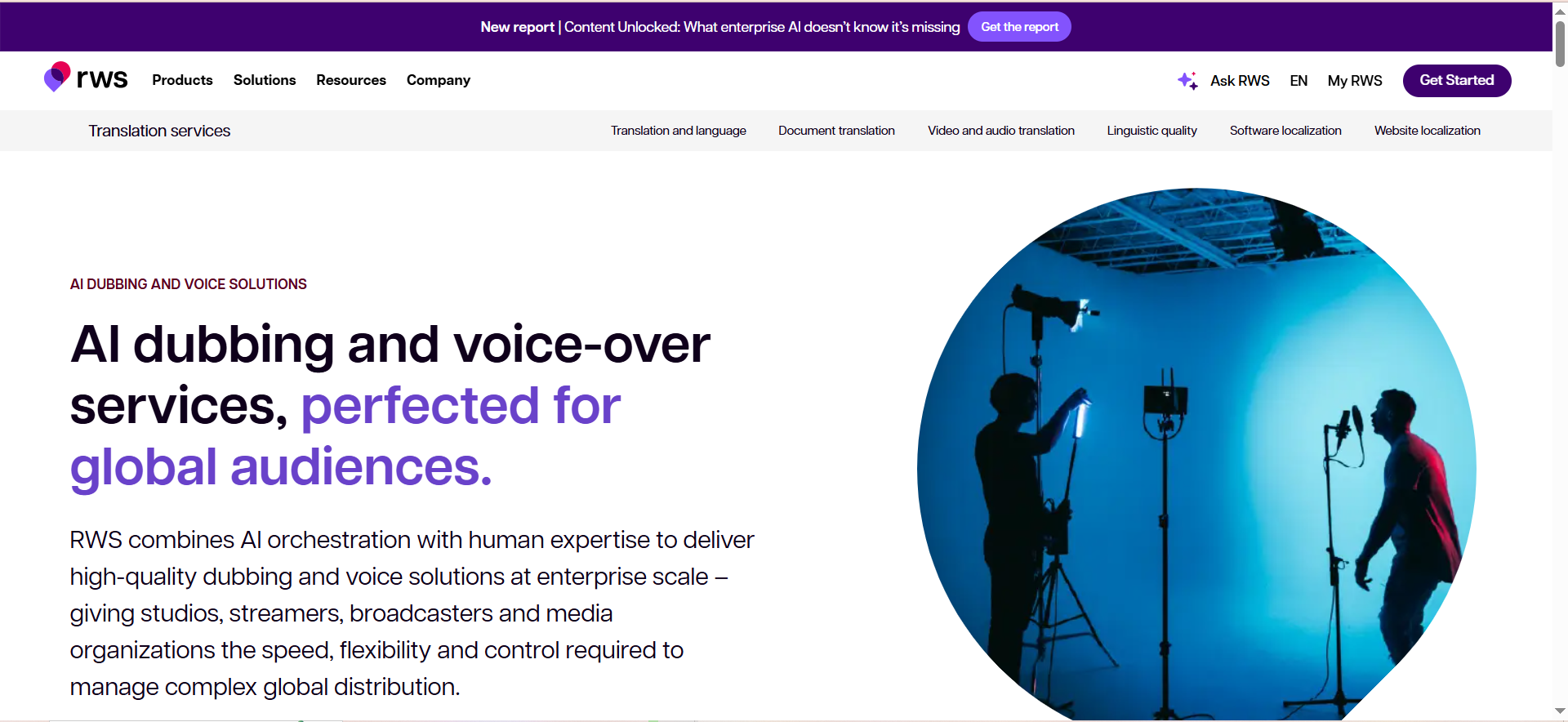
Papercup is a professional-grade AI dubbing platform designed for media companies, streaming services, and content studios that need broadcast-quality localization at scale. Unlike self-serve tools, Papercup uses a hybrid model: AI handles the heavy lifting, but human translators and audio engineers review and refine every output before delivery.
Why teams use it
Media companies and studios adopt Papercup because it guarantees broadcast quality, protects brand voice through human review, and handles complex content (documentaries, scripted shows, live events) that self-serve AI tools struggle with. Papercup trades speed for reliability—projects take 1-2 weeks instead of hours, but the output is production-ready without additional QA.
What it's good for
Papercup excels at: feature films, TV series, documentaries, streaming content, live broadcast events, audiobooks, and any content where audience perception of quality directly impacts brand reputation.
When it's a good fit
Use Papercup if your team:
- Localizes high-stakes video content (films, TV, major branded documentaries)
- Needs broadcast-quality audio engineering and sound mixing
- Values human review and cultural adaptation over raw speed
- Has a budget of $1,000+ per month for dubbing
- Works with professional translators and audio engineers
- Wants to avoid the "AI sound" that haunts cheap dubbing
- Localizes long-form content (45 min+ episodes or films)
When it's not a good fit
Avoid Papercup if you:
- Need turnaround measured in days, not weeks
- Have a tight per-minute budget (Papercup is premium-priced)
- Process high volumes of short-form content (social clips, YouTube shorts)
- Want a self-serve, DIY interface; Papercup requires working with their team
- Need real-time or near-live dubbing capabilities
How to use it
Papercup's workflow is white-glove:
- Contact Papercup's sales team with your project details (content length, languages, deadline)
- Receive a custom quote based on project scope
- Upload your content and provide any reference materials, brand guidelines, or glossaries
- Papercup's team transcribes, translates, and generates initial AI dubs
- Professional human translators review and refine scripts for cultural accuracy
- Audio engineers mix, EQ, and master the final output
- You review and approve; revisions are included
- Papercup delivers final broadcast-quality files
Turnaround is typically 2-4 weeks depending on language count and content complexity.
Key capabilities
- Hybrid Dubbing Pipeline: Combines AI speed with human expertise for broadcast quality
- Professional Voice Cloning: With explicit consent from rights holders; preserves original speaker identity
- Audio Engineering: Professional sound mixing, EQ, and mastering included
- Human-in-the-Loop QC: Professional translators and audio engineers review every deliverable
- Unlimited Languages: Any language pair; custom quotes for less common languages
- Subtitle and Caption Services: Included with dubbing; burned-in or separate files
- Rights Management: Handles talent consent and rights clearance for voice cloning
- Compliance: DCI, broadcast, and streaming platform specifications
Pricing
Papercup uses custom, project-based pricing:
- Typical Range: $1,500 – $10,000+ per hour of content, depending on language count, speaker performance, and deadline
- Per-Minute Baseline: ~$15-25 per minute for standard broadcast quality
- Rush Fees: Faster turnaround typically adds 20-50% to project cost
- Multi-Language Discounts: Better rates for 5+ languages on the same project
Free tier? (No)
No free tier or trial. Papercup is enterprise/studio focused and requires sales consultation.
Downsides / limitations
- No self-serve interface: You must work with Papercup's team, adding friction and communication overhead
- Expensive: At $15-25 per minute, Papercup is 50-100x more expensive than Dubverse
- Slow turnaround: 2-4 week delivery is suitable for films and shows but too slow for marketing campaigns
- Overkill for short-form content: The human review model makes sense for 90-minute films but is cost-prohibitive for a 30-second social clip
- Requires content rights: Voice cloning requires explicit rights from original talent
- Limited real-time capability: Papercup can't dub live streams or events in real-time
Tool #5: Deepdub
What it does
Deepdub is a premium AI dubbing platform designed for professional media companies and streaming services that need to localize films, TV series, and high-volume content at enterprise scale. Deepdub emphasizes quality and speed, focusing on AI-driven automation with optional human review.
Why teams use it
Studios and streaming platforms adopt Deepdub because it delivers studio-grade dubbing 70% faster than traditional workflows and costs 50% less than manual localization. Deepdub's emotion-based text-to-speech (eTTS) technology creates naturally expressive voices that preserve emotional nuance across language boundaries.
What it's good for
Deepdub excels at: feature films, television series, documentaries, streaming originals, audiobooks, and any long-form content where emotional delivery and sonic quality are non-negotiable. The platform has localized 5,000+ titles globally.
When it's a good fit
Use Deepdub if your team:
- Localizes dozens or hundreds of hours of premium video content annually
- Needs broadcast-quality output without the long turnaround of fully managed services
- Values emotional authenticity in dubbed voices (Deepdub's eTTS is best-in-class)
- Has in-house localization teams to manage workflow and QC
- Requires API access and custom integrations
- Wants to reduce localization production time from weeks to days
When it's not a good fit
Avoid Deepdub if you:
- Need a self-serve, pay-as-you-go interface; Deepdub is enterprise-only
- Have a monthly budget under $5,000 for dubbing
- Process fewer than 50 hours of video annually
- Work primarily with short-form content (clips under 10 minutes)
- Want a simple, beginner-friendly tool; Deepdub requires technical integration
- Need immediate turnaround; Deepdub still takes days, not hours
How to use it
Deepdub's workflow is API-driven:
- Provision API credentials through Deepdub's developer console
- Upload videos via API or integrate with your existing content management system
- Configure localization parameters: source language, target languages, voice profiles, emotional settings
- Deepdub processes in parallel: auto-transcription, translation, emotional voice synthesis, audio mixing
- Review output via Deepdub's dashboard; flag for human review if needed
- Download final files in broadcast specifications (DCI, Dolby, etc.)
Typical turnaround is 2-5 days depending on content length and review complexity.
Key capabilities
- Emotion-Based Text-to-Speech (eTTS): Creates voices that preserve emotional nuance and vocal intent across languages
- Automatic Audio Splitting: Detects dialogue, narration, music, and sound effects; processes each separately
- AI Transcription and Translation: Automatic with optional human review
- Script Adaptation: Tools for linguists to adapt dialogue for cultural context and lip-sync
- Voice Cloning: With rights management and consent tracking
- Multi-Language at Scale: Simultaneous processing of 50+ language pairs
- Live and Low-Latency Dubbing: Capability to dub live broadcast events
- Broadcast Specifications: Output in DCI, Dolby Atmos, and streaming platform formats
- API and Automation: Full API for workflow integration
Pricing
Deepdub uses custom enterprise pricing:
- Custom Quotes: Pricing depends on content volume, language count, feature usage, and SLA requirements
- Per-Hour Baseline: Estimated $50-200 per hour of video
- Volume Discounts: Available for customers localizing 500+ hours annually
- API/Integration Fees: Custom fees for dedicated API access
Free tier? (No)
No free tier, trial, or demo environment. Deepdub is enterprise/studio only and requires a direct sales conversation.
Downsides / limitations
- Enterprise-only, no self-serve option: You can't try Deepdub without sales involvement
- Expensive: Pricing is prohibitive for solo creators or small teams
- Requires technical integration: Deepdub requires API integration, demanding engineering resources
- Overkill for short-form content: The emotion-based voice synthesis is unnecessary for social media clips
- Slower than self-serve tools: 2-5 day turnaround vs. hours for HeyGen or Rask AI
- Requires in-house localization expertise: You need translators and audio engineers on staff
What's the difference between AI dubbing and manual dubbing?
Manual dubbing requires hiring voice actors in each target language, booking studio time, recording multiple takes, and paying for audio editing. It takes 2-6 weeks per language and costs $2,000-10,000+ per language. AI dubbing takes hours and costs $5-50 per minute, making it 100x faster and 50-90% cheaper. The tradeoff is voice quality and emotional nuance—AI is improving, but manual still wins for premium film and TV content.
Do I need a video with people in it, or does AI dubbing work on voiceovers?
AI dubbing works on any video with audio: voiceovers, interviews, tutorials, presentations, lectures, or talking-head videos. The AI transcribes the original audio, translates it, and generates a new voice track. If your original video has people speaking on camera, the AI optionally adds lip-syncing so their mouth movements match the new dubbed language.
What languages do these AI dubbing tools support?
Coverage varies: HeyGen (175+), Rask AI (130+), Dubverse (30), Papercup (all languages via custom services), Deepdub (all languages via custom services). If you need to localize into 10+ languages, HeyGen and Rask AI are your best bet. If you need only European or English/Spanish/French, all five tools work. If you need rare or regional languages, Papercup or Deepdub's custom services are required.
Can AI dubbing preserve the original speaker's voice?
Yes, through voice cloning. Rask AI, Dubverse, Papercup, and Deepdub all offer voice cloning, which analyzes a sample of the original voice and applies it to the dubbed audio in the target language. This makes the dubbed version sound like the same person speaking a different language. HeyGen does not include voice cloning on the Creator plan; it requires upgrading to Pro or Business. Voice cloning works best when you have 2-3 minutes of clean audio from the original speaker.
How long does AI dubbing take?
Self-serve tools (HeyGen, Rask AI, Dubverse) typically return results in 1-24 hours. HeyGen is fastest (10-30 minutes for short videos). Rask AI's batch processing can queue videos and process them in 2-24 hours. Dubverse returns results in 1-4 hours. Professional services (Papercup and Deepdub) take 2-4 weeks because of human review. For urgent localizations, self-serve tools are non-negotiable.
Which AI dubbing tool is cheapest?
Dubverse is by far the cheapest at $19/month for 100 dubbing minutes, or about $0.19 per minute. HeyGen costs $0.15/minute if you use only the base allocation (Creator plan = $29/month for unlimited videos, plus credits for advanced features). Rask AI costs $2/minute on the Creator plan ($50/month for 25 minutes). Papercup and Deepdub are both $50+/minute. For budget-conscious teams, Dubverse or HeyGen are the only real options.
Which AI dubbing tool has the best voice quality?
For AI-generated voices, HeyGen and Rask AI lead; their voice synthesis sounds natural and expressive. Dubverse's voices are good but noticeably less natural. Deepdub's emotion-based text-to-speech (eTTS) is exceptional at preserving emotional nuance, but it's enterprise-only. If voice quality is your top priority and you have a budget, Rask AI or HeyGen are safest.
Can I dub live streams or real-time video with AI?
Only Deepdub supports live dubbing, and it requires enterprise setup and custom configuration. The other four tools are batch-only: you upload pre-recorded video and wait for processing. If you need to dub live events (sports, conferences, breaking news), Deepdub is your only option—but budget accordingly.
Which AI dubbing tool is best for social media content?
HeyGen and Dubverse are best for short-form social content. HeyGen gives you polished, believable avatars; Dubverse gives you speed and low cost. Rask AI is overkill for short clips (you'll hit minute limits and overpay). Papercup and Deepdub are massively overkill.
Can I edit the dubbed video after generation?
All tools let you download the dubbed video and edit it in a standard video editor (Premiere Pro, Final Cut Pro, DaVinci Resolve, CapCut). Some tools (HeyGen, Rask AI, Dubverse) offer basic script editing before audio generation, so you can refine translations and ensure tone is correct before committing to audio.
What if the AI dubbing has errors or sounds weird?
All tools let you regenerate the audio with different voice settings or tweak the translated script before generation. If the problem is a transcription or translation error, you can fix it in the script-editing step (HeyGen, Rask AI, Dubverse). If the problem is voice choice or emotional tone, select a different voice and regenerate. Papercup and Deepdub include human review, so professional linguists catch errors before delivery.
Does the original video's background music get preserved during AI dubbing?
Yes, if the original audio only contains speech and ambient sound. The dubbing tools focus on replacing dialogue and narration; background music and sound effects are typically preserved. However, if the original video mixes dialogue tightly with music, some tools may reduce music volume or create artifacts. Test with a sample video to ensure the audio mix is acceptable.
Can I use AI dubbing for commercial purposes?
Yes, all five tools allow commercial use. Read the licensing terms for your plan, but generally, content you create is yours to use, distribute, and monetize. Voice cloning may have additional restrictions (ensure you have rights from the original speaker). Papercup and Deepdub explicitly handle rights management for enterprise clients.
What happens to my video after I upload it for AI dubbing?
All five tools store your video temporarily to process it, then delete it after delivery (typically within 30 days). Most tools comply with GDPR and privacy regulations. If you're processing sensitive or confidential content, verify data retention and deletion policies before uploading. Deepdub offers on-premise or private-cloud deployment for enterprise clients with strict data residency requirements.
Can I batch process multiple videos at once with AI dubbing?
Rask AI and Dubverse have native batch features: upload multiple videos and queue them for parallel processing. HeyGen handles batches via API integration or uploading one-by-one. Papercup and Deepdub handle batches but require working directly with their teams to organize.
FAQs
AI dubbing uses artificial intelligence to translate video audio into a target language and generate a realistic voice track that matches the original pronunciation and lip-sync. Subtitles display translated text at the bottom of the video. Dubbing is better for viewer immersion (no reading required) but more expensive and complex. Subtitles are cheaper and faster but require reading. The best approach for global content is often both: dubbed audio plus subtitles for accessibility.
Neither is universally better; it depends on your use case. HeyGen is better if you want polished avatars, intuitive design, and flexibility for one-off videos. Rask AI is better if you process 20+ videos monthly and need voice cloning, lip-sync, and team workflows. HeyGen excels at short-form, avatar-driven content. Rask AI excels at high-volume, long-form localization. Test both on your actual content before deciding.
AI-generated translations are generally 85-95% accurate for common languages but may miss cultural nuance, idiomatic expressions, or context-specific meaning. All tools recommend having a human reviewer check translations before voice generation, especially for marketing, legal, or medical content where precision matters. Papercup and Deepdub include professional human review as part of their service.
For streaming originals, documentaries, and feature films: Papercup and Deepdub are the industry standard. Their human review, professional audio engineering, and broadcast specifications ensure output is indistinguishable from traditional dubbing. Self-serve tools (HeyGen, Rask AI, Dubverse) produce noticeably AI-generated output that's suitable for corporate training, YouTube, and marketing but falls short of theatrical standards.
Start with these decision criteria: (1) Budget—if under $100/month, use Dubverse or HeyGen free tier. (2) Volume—if processing 50+ videos monthly, Rask AI is more cost-efficient. (3) Quality requirement—if broadcast-quality is mandatory, use Papercup or Deepdub. (4) Speed—if you need results today, use HeyGen. (5) Language coverage—if you need 150+ languages, use HeyGen. (6) Voice cloning—if the original speaker's voice must be preserved, use Rask AI. Match your top 2-3 priorities to the tool that wins on those dimensions.