Best AI Thumbnail Generator (2026)
What brand strategists and content managers should compare before choosing a ai thumbnail generator solution for increase brand awareness.

This playbook helps brand strategists and content managers compare the best ai thumbnail generator options for design and brand creative. It breaks down where canva, adobe-express stand out, when alternatives such as adobe-photoshop, photoroom make more sense, and which setup fits B2B companies and B2C brands and solo operators and small businesses.
Your thumbnail is the first thing a viewer sees — and often the only reason they click. Whether you are publishing YouTube videos, blog posts, or social content, thumbnail quality directly impacts click-through rate, watch time, and overall content performance. The challenge is that most teams either spend too long designing thumbnails manually or settle for generic templates that blend into the feed.
AI thumbnail generators solve this by combining template libraries, text-to-image generation, and data-driven testing into workflows that move faster without sacrificing visual quality. But not every tool works the same way, and the right choice depends on whether you need quick template-based design, photorealistic AI-generated imagery, or click-through-rate optimization through A/B testing.
In this guide, we compare five tools that cover the full spectrum: Canva for template-driven design at scale, Adobe Express for brand-controlled AI generation, Ideogram for text-heavy creative work, Midjourney for photorealistic and artistic base imagery, and ThumbnailTest for data-backed thumbnail optimization. Each section breaks down what the tool does, who it fits, how much it costs, and where it falls short — so you can make a decision based on your actual workflow, not marketing copy.
Table of Contents
Best AI Thumbnail Generators (Quick Comparison)
| Tool | Best For | AI Generation | Text Rendering | Free Tier | Starting Price |
|---|---|---|---|---|---|
| Canva | All-in-one design + templates | Yes (Magic Media) | Excellent (editor-based) | Yes (limited) | $15/mo (Pro) |
| Adobe Express | Brand-controlled AI visuals | Yes (Adobe Firefly) | Excellent (editor-based) | Yes (25 credits/mo) | $9.99/mo (Premium) |
| Ideogram | Text-heavy thumbnail design | Yes (native) | Best-in-class (AI-native) | Yes (10 credits/week) | $15/mo (Plus) |
| Midjourney | Photorealistic base imagery | Yes (native) | Improved (V8) | No | $10/mo (Basic) |
| ThumbnailTest | A/B testing + CTR optimization | No (testing only) | N/A | No | $29/mo |
Best AI Thumbnail Generators (Quick Comparison)
1. Canva
What It Does
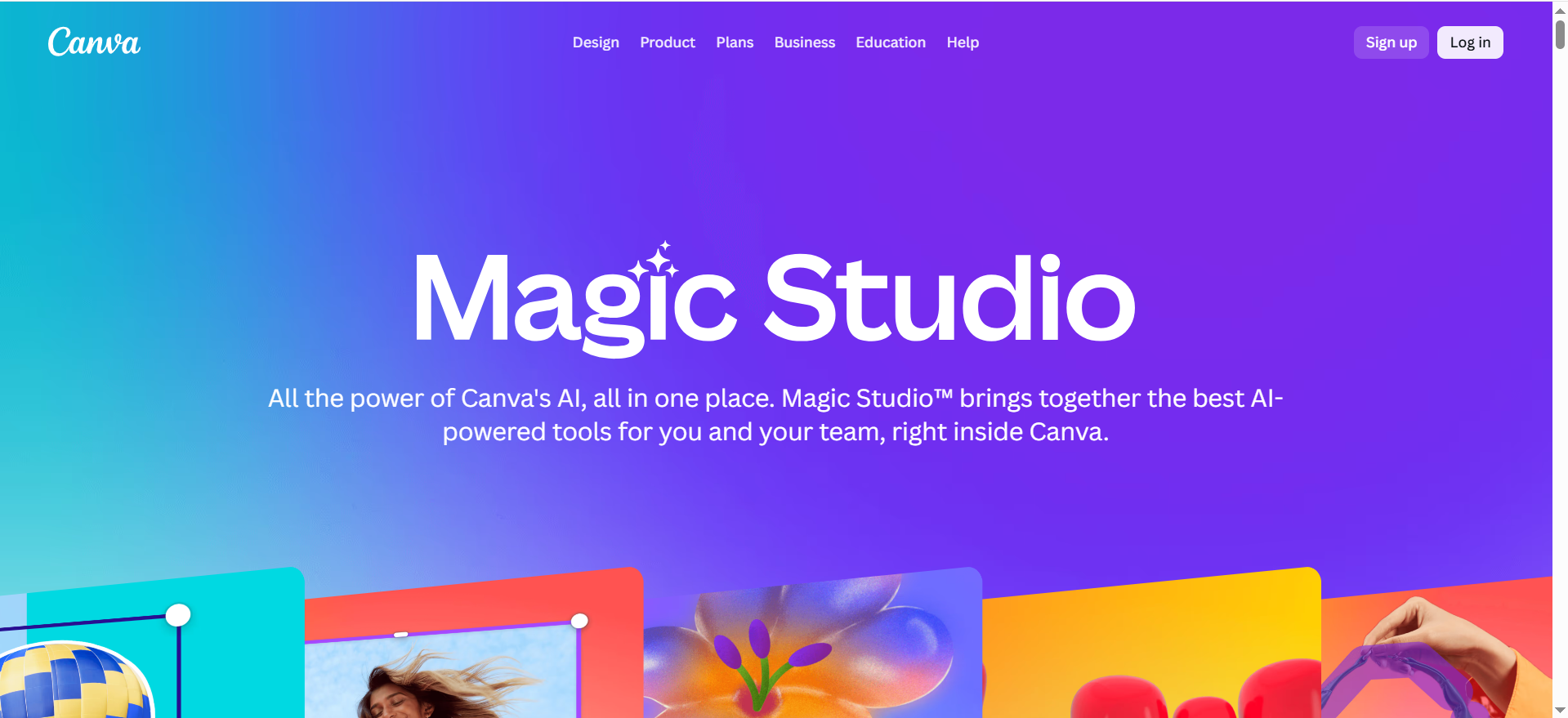
Canva is a full-featured online design platform with a massive template library, drag-and-drop editor, and a growing set of AI tools including Magic Media (text-to-image), Magic Design (auto-layout from prompts), Magic Edit (in-place image editing), and Magic Eraser (background and object removal). For thumbnails specifically, Canva offers thousands of pre-designed YouTube thumbnail templates that can be customized with your own text, images, and branding in minutes.
Why Teams Use It
Canva is the default choice for teams that need to produce thumbnails fast without hiring a designer. The template library means you are never starting from a blank canvas, and the brand kit feature lets you lock in colors, fonts, and logos so every thumbnail stays on-brand. For content managers running multiple channels, Canva's batch creation and scheduling integration make it possible to produce dozens of thumbnails per week without context-switching into a separate design tool.
What It Is Good For
Canva excels at template-based thumbnail production where speed and consistency matter more than pixel-level creative control. It is especially strong for teams that need to produce thumbnails across YouTube, blog featured images, social media posts, and email headers from a single workspace. The collaboration features — shared folders, commenting, approval workflows — make it practical for teams of two or more.
When It Is a Good Fit
Canva is the right choice when your team needs a single design tool that covers thumbnails plus other marketing assets, when you want to empower non-designers to produce on-brand visuals, or when your thumbnail workflow is template-driven rather than custom-illustration-driven. It works well for solo creators, small marketing teams, and agencies managing multiple client brands.
When It Is Not a Good Fit
Canva is not ideal when you need photorealistic AI-generated imagery (its Magic Media output is a step below Midjourney or DALL-E 3), when your thumbnails require highly custom illustration work that goes beyond template modifications, or when you need advanced image manipulation features like layer masks, blend modes, or non-destructive editing. Teams with existing Adobe Creative Cloud subscriptions may find feature overlap that makes Canva redundant.
How to Use It
Start by searching "YouTube thumbnail" in the template gallery and pick a layout that matches your content style. Swap in your own headline text, adjust colors to match your brand kit, and use Magic Media to generate a background image if needed. Use Magic Eraser to remove distracting elements from uploaded photos, and Magic Edit to swap objects or adjust composition. Export at 1280×720 px (standard YouTube thumbnail size) and upload directly or schedule through Canva's content calendar.
Key Capabilities
Canva's thumbnail-relevant capabilities include over 10,000 YouTube thumbnail templates, Magic Media text-to-image generation with preset art styles (photography, digital art, fine art, pixel art), Magic Design for prompt-based auto-layouts, Magic Edit and Magic Eraser for in-place editing, brand kit with locked colors, fonts, and logos, real-time collaboration and approval workflows, direct publishing to YouTube and social platforms, and background removal in one click.
Pricing
Canva Free gives you access to the template library and limited AI generations. Canva Pro costs $15/month (or $120/year) and unlocks the full template library, more AI credits, brand kit, background remover, and premium stock assets. Canva for Teams costs $10/month per person (minimum 3 people) and adds shared brand kits, team folders, and approval workflows.
Free Tier?
Yes. The free tier includes access to the template library, basic editing tools, and a limited number of Magic Media generations per day. It is usable for occasional thumbnail creation but you will hit AI credit limits quickly if you produce thumbnails daily.
Downsides and Limitations
Canva's AI image generation quality is below Midjourney and Ideogram for photorealistic or artistic output. The template-driven approach can lead to thumbnails that look generic if you do not customize heavily. Advanced designers will find the editing tools limiting compared to Photoshop or Figma. The free tier's AI credit cap means serious users will need Pro or Teams, and even Pro has monthly generation limits.
2. Adobe Express
What It Does
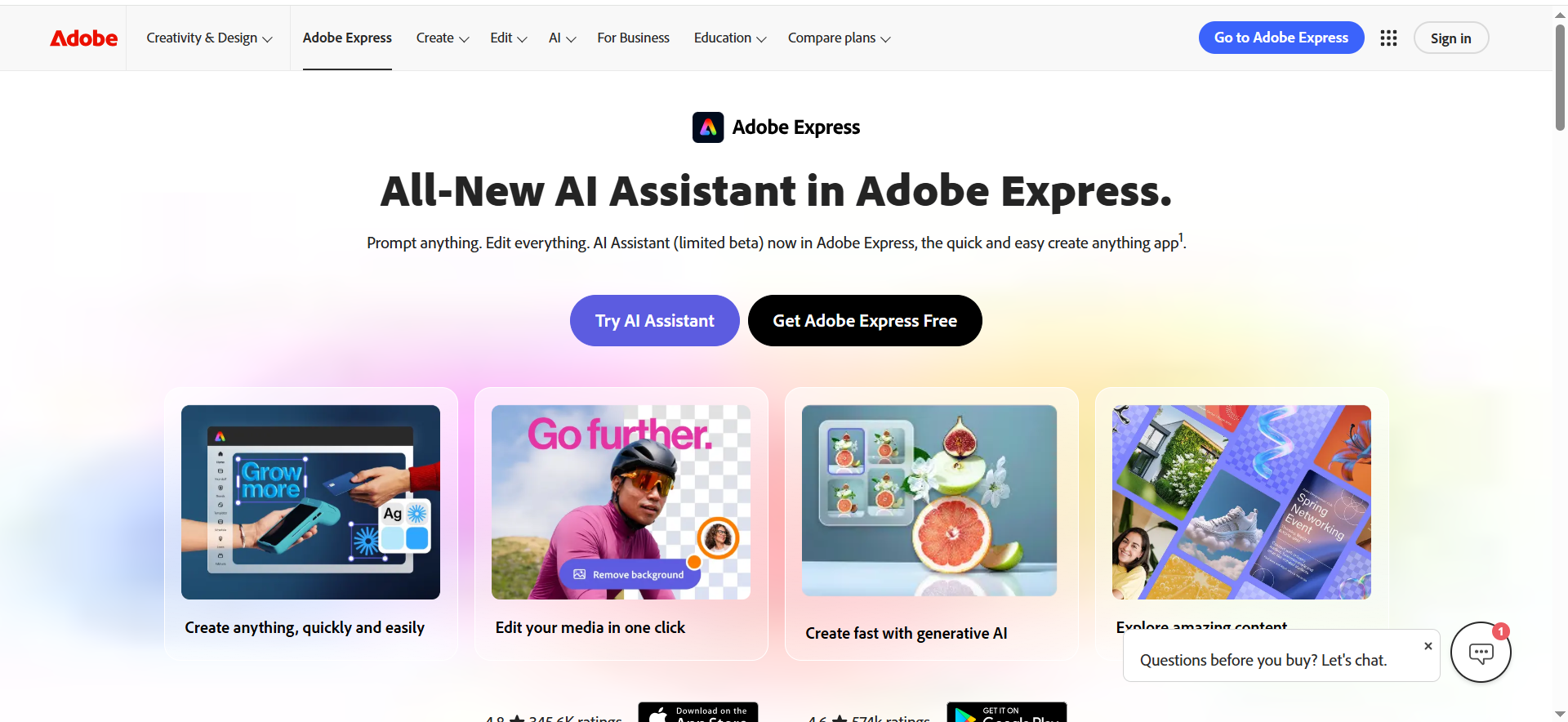
Adobe Express is Adobe's lightweight design platform built for fast content creation, powered by Adobe Firefly for AI image generation. For thumbnails, it offers a dedicated AI thumbnail generator that creates visuals from text prompts, with the ability to upload reference images for style and composition guidance. The generated images can then be refined in the full Adobe Express editor with text overlays, filters, cropping, and branding elements.
Why Teams Use It
Teams with existing Adobe ecosystems choose Adobe Express because it integrates cleanly with Creative Cloud assets, Adobe Fonts, and Adobe Stock. The Firefly-powered image generation is commercially safe — Adobe trains Firefly on licensed content, reducing IP risk for brands that need to publish AI-generated visuals at scale. The reference image feature gives designers more control over output style than most AI generators offer.
What It Is Good For
Adobe Express is strongest when you need AI-generated base imagery with brand-level quality control. The ability to upload style and composition reference images means your AI-generated thumbnails can match an existing visual identity rather than producing random outputs. It is also strong for teams that need to produce thumbnails alongside other Adobe Express content types like social posts, flyers, and short videos.
When It Is a Good Fit
Adobe Express fits when your team already uses Adobe products, when commercial IP safety matters (regulated industries, large brands), when you need reference-image-guided AI generation for consistent visual style, or when you want a free-to-start tool that scales into a paid plan without switching platforms.
When It Is Not a Good Fit
Adobe Express is not the right choice when you need unlimited AI generations on a budget (the credit system is restrictive), when you want the highest-fidelity photorealistic imagery (Midjourney still leads here), or when your team prefers Canva's broader template library and simpler UX. The 25 free credits per month run out quickly — generating just six sets of thumbnails burns the entire monthly allocation.
How to Use It
Open the AI thumbnail generator, type a description of the image you want, optionally upload one or two reference images (one for style, one for layout), and choose between "graphic" or "photo" content types. Adobe Express generates four variations per prompt, using one generative credit. Select the best result, then refine it in the editor — add text, apply filters, adjust opacity, crop to 1280×720 px, and overlay your brand elements. Export and publish.
Key Capabilities
Adobe Express offers Adobe Firefly-powered text-to-image generation with four variations per prompt, style and composition reference image uploads, content type toggles (graphic vs. photo), full editing suite with text, filters, cropping, and effects, integration with Adobe Creative Cloud assets and Adobe Fonts, commercially safe AI generation trained on licensed content, brand kit and template library, and direct export to social platforms.
Pricing
Adobe Express Free includes basic templates and 25 generative credits per month. Adobe Express Premium costs $9.99/month and includes 250 generative credits, premium templates, Adobe Fonts, and 100 GB storage. Each AI generation (producing four images) uses one credit.
Free Tier?
Yes. The free plan includes 25 generative credits per month, which translates to roughly 25 sets of four thumbnail options. This is adequate for light use but insufficient for teams producing thumbnails daily.
Downsides and Limitations
The credit-based system is the biggest limitation — even Premium users are capped at 250 generations per month. The template library is smaller than Canva's. The learning curve is slightly steeper for non-designers compared to Canva, and some advanced Firefly features require a full Creative Cloud subscription. The free tier is too restrictive for any serious production workflow.
3. Ideogram
What It Does
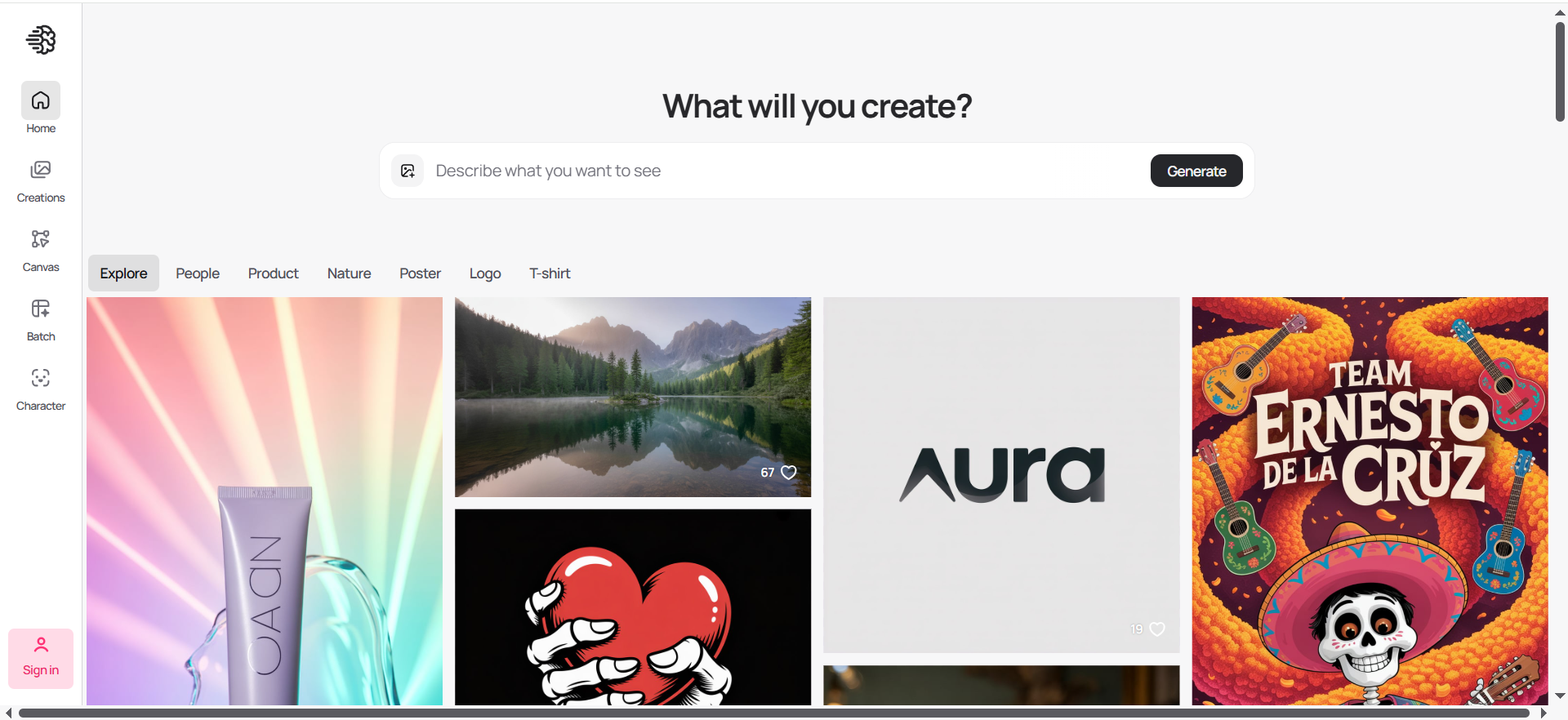
Ideogram is an AI image generator that specializes in accurate text rendering within generated images — a critical capability for thumbnails that need readable headlines, labels, or call-to-action text baked directly into the visual. Unlike most AI image generators that produce garbled or unreadable text, Ideogram consistently renders accurate, legible typography as part of the generated image.
Why Teams Use It
Content creators and marketers choose Ideogram specifically because it solves the text-in-image problem that other AI generators struggle with. When your thumbnail needs a bold headline rendered directly into a stylized background — "5 Tools That Actually Work" overlaid on a vibrant tech scene, for example — Ideogram handles this in a single generation step instead of requiring a separate text overlay in Canva or Photoshop.
What It Is Good For
Ideogram excels at generating thumbnails where text is a core visual element, not just an overlay. It is also strong for creative, stylized imagery with consistent typography, batch generation with different prompt variations, and reference-image-guided style matching. The commercial use rights mean everything you generate can be published without licensing concerns.
When It Is a Good Fit
Ideogram is the right pick when your thumbnails rely heavily on integrated text (not just overlaid text), when you want to generate multiple stylistic variations quickly, when you need to match a specific visual style using reference images, or when you want better text rendering than Midjourney or DALL-E offer. It works well for YouTube creators, bloggers, and social media managers who want distinctive, text-forward thumbnails.
When It Is Not a Good Fit
Ideogram is not ideal when you need photorealistic imagery at the level Midjourney delivers, when you need a full design editor for post-generation refinement (Ideogram has basic editing but is not a design platform), or when you need extensive template libraries for non-designers. Teams that need an all-in-one design and publishing workflow will still need Canva or Adobe Express alongside Ideogram.
How to Use It
Enter a prompt describing your desired thumbnail, including any text you want rendered in the image. Upload up to three reference images to guide the visual style. Select your preferred aspect ratio (16:9 for YouTube thumbnails). Ideogram generates multiple options — pick the best, then use built-in tools for magic fill, background removal, or upscaling to 2K resolution. Download and add final branding in your design tool of choice.
Key Capabilities
Ideogram offers best-in-class text rendering in AI-generated images, style reference support with up to three uploaded images, batch generation for creating multiple variations at once, magic fill for targeted image modifications, background removal and replacement, 2K upscaling, commercial usage rights on all generated images, and an API for programmatic generation.
Pricing
Ideogram offers a Free tier with 10 credits per week (roughly 40 images per week), Plus at $15/month, Pro at $20/month, and Team at $42/month. Paid plans include faster generation, higher resolution, private mode, and more credits.
Free Tier?
Yes. The free tier provides 10 credits per week, which is enough for occasional thumbnail creation. Credits reset every Saturday at 00:00 UTC. The output quality is the same as paid plans.
Downsides and Limitations
Ideogram is not a design platform — it generates images but does not offer the editing, templating, or publishing features of Canva or Adobe Express. Photorealistic output quality, while good, does not match Midjourney's best results. The free tier's slow queue can be frustrating for time-sensitive production. You will likely need a separate tool for text overlays, branding, and final formatting.
4. Midjourney
What It Does
Midjourney is an AI image generator known for producing the highest-quality photorealistic and artistic imagery available. Operating primarily through Discord (with a web interface in development), Midjourney transforms text prompts into four unique visual outputs with distinctive aesthetic qualities — surreal precision, moody lighting, and painterly depth that other generators struggle to match. The March 2026 V8 Alpha release brought 5x faster generation, native 2K HD images, and significantly improved text rendering.
Why Teams Use It
Creative teams and content producers choose Midjourney when thumbnail quality is the top priority and they are willing to invest extra workflow steps to achieve it. The visual fidelity of Midjourney output — especially for lifestyle imagery, product visualizations, and atmospheric scenes — is unmatched. Many professional creators use Midjourney to generate stunning base images, then finish them in Canva or Photoshop with text overlays and branding.
What It Is Good For
Midjourney excels at generating photorealistic backgrounds, hero images, and artistic visuals that serve as the foundation of a thumbnail. It is especially strong when you need imagery that stands out in a crowded YouTube feed — the distinctive Midjourney aesthetic creates thumbnails that look professionally shot or illustrated rather than AI-generated. V8's improved prompt understanding means you can describe complex scenes and get accurate results more consistently.
When It Is a Good Fit
Midjourney is the right choice when visual quality is non-negotiable, when your workflow can accommodate a two-step process (generate in Midjourney, finish in a design tool), when you need photorealistic or high-art imagery that template-based tools cannot produce, or when you are already comfortable with Discord-based workflows. It works best for creators and teams that produce fewer thumbnails at higher quality rather than high-volume template production.
When It Is Not a Good Fit
Midjourney is not suitable when you need an all-in-one thumbnail creation workflow, when your team needs a simple drag-and-drop interface (the Discord-based workflow has a learning curve), when you need reliable text rendering in the generated image (Ideogram improved this but it is still not as reliable as Ideogram), or when you need a free option (there is no free tier or trial). Companies earning over $1M in annual gross revenue must purchase the Pro or Mega plan for commercial usage rights.
How to Use It
Join the Midjourney Discord server or access the web interface. Type a prompt describing your desired thumbnail imagery using the /imagine command. Midjourney generates four variations — select your favorite and upscale it. Download the high-resolution output, then bring it into Canva, Adobe Express, or Photoshop to add text, branding, and final formatting. Export at 1280×720 px for YouTube or your platform's required dimensions.
Key Capabilities
Midjourney offers best-in-class photorealistic and artistic image generation, V8 Alpha with 5x faster generation and native 2K output, improved text rendering and prompt understanding, Relax Mode for unlimited generations on Standard+ plans, Stealth Mode for private generation on Pro and Mega plans, pan, zoom, vary, and remix tools for iterating on outputs, and community showcase for inspiration and style discovery.
Pricing
Midjourney Basic costs $10/month (3.3 fast GPU hours), Standard costs $30/month (15 fast GPU hours + unlimited Relax), Pro costs $60/month (30 fast GPU hours + Stealth Mode), and Mega costs $120/month (60 fast GPU hours). Annual billing saves 20%. There is no free tier or trial.
Free Tier?
No. Midjourney removed the free trial in late 2024. All usage requires a paid subscription starting at $10/month.
Downsides and Limitations
Midjourney requires a separate design tool for text overlays and branding — it is an image generator, not a thumbnail maker. The Discord-based workflow is unintuitive for non-technical users. Text rendering, while improved in V8, is still less reliable than Ideogram or design-tool-based text. The $10/month minimum with no free tier creates a barrier for casual users. Revenue-based licensing restrictions add complexity for larger companies. There is no direct YouTube or social publishing integration.
5. ThumbnailTest
What It Does
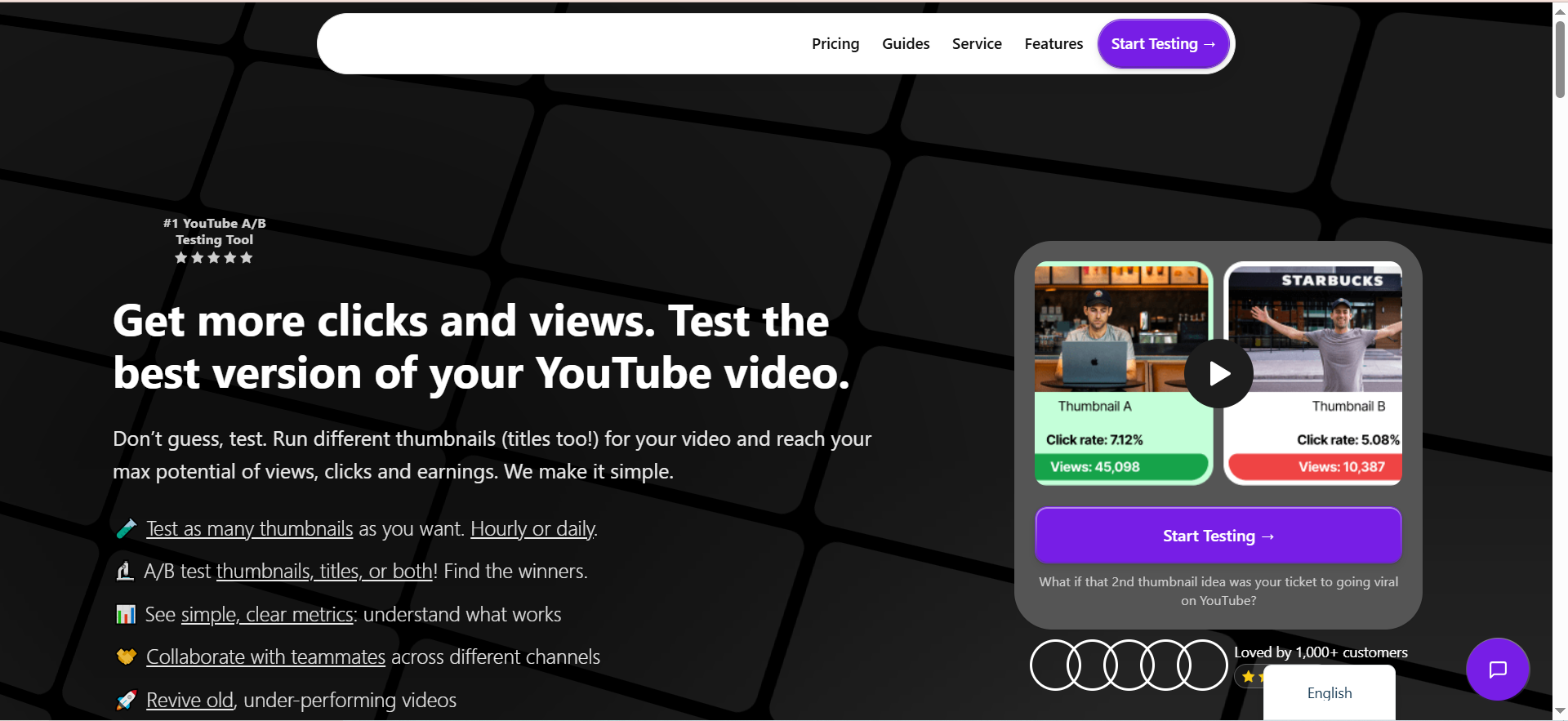
ThumbnailTest is a dedicated A/B testing platform for YouTube thumbnails and titles. Unlike the other tools in this list, ThumbnailTest does not create thumbnails — it tests them. You upload multiple thumbnail and title variations, and ThumbnailTest rotates them on your live YouTube videos, measuring click-through rate, views, and engagement to identify which combination performs best. It supports testing 10+ thumbnail variations per video, compared to YouTube's native Test & Compare feature which caps at three.
Why Teams Use It
YouTube creators and marketing teams use ThumbnailTest because even the best-designed thumbnail is only a hypothesis until you test it with real viewers. ThumbnailTest removes the guesswork by running controlled experiments on live videos, giving you data on which thumbnails and titles actually drive clicks. For channels that depend on CTR for growth, this data is worth more than any design improvement.
What It Is Good For
ThumbnailTest excels at optimizing existing thumbnails through data rather than intuition. It is also useful for reviving older videos — you can test new thumbnails on published content to boost performance months or years after upload. The combined thumbnail + title testing is a unique advantage, since title changes can affect CTR as much as or more than thumbnail changes.
When It Is a Good Fit
ThumbnailTest fits when you already have a thumbnail creation workflow (using Canva, Midjourney, etc.) and want to optimize which designs perform best, when your YouTube channel is large enough that CTR improvements translate to meaningful view increases, when you want to test more than three variations (YouTube's native limit), or when you want to A/B test both thumbnails and titles simultaneously.
When It Is Not a Good Fit
ThumbnailTest is not the right tool if you need to create thumbnails (it only tests them), if your channel is very small and does not have enough impressions for statistically significant results, or if you are only publishing on platforms other than YouTube. The $29/month price point may not justify itself for channels with fewer than a few thousand subscribers.
How to Use It
Connect your YouTube channel to ThumbnailTest. Select a video to test, upload your thumbnail variations (and optional title variations), and set the rotation frequency (hourly or daily). ThumbnailTest automatically swaps thumbnails on your live video and tracks performance metrics. Review the dashboard to see which variation has the highest CTR and views, then lock in the winner.
Key Capabilities
ThumbnailTest offers A/B testing for YouTube thumbnails with 10+ variations (versus YouTube's 3), combined thumbnail + title testing, hourly and daily rotation options, CTR, views, and engagement tracking with a results dashboard, video revival testing for older content, team collaboration features, and a 14-day money-back guarantee.
Pricing
ThumbnailTest offers three plans: Basic at $29/month, Pro at $49/month, and Business at $99/month. Annual billing reduces prices (Basic to $24/month, Pro to $37/month, Business to $75/month). Channels with fewer than 10,000 subscribers get 40% off the Basic plan. There is no free tier, but ThumbnailTest offers a 14-day money-back guarantee.
Free Tier?
No. ThumbnailTest requires a paid subscription. However, you can get a full refund within 14 days if you decide it is not right for your workflow.
Downsides and Limitations
ThumbnailTest does not create or edit thumbnails — you need a separate tool for design. It only works with YouTube, so it is not useful for blog, social, or email thumbnails. The $29/month cost adds up alongside your design tool subscription. Small channels may not generate enough impressions for reliable A/B test results. The tool has a narrower use case than the other options in this list.
How to Choose the Right AI Thumbnail Generator for Your Workflow
The right AI thumbnail generator depends on three factors: what role thumbnails play in your content pipeline, how much creative control you need, and how many thumbnails you produce per week.
If thumbnails are one of many assets your marketing team produces — alongside social posts, email headers, and blog graphics — Canva is the strongest all-in-one choice. It covers the broadest range of design needs with the lowest learning curve, and the brand kit ensures consistency across asset types. For teams already invested in the Adobe ecosystem, Adobe Express offers similar breadth with superior AI generation quality and IP-safe output.
If thumbnail visual quality is the primary differentiator for your content — you are competing in a crowded YouTube niche where generic templates get ignored — Midjourney gives you the highest-fidelity base imagery available. Pair it with Canva or Adobe Express for text and branding, and you get thumbnails that look like they were produced by a dedicated design team.
If your thumbnails are text-forward — bold headlines, numbered lists, or call-to-action text baked directly into the visual — Ideogram is the only AI generator that reliably renders readable text as part of the generated image, saving you the extra step of adding text overlays in a separate editor. See our best AI image generator comparison for additional options.
If you are already producing good thumbnails but want to know which ones perform best, ThumbnailTest adds the data layer that design tools cannot provide. It is most valuable for established YouTube channels where a 0.5% CTR improvement translates to thousands of additional views.
For most teams, the optimal workflow combines two tools: one for creation (Canva, Adobe Express, or Midjourney + a design editor) and optionally one for testing (ThumbnailTest). The worst approach is choosing a tool based on feature count alone — instead, run a real test with your actual content and measure which tool produces thumbnails that get clicked.
Can AI Thumbnail Generators Replace a Graphic Designer
AI thumbnail generators have reached the point where they can handle 80-90% of routine thumbnail production that previously required a designer. For standard YouTube thumbnails — a compelling background image, bold headline text, and brand-consistent formatting — tools like Canva and Adobe Express produce professional-quality results in minutes rather than hours.
That said, AI tools still struggle with nuanced creative direction, complex compositions with multiple layered elements, and the kind of strategic visual storytelling that experienced designers bring. If your thumbnails need to convey a specific narrative, match a detailed brand style guide with exacting precision, or incorporate custom illustrations, a designer adds value that AI cannot replicate yet.
The practical middle ground for most teams is to use AI tools for day-to-day thumbnail production and reserve designer time for high-stakes content — channel trailers, campaign launches, or pillar content where every visual detail matters. This approach cuts design costs and turnaround time without sacrificing quality where it counts.
What Makes a Good YouTube Thumbnail in 2026
The fundamentals have not changed: a good thumbnail is instantly readable at small sizes, creates curiosity or emotional resonance, and accurately represents the video content. What has changed is the competitive bar — with more creators using AI tools, the baseline quality of thumbnails across YouTube has risen, which means standing out requires more intentional design choices.
Effective thumbnails in 2026 share several patterns. They use high-contrast color combinations that pop against YouTube's white background. They feature close-up facial expressions when possible, since human faces drive the highest click-through rates. They limit text to 3-6 words in a large, readable font. They avoid clutter — the best thumbnails communicate one clear idea, not five competing elements.
The format matters too. YouTube displays thumbnails at 1280×720 pixels, but most viewers see them at much smaller sizes on mobile — so your thumbnail needs to be legible at roughly 160×90 pixels. Test your thumbnail at that size before publishing. If you cannot read the text or understand the visual at that scale, simplify.
How Do AI Thumbnail Generators Handle Text on Images
Text rendering is the biggest quality gap between AI thumbnail generators. Most general-purpose AI image generators — including Midjourney, DALL-E, and Stable Diffusion — struggle to produce readable, accurately spelled text within generated images. They often produce garbled letters, misspellings, or text that looks like it was written by someone who has never seen the alphabet.
Ideogram is the exception. It was built specifically to handle text rendering in generated images and consistently produces accurate, legible typography. If your thumbnails require text baked into the AI-generated visual itself — not overlaid afterward — Ideogram is currently the best option. Check out our playbook on best prompt techniques for AI image generators for strategies on achieving optimal results.
For most thumbnail workflows, however, the practical approach is to generate the background image with your preferred AI tool (Midjourney for photorealism, Canva's Magic Media for speed) and then add text using the design editor in Canva or Adobe Express. This two-step process gives you full control over font choice, size, placement, and readability — which matters more for thumbnails than having text generated as part of the image.
Are Free AI Thumbnail Makers Good Enough for Business Use
Free tiers from Canva, Adobe Express, and Ideogram are functional for testing and light production, but they come with limitations that make them impractical for sustained business use.
Canva Free gives you access to the template library and basic AI features, but limits the number of Magic Media generations per day and locks premium templates, brand kit, and background remover behind the Pro paywall. Adobe Express Free caps AI generation at 25 credits per month — roughly 25 sets of four images — which runs out in a single day of active thumbnail production. Ideogram Free provides 10 slow-speed credits per day, which is enough for occasional use but the slow queue adds friction to any time-sensitive workflow.
For businesses producing thumbnails regularly — more than a few per week — a paid plan is effectively required. The good news is that the entry-level paid tiers ($10-15/month) are inexpensive relative to the time they save compared to manual design or hiring a freelancer. The ROI calculation is straightforward: if a tool saves you 30 minutes per thumbnail and you produce 10 thumbnails per month, you are saving 5 hours of work for $15.
How to A/B Test Thumbnails to Improve Click-Through Rate
A/B testing thumbnails means showing different thumbnail variations to segments of your audience and measuring which version generates the highest click-through rate. On YouTube, there are two primary ways to do this.
YouTube's native Test & Compare feature (available in YouTube Studio) lets you upload up to three thumbnail variations for a video. YouTube distributes impressions across variations and reports which one performs best. It is free and built into the platform, but it is limited to three variations and only tests thumbnails (not titles).
ThumbnailTest extends this with support for 10+ thumbnail variations, combined thumbnail and title testing, and more granular rotation controls (hourly vs. daily). It also works on already-published videos, making it useful for reviving older content with fresh thumbnails.
The testing process is simple but requires discipline. Create 3-5 meaningfully different thumbnail variations — not just minor color tweaks, but different compositions, text approaches, or emotional tones. Run the test for at least 48-72 hours to accumulate enough impressions for reliable results. Lock in the winner and apply what you learned to future thumbnails. Over time, A/B testing builds an institutional understanding of what your specific audience responds to, which is worth more than any generic thumbnail best practice.
What Is the Best AI Thumbnail Generator for YouTube
For YouTube specifically, the best tool depends on your production volume and quality bar. Canva is the best all-in-one option for most YouTube creators — it has the largest thumbnail template library, the fastest workflow from idea to finished thumbnail, and direct YouTube publishing integration. For creators who want the highest visual quality and are willing to use a two-tool workflow, generating base images in Midjourney and finishing in Canva or Adobe Express produces thumbnails that consistently outperform template-only approaches. See our guide on best YouTube thumbnail generators for deep-dive coverage.
If you are serious about CTR optimization, pair your creation tool with ThumbnailTest to validate which designs actually drive clicks. The combination of Canva (for creation) and ThumbnailTest (for optimization) covers the full lifecycle from design to data-backed performance improvement.
Can You Use Midjourney for YouTube Thumbnails
Yes, and many top YouTube creators do. Midjourney generates the highest-quality base imagery for thumbnails — photorealistic scenes, atmospheric backgrounds, and artistic compositions that look hand-crafted rather than AI-generated. The V8 Alpha release in March 2026 improved text rendering and prompt understanding significantly, though text quality still is not as reliable as Ideogram or design-tool-based overlays.
The recommended workflow is to use Midjourney to generate 4-8 base image variations for your thumbnail concept, select the strongest output, then bring it into Canva or Adobe Express to add headline text, branding elements, and final formatting. This takes 10-15 minutes total and produces thumbnails that look substantially more polished than template-only approaches.
Keep in mind the licensing requirements: if your company earns over $1M in annual gross revenue, you need Midjourney's Pro ($60/month) or Mega ($120/month) plan for commercial usage rights.
Final Verdict
For most teams, Canva is the best starting point — it covers thumbnail creation plus every other marketing design need, with enough AI features to produce professional-quality thumbnails fast. If visual quality is your primary competitive advantage, add Midjourney as your image generation layer and use Canva for finishing. If text-heavy thumbnails are your style, Ideogram handles integrated typography better than anything else. For brand-controlled environments with Adobe ecosystems, Adobe Express keeps everything commercially safe and ecosystem-consistent. And if you want to stop guessing which thumbnails work, ThumbnailTest adds the data layer that turns thumbnail design from art into science.
The best approach is to pick one creation tool, run it for two weeks with your actual content, and measure the results before committing to a long-term stack.
FAQs
Yes. Canva, Adobe Express, Ideogram, and Midjourney all allow commercial use of generated images on their paid plans. Adobe Express is the safest option for IP-sensitive brands, as Adobe Firefly is trained exclusively on licensed content. Midjourney requires Pro or Mega plans for companies earning over $1M annually.
The standard YouTube thumbnail size is 1280×720 pixels with a 16:9 aspect ratio. File size should be under 2 MB, and accepted formats are JPG, GIF, or PNG.
Start with 3-5 meaningfully different variations. YouTube's native Test & Compare supports up to 3, while ThumbnailTest supports 10+. Avoid testing minor tweaks — test fundamentally different concepts to learn what resonates.
No. YouTube evaluates thumbnails based on click-through rate and viewer engagement, not how they were created. A high-performing AI-generated thumbnail will rank just as well as a manually designed one. What matters is whether viewers click and watch.