Best AI Image Generator (2026)
Which ai image generator options actually fit design and brand creative and which ones create extra cost, handoff friction, or weak output.

This playbook helps brand strategists and content managers compare the best ai image generator options for design and brand creative. It breaks down where midjourney, dall-e stand out, when alternatives such as canva, adobe-express make more sense, and which setup fits B2B companies and B2C brands and solo operators and small businesses.
In 2026, the gap between AI image generators has narrowed—but clear winners emerge for different use cases. Midjourney remains unmatched for artistic quality and innovation, DALL-E 3 excels at understanding natural language and rendering text, Adobe Firefly offers commercial safety and creative integration, Leonardo AI delivers custom model training and inpainting tools, and Ideogram leads in text accuracy for design work. Whether you need professional-grade images for marketing, stylistically consistent characters, legally safe training data, or just quick iterations, there is a specialized tool for your workflow. This guide breaks down pricing, capabilities, and real limitations so you can pick based on actual requirements, not hype.
Table of Contents
Best AI Image Generators (Quick Comparison)
| Tool | Best For | Starting Price | Free Tier | Text Rendering |
|---|---|---|---|---|
| Midjourney | Artistic quality, brand campaigns | $10/mo Basic | None | Good |
| DALL-E 3 | Text in images, natural prompts | $20/mo ChatGPT+ | Bing (limited) | Excellent |
| Adobe Firefly | Legal safety, Photoshop workflows | $9.99/mo Standard | Limited free credits | Good |
| Leonardo AI | Custom models, character consistency | Free (limited) | 150 credits/day | Good |
| Ideogram | Design text, batch campaigns | Free (limited) | 10 credits/day | Excellent |
Best AI Image Generators (Quick Comparison)
Tool 1: Midjourney
What it does
Midjourney is a Discord-based AI image generator that creates images from text prompts using slash commands. You describe what you want, and it generates four options in about a minute. You can upscale your favorites, remix variations, or refine with additional prompts.
Why teams use it
Teams choose Midjourney for consistency in creative direction and artistic quality. The aesthetic output is distinctive—colors, composition, and detail tend to feel polished and gallery-ready. It is favored by design agencies, brand teams, and content creators who need images that stand apart visually.
What it's good for
High-end concept art, marketing hero images, brand campaigns, book covers, portfolio pieces, and anywhere aesthetics matter more than speed. The stylistic coherence across a batch of images is exceptionally strong, making it ideal for brand guidelines or visual identity work.
When it's a good fit
You have a monthly budget of $10–$120, prefer quality over quantity, work in creative industries, or need images that look intentional rather than generic. If you are building a visual brand or portfolio, Midjourney's output quality justifies the cost.
When it's not a good fit
You need free or ultra-cheap generation, require precise text rendering in images, or want a one-click web interface. If budget is tight or you generate hundreds of images weekly, the costs add up quickly. Midjourney has no free trial—you start paying immediately.
How to use it
Join Midjourney's Discord server, connect your account, and use slash commands in a channel: /imagine [your prompt]. The bot generates four images; react to upscale, vary, or refine. Images go to your private gallery if on Pro+ (Stealth mode), or are visible to other server users on lower tiers.
Key capabilities
- Four-image generation per prompt
- Upscaling, remix, and variation tools
- Pan and zoom for composition control
- Describe mode (reverse image search)
- Style references and prompt weighting
- Stealth mode (private images) on Pro+
- Relax mode (queued generation) on Standard+
Pricing
Basic: $10/mo (~200 images), Standard: $30/mo (unlimited Relax), Pro: $60/mo (Stealth mode, priority), Mega: $120/mo. 20% discount for annual billing. Companies with more than $1M revenue need Pro or higher for commercial rights.
Free tier?
No free plan or trial as of 2026. You must subscribe to generate images.
Downsides / limitations
Discord interface feels clunky for non-technical users. No free trial means committing to a $10 minimum to test it. Text rendering is weaker than DALL-E or Ideogram—expect garbled or creative interpretations of words in images. Relax mode queues generation, so Standard and Basic users wait longer during peak hours. Commercial rights require Pro+ for large companies.
Tool 2: DALL-E
What it does
DALL-E 3 is OpenAI's image generator, integrated into ChatGPT and available via API. Note: OpenAI is transitioning image generation from DALL-E 3 to GPT Image 1.5, built into GPT-5. ChatGPT Plus subscribers retain full image generation access. You type a natural language description, and it generates a single high-quality image. You can refine it with follow-up prompts, generate variations, and edit specific regions using inpainting.
Why teams use it
Teams choose DALL-E 3 for its language understanding and text accuracy. It interprets nuanced, complex prompts better than competitors—you can say "a bold magazine cover with a cat wearing sunglasses" and it understands both the aesthetic and the text overlay. The ChatGPT integration means it understands conversational context and learns from feedback across a conversation.
What it's good for
Product mockups, editorial graphics, marketing copy overlaid on images, posters, social ads, and anywhere text needs to be readable. It is exceptional for book cover design, infographics, and campaign assets where legibility matters.
When it's a good fit
You have a ChatGPT Plus subscription ($20/mo) or use the API ($0.04–$0.12 per image). If you are already in ChatGPT for writing, it is a natural addition. For teams building marketing materials, product ads, or editorial content, the text quality alone justifies it.
When it's not a good fit
You need the lowest cost per image (API pricing is higher than some competitors) or ultra-high artistic quality (Midjourney edges it out aesthetically). If you generate thousands of images monthly, API costs climb fast.
How to use it
Via ChatGPT: open ChatGPT Plus, click the image icon, type your prompt, and generate. Via API: call the dall-e-3 model with your text prompt. Edit mode lets you select a region and describe changes; variation mode remixes the same image.
Key capabilities
- Single, high-resolution image per prompt (1024x1024, 1024x1792, 1792x1024)
- Natural language understanding (nuanced prompts work better)
- Inpainting (edit specific regions)
- Variation generation (remix the same image)
- Integrated into ChatGPT conversational flow
- API integration for programmatic use
- Readable text rendering in images
Pricing
ChatGPT Plus: $20/mo (includes image generation, up to 50 images/day). API: $0.040 (1024x1024), $0.080 (1024x1792 or 1792x1024) for DALL-E 3. Free tier via Bing Image Creator (limited daily quota, no API access).
Free tier?
Yes. Bing Image Creator offers free DALL-E 3 generation with a daily limit (~15 images/day for Bing rewards members, fewer without). No API access on the free tier.
Downsides / limitations
One image per prompt (no four-option grid like Midjourney), so you iterate more slowly. API is expensive for high-volume workflows. Text rendering is excellent but still occasionally misspells or distorts words. ChatGPT Plus has usage caps during peak hours.
Tool 3: Adobe Firefly
What it does
Adobe Firefly is a generative AI model that creates images from text prompts, fills in missing regions (generative fill), and expands images outward. It is embedded in Photoshop, Illustrator, Adobe Express, and available via web or API. It is trained exclusively on licensed, public domain, and Adobe Stock content—legally safer than competitors trained on the open web.
Why teams use it
Teams choose Firefly for legal peace of mind and deep Adobe integration. Since it is trained only on licensed and public domain work, there is minimal copyright risk compared to models trained on internet-wide data. If you are already in Photoshop or Illustrator, Firefly is one click away.
What it's good for
Photoshop workflows (background replacement, object removal, generative fill), brand asset creation, social media graphics via Express, video backgrounds, and campaigns where legal safety is a priority. It is ideal for agencies and in-house teams that cannot afford legal disputes over training data.
When it's a good fit
You are on Creative Cloud or Photoshop already ($23/mo–$60/mo), need legal certainty, or generate images as part of design work. Small businesses and enterprises favoring legal safety should pick Firefly over cheaper, internet-trained alternatives.
When it's not a good fit
You need the absolute lowest cost (the free tier is 25 credits/month, very limited) or work outside Adobe's ecosystem. If you are not a designer, the integration advantage disappears.
How to use it
In Photoshop: Tools then Generative Fill (select an area, describe what to add). In Express: Create then Generative Fill. Via web: Adobe Firefly (text-to-image). Via API: REST calls to generate, fill, or expand images.
Key capabilities
- Text-to-image generation
- Generative fill (context-aware object insertion)
- Expand (extend image outward)
- Inpainting (remove, replace objects)
- Text-to-video (Firefly Video)
- Sound effects generation
- Photoshop, Illustrator, and Express integration
- Premium partner models (Google, OpenAI, ElevenLabs) on higher tiers
Pricing
Firefly Standard: $9.99/mo (2,000 premium credits, unlimited standard generations). Firefly Pro: $19.99/mo (4,000 premium credits). Firefly Premium: $199.99/mo (50,000 premium credits). Creative Cloud subscribers receive 500–1,000 credits/mo included. API: ~$0.02–$0.10 per image. Credits regenerate monthly.
Free tier?
Yes. A limited free tier is available with basic generative credits for standard features. It is enough to evaluate the platform but too restrictive for production use.
Downsides / limitations
Free tier is too limited for serious use. Standalone plans start at $9.99/mo, which adds cost if you do not already subscribe to Creative Cloud. Tied to Adobe ecosystem (advantage if you are already there, limitation if not). Text rendering is good but not as sharp as Ideogram. Generative Fill quality varies depending on the image and region.
Tool 4: Leonardo AI
What it does
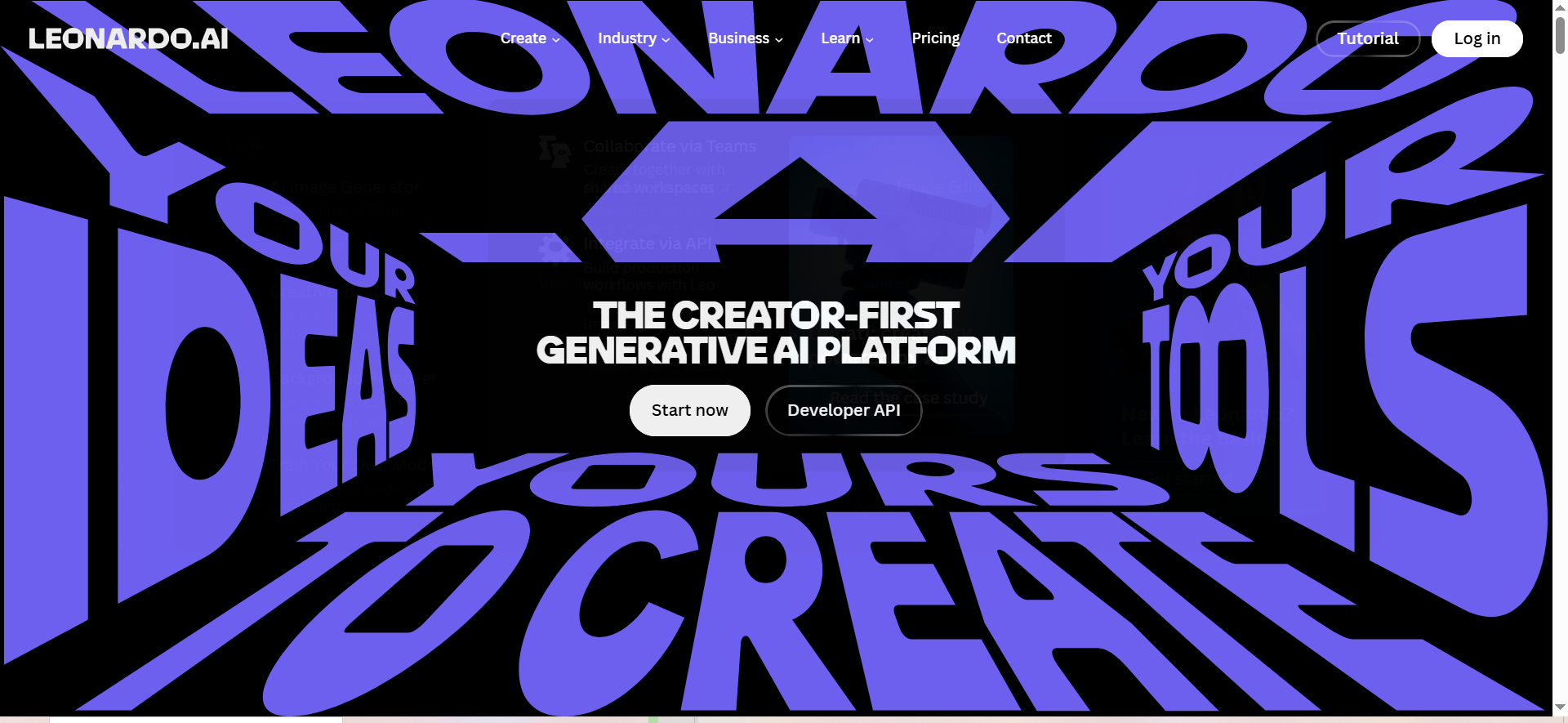
Leonardo AI is a platform for image generation with a focus on custom model training, character consistency, and inpainting tools. Upload 10–20 reference images and train a custom model in your style. Use the AI Canvas for real-time inpainting and outpainting in an infinite workspace.
Why teams use it
Teams use Leonardo for bespoke model training and character consistency across batches. If you need dozens of variations of the same character, product, or style, Leonardo's custom models are unbeatable. The AI Canvas tool (real-time inpainting) makes iterative design work fast.
What it's good for
Character design, game art, stylistically consistent series (comics, storyboards, product shots), and campaigns requiring a unified visual direction. Perfect for indie game studios, animation teams, and brands needing high volumes of on-brand images.
When it's a good fit
You generate 100+ images/month and want consistency, need character models, or prefer a web interface. Custom model training ($10–$48/mo plans) pays off if you reuse the model across dozens of images.
When it's not a good fit
You need text rendering (Leonardo is weaker), want the highest artistic quality (Midjourney still edges it out), or need to be fully free (free tier is 150 tokens/day—limited for serious work).
How to use it
Web interface: Describe your prompt, select a model (default or custom), adjust settings (guidance, style preset), and generate. For custom models: Upload 10–20 reference images, name your model, and wait for training (~10 minutes). Use AI Canvas for real-time inpainting by selecting regions and refining them.
Key capabilities
- Text-to-image with custom models
- Custom model training (10–20 reference images)
- AI Canvas (real-time inpainting/outpainting in infinite workspace)
- Character reference models (maintain character identity)
- Realtime Canvas (live preview as you paint)
- Public vs. private generations (free tier public, private on higher tiers)
- Relaxed generation (no hard stop on higher tiers)
- Batch generation for campaigns
Pricing
Free: 150 credits/day (public, no commercial rights). Apprentice: $12/mo ($10/mo annual), Artisan: $24/mo ($20/mo annual), Maestro: $48/mo ($40/mo annual). Higher tiers unlock relaxed generation, private generations, and more credits. Unused credits roll over on paid plans.
Free tier?
Yes. 150 credits/day is roughly 25–37 images/day depending on the model used. Generations are public (others can see them) and lack commercial rights. Enough to test but restrictive for daily use.
Downsides / limitations
Text rendering is weak; expect garbled text in images. Free tier is public and non-commercial. Custom models take ~10 minutes to train (not instant). Relaxed generation on free tier means images queue, not instant generation. Not as artistically polished as Midjourney.
Tool 5: Ideogram
What it does
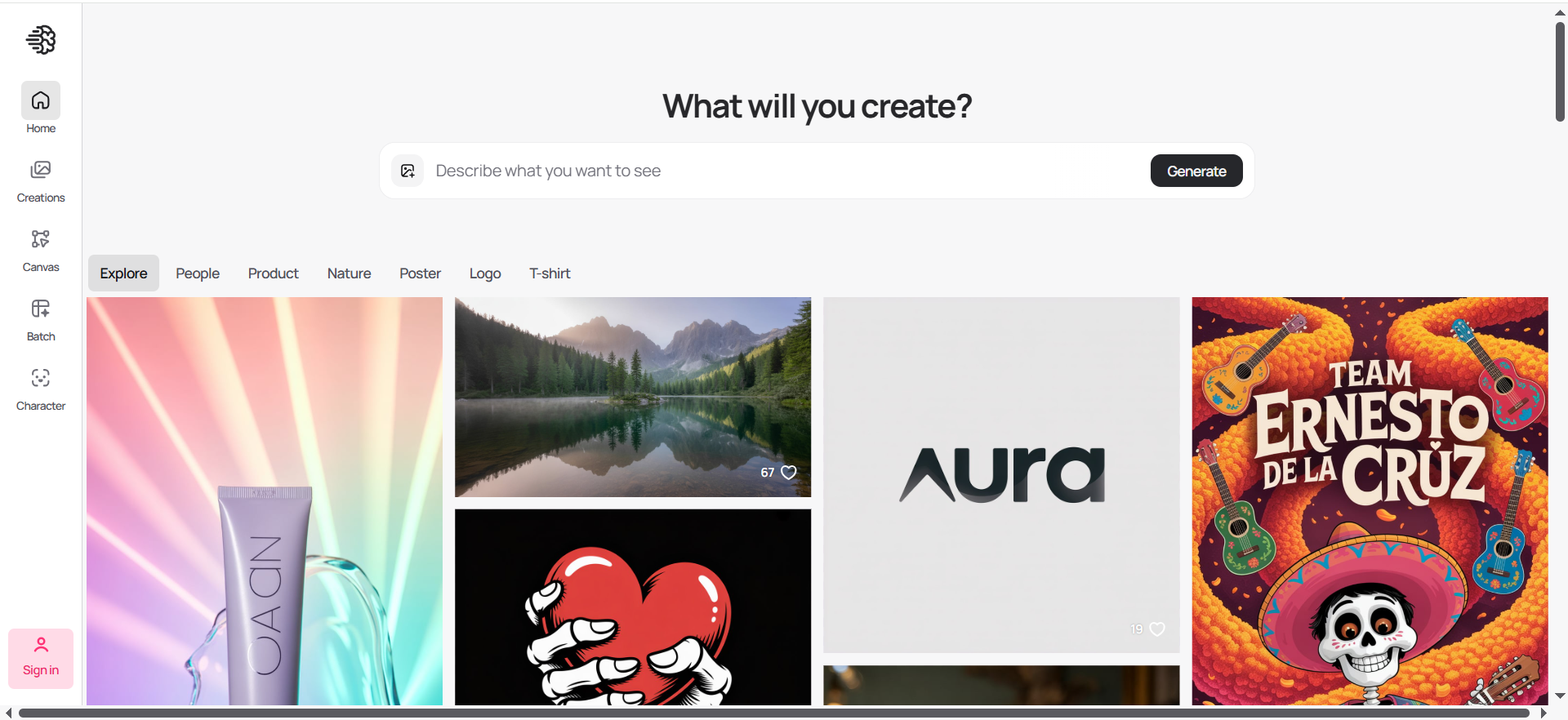
Ideogram is an AI image generator specializing in text rendering and batch design workflows. It generates images with legible, accurate text overlays—roughly 90% accuracy on common words. Upload up to 3 reference images for style guidance, batch-generate variations for campaigns, and ensure character consistency from a single reference image.
Why teams use it
Teams choose Ideogram for design work, social media campaigns, and marketing materials where text must be readable. The ~90% text accuracy is industry-leading. For marketers building ad variations, batch generation is a massive time-saver.
What it's good for
Social media graphics, ad copy overlays, posters, book covers, infographics, design system variations, and any content needing readable text. Perfect for marketing teams, small businesses, and freelancers building campaign assets.
When it's a good fit
You design marketing materials, need readable text, or batch-generate variations. The free tier (10 credits/day) is enough for casual use; Plus ($15/mo) is fair for daily workflows.
When it's not a good fit
You need ultra-high artistic quality (Midjourney wins), require custom model training (Leonardo), or have minimal budget and do not need text (free DALL-E via Bing might work).
How to use it
Web interface: Type your prompt, upload up to 3 reference images for style (optional), click Generate. For batch campaigns: Describe variations you want, use Batch Generation to create multiple versions at once. Prompt Magic rephrases vague prompts; Background Removal strips backgrounds automatically.
Key capabilities
- Text-to-image with excellent text accuracy (~90%)
- Up to 3 reference images for style guidance
- Batch generation (multiple variations at once)
- Character consistency from single image
- Prompt Magic (auto-rephrasing vague prompts)
- Background removal tool
- Commercial use allowed on paid tiers
- Style presets and guidance modes
Pricing
Free: 10 slow credits/day (~40 images/week). Plus: $15/mo (25 fast credits/day, commercial use), Pro: $20/mo (unlimited fast), Team: $42/mo (multi-seat, team collaboration). Fast generation is instant; slow generation queues.
Free tier?
Yes. 10 slow credits/day is realistic for hobbyists and casual users. Enough for 5–7 images/day. Commercial use allowed on paid tiers only.
Downsides / limitations
Free tier uses slow generation (queued, not instant). Artistic quality is good but not Midjourney-tier. Not ideal for high-volume custom model training (Leonardo is better). Text accuracy is ~90%, not 100%—occasional misspellings still happen.
What is the best AI image generator for beginners?
DALL-E 3 via Bing Image Creator and Ideogram's free tier are the best starting points. Both offer free access, intuitive web interfaces, and natural language prompts that do not require arcane syntax. Bing Image Creator lets you test DALL-E 3's sophisticated language understanding at zero cost; Ideogram's free tier includes excellent text rendering if you are making social posts or designs. If you want to invest from day one, Adobe Firefly's free tier (25 credits/month) is legally safer and integrates with familiar design tools.
Which AI image generator has the best text rendering?
Ideogram leads with ~90% text accuracy, followed closely by DALL-E 3. Both render readable, legible text in images—critical for posters, ads, and social graphics. Ideogram's Prompt Magic feature even rephrases vague text prompts to improve accuracy. Midjourney's text is weaker; Leonardo and Firefly fall in the middle. If readable text is non-negotiable, Ideogram or DALL-E 3 are your only choices.
Is Midjourney worth the price compared to free AI image generators?
Yes, if you need distinctive, gallery-quality aesthetics. Midjourney's $10/mo Basic plan (~$0.05 per image) is expensive compared to free alternatives, but the output quality, stylistic coherence, and artistic polish justify it for creative professionals, agencies, and brands. If you are making marketing hero images, book covers, or portfolio work where aesthetics define value, Midjourney pays for itself in perceived quality. If you are just testing or need functional graphics, free tools like Bing Image Creator or Ideogram's free tier are perfectly adequate.
Can AI-generated images be used commercially?
Yes, with caveats. Midjourney requires Pro+ ($60/mo) for companies over $1M revenue; other tiers grant commercial rights for smaller entities. DALL-E 3 (ChatGPT Plus or API) allows commercial use with your ChatGPT Plus subscription. Adobe Firefly is legally safe (trained on licensed content) and allows commercial use on all tiers. Leonardo AI allows commercial use only on paid tiers (free images are non-commercial). Ideogram allows commercial use on Plus ($15/mo) and Pro ($20/mo) tiers, not free. Check the fine print for your tier before publishing.
What is the best free AI image generator in 2026?
Bing Image Creator (free DALL-E 3 access) and Ideogram's free tier are tied for best free options. Bing offers unlimited generations with daily limits for Rewards members; Ideogram gives 10 slow credits/day. Leonardo AI's free tier (150 credits/day, public generations) works for testing but is restrictive. Adobe Firefly's free tier (25 credits/month) is usable for light work. None are ideal for serious, daily use—they are all designed to push you toward paid plans.
How do AI image generators handle brand consistency?
Leonardo AI excels with custom model training—upload 10–20 brand images and train a model that maintains your visual identity across hundreds of generations. Ideogram supports 3 reference images per prompt, allowing style guidance without custom training. Midjourney uses style references and prompt weighting; users often save a "brand prompt" (specific words that trigger consistent aesthetics). DALL-E 3 and Adobe Firefly lack purpose-built consistency tools but can approximate it through detailed prompts and style descriptions. For teams needing locked-down, repeatable brand aesthetics, Leonardo's custom models are the only automated solution.
Which AI image generator is best for marketing teams?
Ideogram is best for marketing workflows due to batch generation, readable text, and commercial use on lower tiers. Marketers can batch-generate 10+ ad variations in one go, use Prompt Magic to refine vague briefs, and have commercially safe images instantly. DALL-E 3 is second-best for its natural language understanding and text accuracy (perfect for copy overlays). Midjourney ranks third—amazing for hero images and brand campaigns but slower iteration. Leonardo AI is strong for high-volume character and product consistency. Adobe Firefly is best if the team is already in Creative Cloud.
What are the limitations of AI image generators?
Text rendering is universally weaker than manual design; expect frequent misspellings unless you use Ideogram or DALL-E 3. Generating readable hands, small details, and complex compositions is hit-or-miss across all tools. Legal and copyright risks exist unless you use Adobe Firefly or DALL-E 3 (trained on licensed data). Free tiers are all restrictive—do not expect daily, commercial-grade use without paying. Costs add up for high-volume workflows. No tool perfectly replicates a specific real person or exact visual reference without custom training (Leonardo excepted). Generating images with specific brand assets, logos, or copyrighted characters is risky and often explicitly forbidden in terms of service.
How do AI image generators compare for social media content?
Ideogram dominates for Instagram, TikTok, and Twitter due to batch generation and readable text for captions. DALL-E 3 is strong for ad copy overlays and natural, human-looking content. Midjourney excels for aesthetic, eye-catching hero images that stand out in feeds. Leonardo AI is best for high-volume character and product content (for example, 50 product shots in one day). Adobe Firefly via Express is fast for quick social templates. For sheer speed and flexibility, Ideogram's Plus tier ($15/mo, 25 fast credits/day) gives you dozens of variations daily.
Which AI image generator produces the most realistic images?
Midjourney and DALL-E 3 are tied for realism, each excelling in different scenarios. Midjourney produces photorealistic artwork and renders complex lighting beautifully. DALL-E 3 excels at photorealistic product mockups, lifestyle photography, and hyperrealistic human portraits. Adobe Firefly is close behind for realistic fills and object insertion. Leonardo AI and Ideogram are weaker for pure photorealism but acceptable for stylized or illustrative work. If your goal is indistinguishable-from-a-photo realism, Midjourney or DALL-E 3 are your only choices.
Frequently Asked Questions
If you generate 10–20 images/week, budget $10–$30/mo (Midjourney Basic or Ideogram Plus). If you need text accuracy and generate 50+/week, add $20 for DALL-E 3 ChatGPT Plus. If you are already on Creative Cloud, Adobe Firefly's included features cost nothing extra. Total realistic spend: $15–$60/mo depending on volume and requirements. For comparison, hiring a freelance designer costs $500–$2000/mo.
Yes, but only on paid tiers of most tools. Adobe Firefly is the safest (trained exclusively on licensed content). DALL-E 3, Ideogram, and Midjourney Pro+ grant explicit commercial rights. Leonardo AI only allows commercial use on paid tiers. Free generations universally lack commercial rights—never publish free-tier images without upgrading. Read your tool's terms of service; copyright disputes are rare but financially devastating.
Fast generation produces your image in seconds (uses priority processing). Slow generation queues your request (may take minutes during peak hours) but uses free or included credits. Paid tiers unlock fast generation; free tiers usually only offer slow. For workflow speed, fast generation is worth the upgrade.
Most use subscription-based pricing ($10–$60/mo with monthly credit resets). DALL-E 3 API is pay-per-image, not subscription. Midjourney and Leonardo AI use monthly subscriptions. Firefly and Ideogram offer both subscription tiers and API usage. Subscription is easier to budget; API is better if you use very few images per month.
Adobe Express (web, responsive design) is best on mobile. Ideogram's web interface is mobile-friendly. DALL-E 3 via ChatGPT mobile app works smoothly. Midjourney requires Discord (clunky on phones). Leonardo AI's web interface works on mobile but is not optimized. If you generate images primarily on phone, Express or Ideogram are your best bets.
Yes. Photoshop with Generative Fill and Adobe Express let you edit in-place. DALL-E 3's inpainting lets you modify regions. Leonardo's AI Canvas is designed for iterative editing. Ideogram and Midjourney require re-prompting for changes (no in-image editing). If iteration and refinement are critical to your workflow, DALL-E 3, Leonardo, or Photoshop are essential.
Use more specific prompts. Instead of "a dog," try "a golden retriever wearing a red collar, sitting in a sunny meadow, oil painting style, dramatic lighting." Reference images (Ideogram, Leonardo) guide style. Midjourney's style references lock in aesthetics. Negative prompts (tell the AI what to exclude) help. For Leonardo, custom model training guarantees consistency. Generic results usually mean vague prompts—be detailed.