Best Enterprise AI Automation Tools (2026)
How B2B companies and B2C brands can shortlist the best enterprise ai automation tools tools for lower operating cost without wasting evaluation cycles.

This playbook helps marketing ops leaders and product managers compare the best enterprise ai automation tools options for AI agents and workflow automation. It breaks down where zapier, make stand out, when alternatives such as relay-app, relevance-ai make more sense, and which setup fits B2B companies and B2C brands and small businesses and mid-market companies.
TL;DR
Most enterprise teams do not fail at automation because they picked the wrong tool. They fail because they picked a tool that looked right in a demo but collapsed under real workflow complexity, governance requirements, or scaling pressure.
If you are evaluating enterprise AI automation tools in 2026, here is the short answer: Zapier is the fastest path to production for non-technical teams with broad integration needs. Make gives you more visual control over complex branching logic at a lower cost per credit. n8n is the strongest option if your team wants open-source flexibility and self-hosting. Workato is built for enterprises that need deep governance, compliance, and embedded integration at scale. UiPath is the right choice when the automation problem involves desktop applications, document processing, or legacy systems that do not have APIs.
This guide breaks down each platform across the dimensions that actually matter for enterprise buyers: workflow reliability, integration depth, pricing model, governance controls, and AI capabilities. Every recommendation is grounded in how these tools perform in production, not in vendor pitch decks.
Table of Contents
Best Enterprise AI Automation Tools (Quick Comparison)
| Tool | Best For | Integrations | Pricing Model | AI Capabilities | Free Tier |
|---|---|---|---|---|---|
| Zapier | Non-technical teams needing breadth | 8,000+ apps | Per-task, from $19.99/mo | AI Agents, AI Copilot | Yes (100 tasks/mo) |
| Make | Visual workflow builders needing complexity | 3,000+ apps | Per-credit, from $9/mo | Maia AI, AI Agents | Yes (1,000 credits/mo) |
| n8n | Developer teams wanting control | 500+ native + HTTP node | Per-execution, from €24/mo | 70+ AI nodes, LangChain | Yes (self-hosted) |
| Workato | Enterprises needing governance at scale | 1,200+ connectors | Custom, $25K–$500K+/yr | AI/ML integration | No |
| UiPath | RPA + document processing + legacy systems | 600+ activities | Per-bot, from $25/mo | Document Understanding, AI Center | Yes (Basic plan) |
Best Enterprise AI Automation Tools (Quick Comparison)
Tool #1: Zapier
What It Does
Zapier connects over 8,000 applications through automated workflows called Zaps. Each Zap follows a trigger-action model: when something happens in one app, Zapier automatically performs actions in one or more connected apps. In 2026, Zapier expanded beyond simple trigger-action flows with the launch of Zapier Agents, which are autonomous AI systems that execute multi-step tasks across connected apps without human intervention.
Why Teams Use It
Zapier is the default choice for teams that need to move fast without writing code. The platform handles authentication, error retries, and data transformation behind the scenes, which means a marketing ops manager can build a working automation in minutes rather than days. The 8,000+ integration catalog means virtually any SaaS tool your enterprise uses already has a pre-built connector.
What It Is Good For
Zapier excels at connecting disparate SaaS tools across departments. Common enterprise use cases include syncing CRM records between Salesforce and HubSpot, routing form submissions to Slack channels and Google Sheets simultaneously, automating lead enrichment pipelines, and triggering email sequences based on product usage events. The new AI Copilot feature lets users describe automations in plain English and have Zapier build the Zap automatically.
When It Is a Good Fit
Zapier fits best when the team is primarily non-technical, the integration catalog covers your stack, workflows are mostly linear (trigger leads to a sequence of actions), and speed to production matters more than granular control over execution logic. Enterprise teams with 50,000+ monthly tasks benefit from dedicated account management and contractual SLA guarantees on the Enterprise plan.
When It Is Not a Good Fit
Zapier struggles with complex branching logic, heavy data transformation, or workflows that require conditional routing across multiple paths. The per-task billing model can become expensive at scale because each action in a multi-step workflow counts as a separate task. A Zap that watches Gmail, parses data, updates Google Sheets, and sends a Slack notification uses four tasks per execution. Teams running high-volume workflows with many steps should model their costs carefully.
How to Use It
Start with Zapier's template library for common enterprise workflows. Use the AI Copilot to describe what you want automated in natural language. Test each Zap with live data before enabling it in production. Use Zapier Tables to store and manage data directly within your workflows, and Zapier Forms to collect structured input that feeds into automations.
Key Capabilities
Zapier's enterprise capabilities include multi-step Zaps with up to 100 actions, conditional logic (Paths) for branching workflows, built-in data formatting and transformation tools, Zapier Tables for lightweight data storage, Zapier AI Agents for autonomous task execution, scheduled and webhook-triggered Zaps, team collaboration with shared workspace, and Zapier MCP for connecting AI models to your automation stack.
Pricing
Zapier offers four pricing tiers. The Free plan includes 100 tasks per month with single-step Zaps. The Professional plan starts at $19.99 per month (billed annually) for 750 tasks with multi-step Zaps. The Team plan costs $69 per month (billed annually) for 2,000 tasks with shared workspaces and premier support. The Enterprise plan uses custom pricing starting around 50,000 tasks with SSO/SAML, advanced admin controls, custom data retention, and dedicated account management.
Free Tier?
Yes. The Free plan includes 100 tasks per month, 5 single-step Zaps, and access to Zapier Tables, Forms, and MCP at no cost. This is enough to validate a proof-of-concept but not sufficient for production enterprise workflows.
Downsides and Limitations
The per-task billing model scales poorly for high-volume, multi-step workflows. Complex branching logic is possible but clunky compared to visual builders like Make. Self-hosting is not available, so all data passes through Zapier's cloud infrastructure. The platform lacks native support for desktop automation or legacy systems without APIs.
Tool #2: Make
What It Does
Make (formerly Integromat) is a visual workflow automation platform that uses a drag-and-drop canvas to design, build, and monitor automation scenarios. Unlike linear automation builders, Make renders workflows as visual diagrams with explicit routers, filters, iterators, and error handlers, giving teams a clear picture of data flow and conditional logic.
Why Teams Use It
Make attracts teams that need more control over complex automation logic than Zapier provides, without paying enterprise-tier pricing. The visual scenario builder makes it easy to understand multi-path workflows at a glance, which reduces debugging time and makes handoffs between team members smoother. Make also introduced Maia, an AI assistant that builds automation scenarios from natural language descriptions.
What It Is Good For
Make handles complex branching workflows, data transformation, and multi-path routing better than most competitors in its price range. Common enterprise use cases include multi-channel lead routing with conditional scoring, complex data synchronization between ERP and CRM systems, automated content distribution across social media platforms with platform-specific formatting, and error-aware workflows that retry, reroute, or escalate based on failure type.
When It Is a Good Fit
Make fits best when workflows require significant branching and conditional logic, the team values visual workflow design for documentation and debugging, cost-efficiency matters because you need to run high volumes at a lower price point than Zapier, and the team has intermediate technical skills, meaning they are comfortable with data mapping but do not need full code access.
When It Is Not a Good Fit
Make falls short when the enterprise needs on-premise deployment for compliance reasons (only available on Enterprise), requires native RPA or desktop automation capabilities, or needs deep governance controls like audit trails and role-based access at the workspace level. Make's integration catalog of 3,000+ apps is strong but smaller than Zapier's 8,000+.
How to Use It
Start with Make's scenario templates for common enterprise workflows. Use the visual canvas to map out your data flow before connecting live apps. Leverage routers to split workflows into conditional paths, and use error handlers to build resilient automations that do not fail silently. Make's analytics dashboard helps monitor execution health across all scenarios.
Key Capabilities
Make's enterprise capabilities include the visual drag-and-drop scenario builder with routers, filters, iterators, and aggregators, advanced data mapping and transformation, 3,000+ pre-built integrations, Make AI Agents for autonomous task execution, Make Grid for visualizing your automation landscape, the Make Code App for JavaScript and Python, HTTP and webhook modules for connecting any REST API, role-based access control, and SOC 2 Type II and GDPR compliance.
Pricing
Make offers five tiers. The Free plan includes 1,000 credits per month. The Core plan starts at $9 per month for 10,000 credits. The Pro plan costs $16 per month for 10,000 credits with additional features like custom variables and priority execution. The Teams plan is $29 per month for 10,000 credits with team management and shared templates. The Enterprise plan uses custom pricing with advanced security, governance, on-premise agents, credits overage protection, and 24/7 support.
Free Tier?
Yes. The Free plan includes 1,000 credits per month with no time limit. This is enough to test complex scenarios but will cap out quickly for production enterprise workflows.
Downsides and Limitations
The per-credit billing can surprise teams that do not understand how Make counts credits, as each module execution in a scenario counts separately. The learning curve for advanced features like iterators and aggregators is steeper than Zapier. On-premise deployment is only available on the Enterprise plan. Native AI capabilities, while growing, are not as mature as dedicated AI orchestration platforms.
Tool #3: n8n
What It Does
n8n (pronounced "n-eight-n") is an open-source workflow automation platform available as a managed cloud service or a self-hosted deployment. n8n 2.0, released in January 2026, introduced native LangChain integration, 70+ AI nodes, persistent agent memory, and support for self-hosted LLMs, making it the most AI-native automation platform for technical teams.
Why Teams Use It
n8n appeals to developer-oriented teams that want full control over their automation infrastructure. The source-available codebase means teams can inspect, modify, and extend the platform without vendor lock-in. Self-hosting eliminates data residency concerns entirely, which is a decisive factor for enterprises in regulated industries.
What It Is Good For
n8n is strongest for AI-powered workflows, custom integrations, and scenarios where data must stay on-premise. Common enterprise use cases include building custom AI agents with LangChain and local LLMs, complex data pipelines that transform and route data across internal systems, DevOps automation with custom code steps in JavaScript and Python, and multi-model AI orchestration where different LLMs handle different parts of a workflow.
When It Is a Good Fit
n8n fits best when the team has developers comfortable with JavaScript or Python, data sovereignty or on-premise deployment is a hard requirement, the use case involves AI agent orchestration or LLM-powered workflows, and the team values transparency and extensibility in their automation stack.
When It Is Not a Good Fit
n8n is not ideal for non-technical teams that need a purely no-code experience, organizations that want vendor-managed infrastructure without any DevOps overhead, or teams that need a massive pre-built integration catalog comparable to Zapier's 8,000+ apps. n8n has roughly 500 native integrations, though the HTTP node and custom code capabilities let it connect to virtually any service with an API.
How to Use It
For self-hosted deployment, install n8n on a VPS or container platform (Docker, Kubernetes). For managed hosting, sign up for n8n Cloud. Build workflows using the visual editor, combining pre-built nodes with custom JavaScript or Python code steps. Use the 70+ AI nodes to integrate LLMs, vector databases, and AI agent frameworks directly into your automation flows.
Key Capabilities
n8n's enterprise capabilities include self-hosted and cloud deployment options, 70+ AI nodes with native LangChain integration, persistent agent memory for stateful AI workflows, support for self-hosted LLMs (Ollama, llama.cpp), custom JavaScript and Python code nodes, HTTP node for connecting any API, SSO/LDAP authentication, audit logs and advanced RBAC, execution-based billing (whole workflow counts as one execution), and community-contributed nodes and templates.
Pricing
n8n Cloud offers four tiers. The Starter plan costs €24 per month for 2,500 executions. The Pro plan costs €60 per month for 10,000 executions. The Business plan costs €800 per month for 40,000 executions with SSO and 6 shared projects. The Enterprise plan uses custom pricing with unlimited executions, dedicated support, and unlimited shared projects. The self-hosted Community Edition is completely free with unlimited executions. A Startup Program is available at €400 per month for companies with fewer than 20 employees and less than $5M in funding.
Free Tier?
Yes. The self-hosted Community Edition is free with unlimited executions. You need your own server infrastructure, typically costing $5 to $20 per month on a VPS. This is a production-ready option for teams with DevOps capacity.
Downsides and Limitations
Self-hosting requires DevOps expertise and ongoing maintenance. The native integration catalog is smaller than Zapier or Make, meaning more custom HTTP node configuration. The UI, while improved in 2.0, is less polished than Make's visual builder for non-technical users. Cloud pricing jumps steeply from Pro (€60/mo) to Business (€800/mo) with limited middle-ground options.
Tool #4: Workato
What It Does
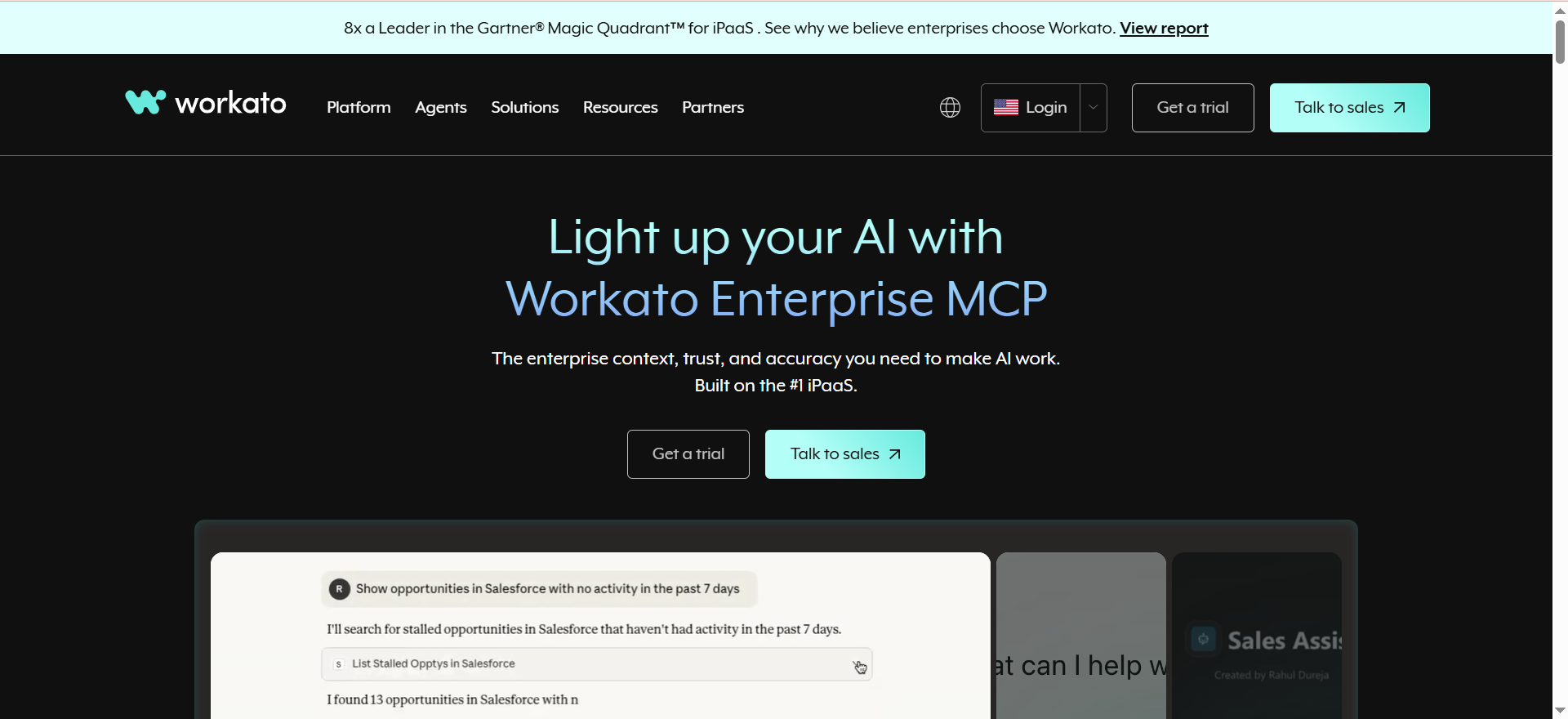
Workato is an enterprise integration and automation platform (iPaaS) that connects applications, automates workflows, and orchestrates business processes across the enterprise. Unlike SMB-focused tools, Workato is purpose-built for enterprise requirements: deep governance, compliance controls, embedded integrations, API management, and B2B/EDI capabilities.
Why Teams Use It
Workato is the default choice for enterprises that have outgrown SMB automation tools and need a platform their IT governance team will approve. The platform combines integration, automation, and API management in a single stack, which eliminates the need to stitch together multiple tools for different automation needs.
What It Is Good For
Workato handles enterprise-grade integration scenarios that simpler tools cannot support. Common use cases include bi-directional Salesforce-NetSuite synchronization with complex field mapping and validation, employee onboarding automation that spans HR, IT, finance, and facilities systems, customer data orchestration across CDP, CRM, and marketing automation platforms, and embedded integration for SaaS products that need to offer native integrations to their customers.
When It Is a Good Fit
Workato fits best when the organization needs IT-approved governance and compliance controls, workflows span multiple enterprise systems (ERP, CRM, HRIS, finance), the team needs embedded integration capabilities for a SaaS product, API management and B2B/EDI are part of the automation requirements, and budget supports annual contracts in the $25K to $500K+ range.
When It Is Not a Good Fit
Workato is not appropriate for small teams or startups on tight budgets. There is no free tier, no self-service pricing, and annual contracts typically start around $25,000. The platform is also overkill for simple trigger-action automations that Zapier or Make handle well at a fraction of the cost.
How to Use It
Engage Workato's sales team for a demo and scoping conversation. Define your automation requirements across integration, workflow, and API management needs. Start with a pilot use case that demonstrates ROI, then expand systematically. Workato's recipe-based approach lets business users build automations while IT maintains governance guardrails.
Key Capabilities
Workato's enterprise capabilities include 1,200+ pre-built connectors with deep field-level integration, recipe-based automation with conditional logic and error handling, embedded integration platform for SaaS products, API management and gateway, B2B/EDI capabilities, data orchestration across cloud and on-premise systems, enterprise governance with audit trails and RBAC, AI/ML integration for intelligent automation, SOC 2 Type II, HIPAA, and GDPR compliance, and dedicated customer success and priority support.
Pricing
Workato uses custom pricing based on solution scope, product mix, and workload scale. There are no published self-service prices. Based on market data, annual contract values typically range from $25,000 to $500,000+ depending on task volume, connector requirements, and enterprise features. The Enterprise edition provides unlimited tasks and automations with custom SLAs. Workato One includes all Enterprise features plus agentic AI capabilities.
Free Tier?
No. Workato does not offer a free tier or self-service pricing. All pricing requires direct sales engagement.
Downsides and Limitations
The cost floor is prohibitively high for small teams and startups. Sales-led pricing means no way to evaluate the platform without engaging the sales process. Per-task billing on lower tiers means each automated action consumes one task, and premium connector fees may apply for specific integrations like Workday or NetSuite. The platform's depth creates a steeper learning curve than simpler tools.
Tool #5: UiPath
What It Does
UiPath is an enterprise automation platform that combines robotic process automation (RPA) with AI capabilities, process mining, and intelligent document processing. Unlike API-based automation tools, UiPath can automate interactions with desktop applications, legacy systems, and processes that do not have programmatic interfaces.
Why Teams Use It
UiPath is the right choice when the automation challenge involves systems that cannot be reached through APIs. Many enterprises run critical processes on legacy desktop applications, mainframes, or systems where screen-level automation is the only viable approach. UiPath's software robots can interact with these systems the same way a human would, clicking buttons, filling forms, and extracting data from screens.
What It Is Good For
UiPath excels at automating structured, repetitive tasks that involve desktop applications and document processing. Common enterprise use cases include invoice processing with AI-powered data extraction from PDFs and scanned documents, legacy system data entry and migration, compliance reporting that requires pulling data from multiple desktop applications, and customer onboarding workflows that span modern SaaS tools and legacy back-office systems.
When It Is a Good Fit
UiPath fits best when automation must interact with desktop applications or legacy systems without APIs, the use case involves document processing and AI-powered data extraction, the organization needs process mining to discover automation opportunities, and the team is building an enterprise-wide automation center of excellence with 10+ bots.
When It Is Not a Good Fit
UiPath is not ideal for purely cloud-to-cloud SaaS integrations that Zapier or Make handle more efficiently. The platform is overengineered for simple webhook-driven workflows. The cost structure, which is bot-based rather than task-based, makes it expensive for low-volume use cases. RPA bots also require ongoing maintenance as the underlying applications change their interfaces.
How to Use It
Start with UiPath's process mining tools to identify the highest-ROI automation candidates. Use UiPath Studio to design automation workflows with the visual designer. Deploy bots through UiPath Orchestrator for centralized management, scheduling, and monitoring. Use Document Understanding for AI-powered document processing and the AI Center for deploying custom ML models.
Key Capabilities
UiPath's enterprise capabilities include attended and unattended RPA bots, UiPath Studio for visual workflow design, UiPath Orchestrator for centralized bot management, Document Understanding for AI-powered document processing, Process Mining for automation opportunity discovery, Task Mining for desktop activity analysis, AI Center for custom ML model deployment, native macOS automation (new in 2026), Healing Agent for self-repairing automations, support for bring-your-own AI models on Enterprise, and integration with SAP, Oracle, Salesforce, and legacy mainframes.
Pricing
UiPath offers three pricing tiers. The Basic plan starts at $25 per month for individual users exploring automation. The Standard plan uses custom pricing based on bot count and is designed for mid-market production deployments, with documented examples around $236,000 annually for a 25-bot deployment. The Enterprise plan uses custom pricing with advanced AI capabilities, bring-your-own models, self-healing automation, and custom security controls.
Free Tier?
Yes, partially. The Basic plan at $25 per month provides a low-barrier entry point but is designed for proof-of-concept work rather than production deployment. UiPath also offers a Community Edition for individual developers and small teams.
Downsides and Limitations
RPA bots are inherently brittle and require maintenance when target application interfaces change. The cost structure is bot-based, meaning scaling to dozens of bots across the enterprise gets expensive quickly. UiPath's 107% dollar-based net retention rate indicates that existing customers systematically increase spending over time. The platform has a steep learning curve for non-technical users compared to cloud-native automation tools.
How Do Enterprise AI Automation Tools Differ From SMB Workflow Tools
Enterprise AI automation tools differ from SMB workflow tools in three critical dimensions: governance, scalability, and integration depth. SMB tools like Zapier's free or pro tiers are designed for individual users or small teams building simple automations. Enterprise platforms add SSO/SAML authentication, audit logging, role-based access control, custom data retention policies, and contractual SLAs that IT and compliance teams require before approving deployment.
Scalability is the second differentiator. Enterprise tools handle tens of thousands to millions of executions per month with built-in error handling, retry logic, and monitoring dashboards. They also support multi-environment deployment (dev, staging, production) and version control for automation workflows.
Integration depth is the third factor. Enterprise platforms connect to complex systems like SAP, Oracle, Workday, and custom APIs with field-level data mapping, bi-directional synchronization, and support for batch processing. SMB tools typically offer simpler, record-level integrations.
What Is the Total Cost of Ownership for Enterprise Automation Platforms
The total cost of ownership for enterprise automation platforms extends well beyond the license fee. For Zapier, model your per-task costs carefully, as a 10-step workflow running 1,000 times per month consumes 10,000 tasks. For Make, per-credit billing follows a similar pattern. For n8n, self-hosting adds server infrastructure costs ($5–$20/month for a VPS) plus DevOps time for maintenance and upgrades. For Workato, annual contracts start around $25,000 and can scale to $500,000+ depending on connector requirements and task volumes. For UiPath, bot-based pricing means each production robot carries its own license cost, and the documented 107% net retention rate means budgets should plan for cost growth.
Beyond licensing, factor in implementation time (Zapier: hours; Workato: weeks; UiPath: months), training for workflow builders, ongoing maintenance for bot or scenario upkeep, and the opportunity cost of choosing a platform that does not fit and migrating later.
Which Enterprise Automation Tool Is Best for Non-Technical Teams
Zapier is the strongest option for non-technical teams. The platform is designed so that anyone comfortable with SaaS tools can build automations without writing code. The AI Copilot can generate complete workflows from natural language descriptions. The template library covers thousands of common use cases, and the interface hides technical complexity behind clean, guided setup flows.
Make is a reasonable second choice for teams with intermediate technical skills. The visual canvas is intuitive once users understand the concept of modules, routers, and filters, but it requires more upfront learning than Zapier.
Workato occupies a middle ground: its recipe-based approach is accessible to business users, but the platform's depth means IT involvement is usually needed for initial setup and governance configuration.
n8n and UiPath both assume technical users and are not appropriate for teams without developers or automation specialists.
Can You Self-Host Enterprise Automation Tools
n8n is the only platform in this comparison that offers a fully self-hosted option with its open-source Community Edition. Self-hosting eliminates data residency concerns, gives teams complete control over their automation infrastructure, and removes per-execution licensing costs. The tradeoff is that you need DevOps capacity to manage the server, handle upgrades, and ensure uptime.
Make offers on-premise agents on its Enterprise plan, which allow specific scenarios to run on your infrastructure while the orchestration layer remains in Make's cloud.
UiPath supports on-premise deployment of its Orchestrator and robot infrastructure, which is common in heavily regulated industries.
Zapier and Workato are cloud-only platforms with no self-hosting option.
How Do AI Capabilities Compare Across Enterprise Automation Platforms
AI capabilities vary significantly across these platforms. n8n leads with 70+ dedicated AI nodes, native LangChain integration, persistent agent memory, and support for self-hosted LLMs through Ollama and llama.cpp. This makes n8n the strongest choice for teams building custom AI agent workflows.
Zapier's AI capabilities center on Zapier Agents (autonomous multi-app task execution) and the AI Copilot (natural language workflow building). These are polished but less customizable than n8n's approach.
Make offers Maia, an AI assistant for building scenarios, and Make AI Agents for autonomous execution. The AI features are growing but are still less mature than n8n's AI node ecosystem.
Workato integrates AI/ML models into recipes and supports intelligent decision-making within workflows. Workato One adds agentic AI capabilities for more autonomous operation.
UiPath's AI strength is in document processing (Document Understanding), process discovery (Process Mining, Task Mining), and custom ML model deployment through the AI Center. These are specialized AI capabilities focused on RPA use cases rather than general-purpose LLM orchestration.
What Are the Security and Compliance Differences Between Enterprise Automation Tools
All five platforms meet baseline enterprise security requirements, but the depth of compliance and governance controls varies.
Workato offers the strongest governance story with SOC 2 Type II, HIPAA, and GDPR compliance, audit trails, RBAC, and enterprise-grade data handling. UiPath follows closely with comprehensive security controls, on-premise deployment options, and compliance certifications common in regulated industries like healthcare and finance.
Zapier's Enterprise plan includes SSO/SAML, advanced admin controls, and custom data retention, which is sufficient for most B2B SaaS companies. Make provides SOC 2 Type II and GDPR compliance with RBAC on Teams and Enterprise plans.
n8n's self-hosted option provides the ultimate security control because data never leaves your infrastructure. The cloud offering includes SSO/LDAP and audit logs on Business and Enterprise plans.
For industries with strict data residency requirements (healthcare, finance, government), n8n self-hosted or UiPath on-premise are the safest choices.
How to Choose the Right Enterprise Automation Tool for Your Team
The right tool depends on three factors: your team's technical depth, your integration requirements, and your governance constraints.
If your team is non-technical and needs to automate across dozens of SaaS tools, start with Zapier. If your team needs complex branching logic at a lower cost, evaluate Make. If your team has developers and wants open-source control or needs to self-host, choose n8n. If your organization requires IT-approved governance with deep enterprise system integration, invest in Workato. If your automation involves desktop applications, document processing, or legacy systems, UiPath is the only viable option.
For most mid-market B2B companies, the decision comes down to Zapier versus Make versus n8n. For large enterprises with compliance requirements, the decision is typically Workato versus UiPath, with n8n as an emerging alternative for AI-native workflows.
Frequently Asked Questions
For startups, n8n offers the best value through its free self-hosted Community Edition with unlimited executions. The Startup Program at €400 per month is also available for companies with fewer than 20 employees and less than $5M in funding. Zapier's Free plan is another good starting point for non-technical startup teams, though the 100-task limit will be quickly outgrown.
Yes, many enterprises run multiple automation platforms for different use cases. A common combination is Zapier or Make for cloud-to-cloud SaaS integrations paired with UiPath for desktop and legacy system automation. n8n can also serve as an AI orchestration layer that triggers workflows in other platforms.
Implementation time varies significantly. Zapier and Make can be productive within hours for simple workflows. n8n self-hosted requires a day or two for infrastructure setup plus ongoing maintenance. Workato typically requires weeks for initial scoping, connector configuration, and governance setup. UiPath implementations can take months for process mining, bot development, testing, and production deployment.
Workflow automation (Zapier, Make, n8n, Workato) connects applications through APIs and automates data flow between them. RPA (UiPath) automates interactions with application interfaces the way a human would, through clicks, keystrokes, and screen reading. RPA is necessary when the target application does not have an API. Workflow automation is preferred when APIs are available because it is faster, more reliable, and easier to maintain.
Yes, but the level of control varies. For the strictest requirements, n8n self-hosted and UiPath on-premise keep all data within your infrastructure. Workato meets HIPAA, SOC 2 Type II, and GDPR requirements for cloud deployments. Zapier and Make both offer SOC 2 compliance but are cloud-only, which may not satisfy data residency requirements in some regulated sectors.