Best Data Labeling Tools For AI (2026)
Which data labeling tools options actually fit ai and which ones create extra cost, handoff friction, or weak output.

This playbook helps data analysts and product managers compare the best data labeling tools options for ai. It breaks down where labelbox, scale-ai stand out, when alternatives such as langsmith, helicone make more sense, and which setup fits B2B companies and SaaS companies and mid-market companies and enterprise teams.
TL;DR
If you are building or fine-tuning AI models, the quality of your training data is the single biggest lever you have. The best data labeling tools for AI in 2026 are Labelbox for teams that need a full-stack annotation platform with strong automation, Scale AI for enterprise and government teams that want managed labeling at massive volume, Label Studio for engineering-first teams that want open-source flexibility, SuperAnnotate for computer vision teams that need pixel-perfect precision, and Dataloop for organizations that want end-to-end pipeline management from annotation to deployment. This guide breaks down what each tool does well, where it falls short, and which setup fits your team size, budget, and data type.
Table of Contents
Best Data Labeling Tools For AI (Quick Comparison)
| Tool | Best For | Data Types | Pricing | Free Tier |
|---|---|---|---|---|
| Labelbox | Full-stack AI teams needing automation + quality control | Image, video, text, LiDAR, documents | From $0.10/LBU (Starter) | Yes — 500 LBUs/month |
| Scale AI | Enterprise/government teams needing managed labeling | Image, video, LiDAR, text, 3D | Custom pricing | Yes — 1,000 free labeling units (Self-Serve) |
| Label Studio | Engineering teams wanting open-source control | Image, audio, text, video, time series, HTML | Free (open source); Starter Cloud $149/mo; Enterprise custom | Yes — fully free OSS |
| SuperAnnotate | CV teams needing pixel-perfect annotation | Image, video, text, LiDAR | Free plan (5K items); Pro & Enterprise custom | Yes — up to 3 users, 5K items |
| Dataloop | Orgs wanting end-to-end pipeline management | Image, video, audio, text, LiDAR, documents | Custom pricing | No |
Best Data Labeling Tools For AI (Quick Comparison)
Tool #1: Labelbox
What It Does
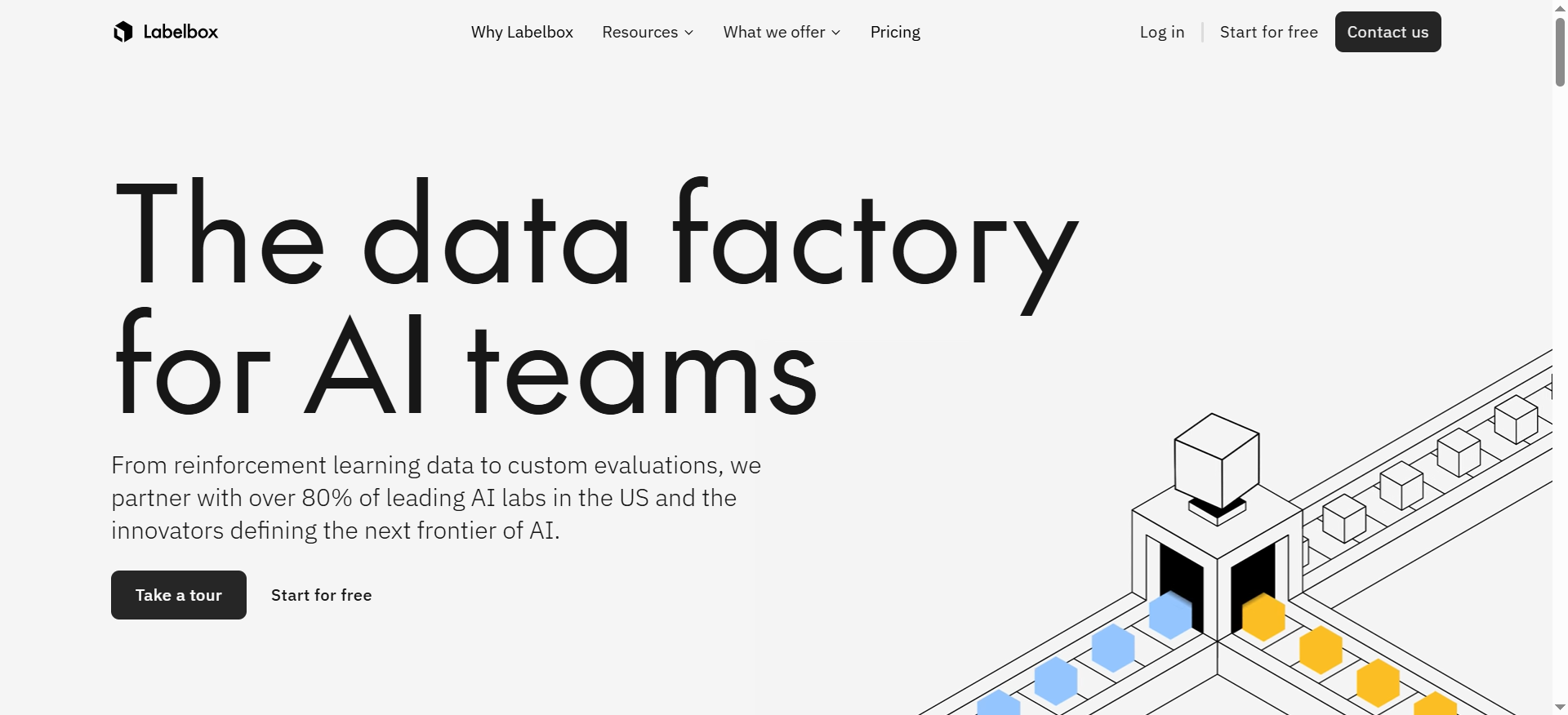
Labelbox is a data-centric AI platform that combines annotation tools, workflow management, and model-assisted labeling into a single interface. It positions itself as a "data factory for generative AI" and covers everything from initial labeling through dataset curation and model evaluation.
Why Teams Use It
Labelbox has become the default choice for mid-market and enterprise AI teams because it balances powerful automation with human-in-the-loop quality control. The platform supports model-assisted labeling, which means your pre-trained models can generate initial annotations that human reviewers then correct. This cuts labeling time significantly on large datasets.
What It Is Good For
Labelbox excels at multi-modal data labeling across computer vision, NLP, and generative AI workflows. Its Catalog feature lets teams search, explore, and curate datasets using embeddings, metadata, and ground truth labels, all in one place. The consensus mechanism and configurable quality workflows make it particularly strong for teams that need to maintain annotation consistency across large distributed workforces.
When It Is a Good Fit
Labelbox fits best when your team needs a managed platform with strong integrations into cloud storage providers like Amazon S3, Google Cloud Storage, and Azure Blob Storage. It works well for teams ranging from 5 to 500+ annotators, especially when you need to connect labeling workflows to downstream ML pipelines through its Python SDK, TensorFlow, and PyTorch integrations.
When It Is Not a Good Fit
Labelbox is not ideal for early-stage startups with tight budgets who need simple annotation on small datasets. The per-LBU pricing model can get expensive quickly at high volume, and the platform's depth means there is a learning curve before your team is productive. If you just need basic bounding boxes on a few hundred images, Labelbox's enterprise feature set creates unnecessary overhead. Explore alternatives to Labelbox that better fit smaller projects.
How to Use It
Sign up for a free account to get 500 Labelbox Units per month. Create a project, connect your cloud storage as a data source, define your ontology (the labels and relationships you want to capture), and start labeling. Enable model-assisted labeling once you have a pre-trained model that can generate predictions, and configure a review workflow so annotators verify the automated labels before they hit your training pipeline.
Key Capabilities
Labelbox delivers centralized workflow control for labeling and review with configurable consensus mechanisms, vector and traditional search for dataset exploration and curation, model-assisted labeling that improves as your models get better, integrations with S3, GCS, Azure, Databricks, Snowflake, and Segment, a robust Python SDK and API for pipeline automation, and support for custom annotation interfaces when the built-in editors are not enough.
Pricing
Labelbox offers a Free plan with up to 500 LBUs per month, a Starter plan at $0.10 per LBU with unlimited users, custom workflows, and model-assisted labeling, and an Enterprise plan with custom pricing that adds multiple workspaces, advanced security, SSO, and priority support.
Free Tier?
Yes. The free plan includes 500 LBUs per month, which is enough to evaluate the platform on a small project but not enough for production workloads.
Downsides / Limitations
The LBU-based pricing can be unpredictable when labeling high-volume or complex data types. Several G2 reviewers note that the platform can feel slow with very large datasets, and the learning curve for setting up advanced workflows is steeper than simpler alternatives. Custom ontology changes mid-project can also cause friction if your labeling schema evolves during a project.
Tool #2: Scale AI
What It Does
Scale AI provides data labeling services and platform tools for enterprise AI teams. Unlike purely self-serve platforms, Scale combines a managed workforce with software tools, offering both Scale Rapid (self-serve annotation ordering) and Scale Studio (bring-your-own-specialists). The company also offers Nucleus for dataset management and Scale GenAI Platform for large language model evaluation.
Why Teams Use It
Scale AI is the go-to for organizations that need labeled data at massive scale with high accuracy, particularly in autonomous vehicles, robotics, and government/defense applications. Their managed workforce handles the operational complexity of recruiting, training, and quality-checking annotators, which means your engineering team stays focused on model development rather than annotation ops.
What It Is Good For
Scale AI is strongest in LiDAR annotation, 3D point cloud labeling, and map data processing for autonomous driving. It also handles image segmentation, video annotation, and text/document labeling well. The Nucleus platform adds dataset visualization, curation, and model evaluation capabilities that help teams identify where their models fail and which data to label next.
When It Is a Good Fit
Scale AI fits best when you have large annotation budgets, need managed labeling services rather than just software, and work with complex data types like 3D LiDAR or multi-sensor fusion. Enterprise teams in automotive, defense, and robotics where data accuracy has safety implications benefit most from Scale's quality guarantees and SLA-backed delivery.
When It Is Not a Good Fit
Scale AI is not the right choice for small teams or startups with limited budgets. Pricing is not public and tends to be significantly higher than self-serve platforms. If your labeling needs are straightforward (basic image classification, simple text tagging) and your team can manage annotators internally, Scale's managed service adds cost without proportional value.
How to Use It
Contact Scale AI's sales team to scope your project and get pricing. For self-serve annotation, use Scale Rapid to submit tasks and receive labeled data back. For custom workflows, Scale Studio lets you bring your own annotators onto their platform. Use the Nucleus tool to manage and evaluate your datasets, identify edge cases, and prioritize what to label next.
Key Capabilities
Scale AI offers managed annotation services with trained workforces for high-accuracy labeling, LiDAR, 3D point cloud, and multi-sensor annotation for autonomous systems, Nucleus for dataset management, visualization, and model evaluation, Scale GenAI Platform for LLM evaluation and RLHF workflows, enterprise-grade security and compliance certifications, and API-first delivery with integrations into major ML frameworks.
Pricing
Scale AI pricing is not publicly listed. Costs vary by task type, annotation complexity, volume, and whether you use Rapid (self-serve) or Studio (custom). Expect enterprise-level pricing with minimums, typically suited for teams with annual annotation budgets in the tens to hundreds of thousands of dollars.
Free Tier?
Yes. Scale AI's Self-Serve Data Engine includes the first 1,000 labeling units and the first 10,000 images for data management at no cost. The Rapid self-labeling service offers 200 free labeling units per month, with additional units at $0.05 each. Full enterprise engagements require a paid commitment.
Downsides / Limitations
The lack of transparent pricing makes budgeting difficult. Turnaround times can vary depending on task complexity and queue depth. Smaller teams often find the minimum commitments too high, and the platform is more service-oriented than software-oriented, which means less direct control over the labeling process compared to self-serve tools.
Tool #3: Label Studio
What It Does
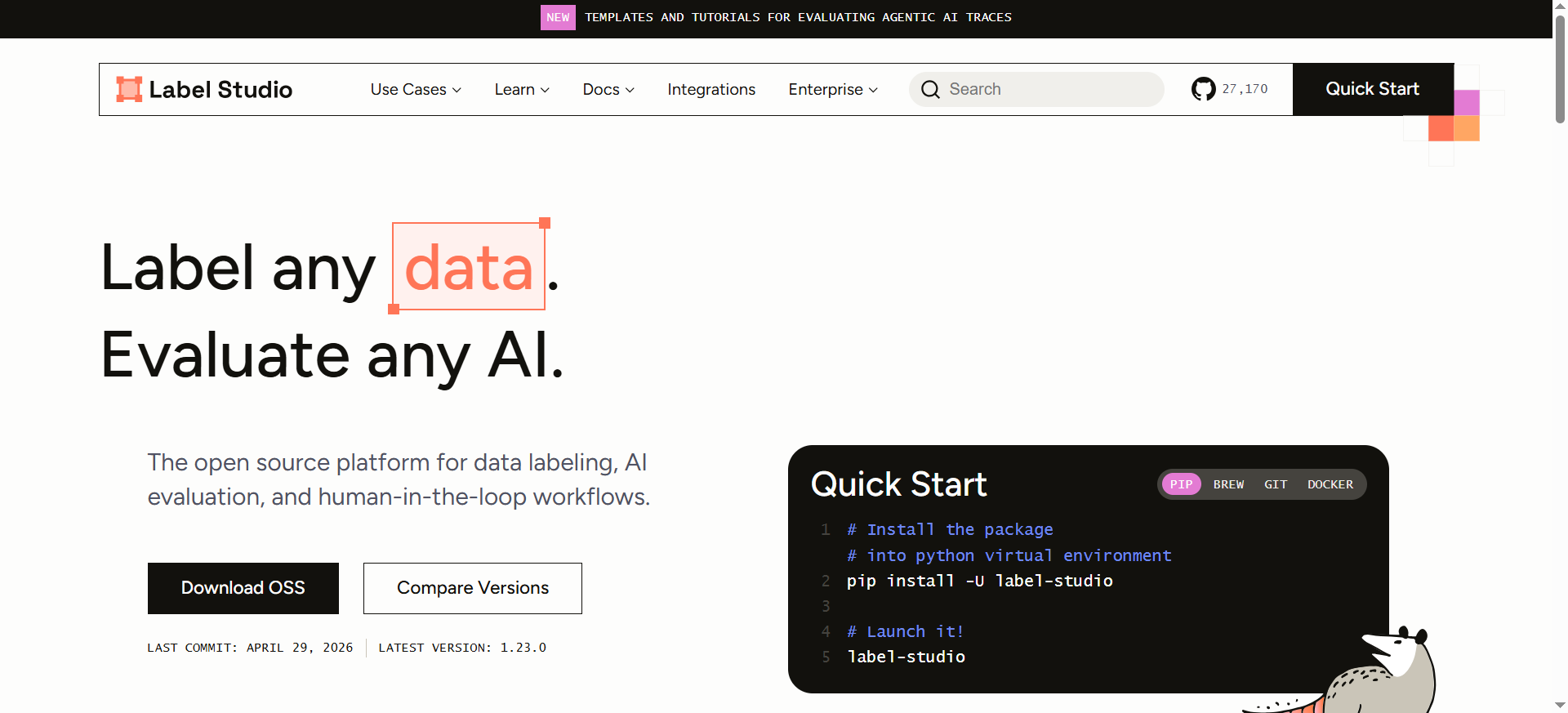
Label Studio is an open-source data labeling and annotation platform built by HumanSignal. It supports multi-type data labeling across images, audio, text, video, time series, and HTML content, with a flexible template system that lets you combine annotation types in a single task. The platform is available as a free Community Edition and a paid Enterprise version.
Why Teams Use It
Engineering-first teams choose Label Studio because it gives them full control over the labeling environment. You can self-host it, customize the annotation interface with XML-based templates, integrate ML backends for active learning, and connect to your own cloud storage. There is no vendor lock-in, and the open-source license means you can extend it however you need.
What It Is Good For
Label Studio handles multi-modal annotation well: NER, text classification, image segmentation, audio transcription, video labeling, and even conversational AI evaluation. The template system is particularly powerful because you can create complex annotation UIs by combining labeling types. It also integrates with ML backends so your models can generate pre-annotations that humans then correct.
When It Is a Good Fit
Label Studio is ideal for teams with engineering resources who want to self-host their annotation infrastructure, avoid per-unit pricing models, and maintain full control over their data. Startups, research labs, and mid-market companies with in-house ML engineers benefit most. It is also a strong fit for teams doing LLM evaluation, RAG assessment, and RLHF workflows.
When It Is Not a Good Fit
Label Studio is not the right choice if your team lacks engineering resources to deploy and maintain the platform. The Community Edition does not include enterprise features like SSO, role-based access control, or annotator performance analytics. If you need managed annotation services or have non-technical annotators who need a polished consumer-grade UI, other options will serve you better.
How to Use It
Install Label Studio via pip (pip install label-studio) or Docker. Launch the web interface, create a project, choose or customize a labeling template, import your data from local files or cloud storage (S3, GCS), and start annotating. Connect an ML backend if you want model-assisted labeling. Export your annotations in standardized formats for downstream model training.
Key Capabilities
Label Studio provides multi-modal annotation support for images, audio, text, video, and time series, a flexible XML-based template system for custom annotation interfaces, ML backend integration for pre-annotations and active learning, direct cloud storage connection to S3 and GCP, an advanced Data Manager with filters and sorting for dataset management, LLM fine-tuning, model evaluation, and RAG assessment workflows, and a fully open-source Community Edition with unlimited users and tasks.
Pricing
The Community Edition is completely free with no limits on users, tasks, or data volume. Label Studio Starter Cloud is priced at $149 per month with additional users at $49 per month, designed for small teams that want managed hosting without self-hosting overhead. Label Studio Enterprise starts at approximately $1,000 to $2,000 per month and adds team management, reviewer workflows, annotator performance dashboards, SSO, RBAC, and priority support.
Free Tier?
Yes. The open-source Community Edition is free forever and fully functional for annotation. You only pay if you need enterprise features like team management, analytics, and SSO.
Downsides / Limitations
The Community Edition requires self-hosting and maintenance, which means your team needs DevOps resources. The UI is functional but not as polished as commercial platforms. Multi-user collaboration in the Community Edition is limited compared to Enterprise. Documentation can be sparse for advanced customizations, and complex template configurations sometimes require trial and error.
Tool #4: SuperAnnotate
What It Does
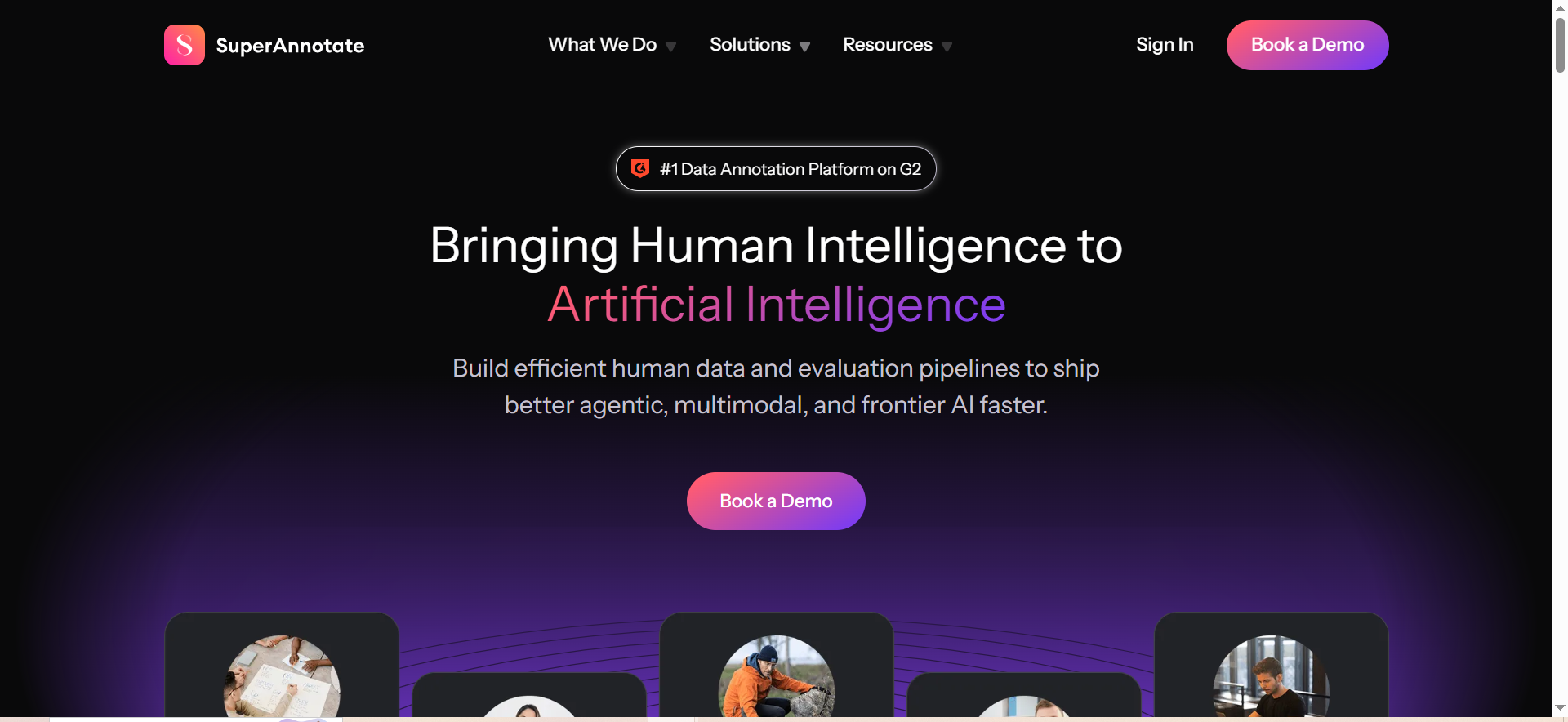
SuperAnnotate is a data labeling platform built for enterprise AI teams that need high-precision annotation across images, video, text, and LiDAR data. Ranked as the top data labeling platform on G2, it combines advanced annotation tools with AI-assisted automation, quality management, and integrations with major cloud and ML platforms.
Why Teams Use It
Computer vision teams choose SuperAnnotate because its annotation tools are built for pixel-level precision. The platform's smart suggestions and automation features reduce time spent on repetitive labeling tasks while keeping accuracy high. The SuperAnnotate Desktop app provides additional power-user features like advanced polygon tools and filtering.
What It Is Good For
SuperAnnotate is strongest in image and video annotation, particularly for tasks that require detailed segmentation, object detection, and tracking. The AI-assisted annotation generates smart suggestions that significantly speed up labeling. It also handles text classification, entity extraction, and sentiment analysis for NLP workflows.
When It Is a Good Fit
SuperAnnotate fits best for computer vision teams at mid-market and enterprise companies that need high-precision annotation and are willing to invest in a platform that prioritizes quality over raw throughput. It works well when you have a mix of in-house and outsourced annotators and need robust quality management and review workflows.
When It Is Not a Good Fit
SuperAnnotate is less suitable for teams focused primarily on text or audio annotation, where other tools have deeper feature sets. The free plan's 5,000-item limit is restrictive for serious evaluation. If your primary need is large-scale managed labeling services rather than a self-serve platform, Scale AI would be a better fit.
How to Use It
Sign up for a free account and create a project. Upload or connect your data from S3, GCS, or Azure. Define your annotation classes and start labeling using the web interface or SuperAnnotate Desktop. Enable AI-assisted annotation to get smart suggestions. Set up review workflows to quality-check annotations before export. Integrate with Databricks, Snowflake, or your ML pipeline via API.
Key Capabilities
SuperAnnotate offers pixel-perfect annotation for image segmentation and object detection, AI-assisted smart suggestions that reduce manual labeling time, video annotation with object tracking and event detection, text classification, entity extraction, and sentiment analysis, a free Desktop app with advanced polygon tools and labeling flexibility, integrations with AWS S3, GCP, Azure, Databricks, Snowflake, and IBM Watsonx, and quality management workflows with consensus and review stages.
Pricing
SuperAnnotate offers a Free plan for early-stage startups and academics with up to 3 users and 5,000 items, a Pro plan for scaling AI projects with advanced automation tools at custom pricing, and an Enterprise plan with custom integrations, advanced support, and high-volume solutions at custom pricing.
Free Tier?
Yes. The free plan includes basic features, up to 3 users, and 5,000 items. It is enough for evaluation but not for production workloads.
Downsides / Limitations
Pricing is not transparent beyond the free tier. The platform's strength in computer vision means its text and audio annotation features are less mature than specialized alternatives. The 3-user limit on the free plan makes team evaluation difficult. Some users report that onboarding and setup take longer than expected for complex annotation projects.
Tool #5: Dataloop
What It Does
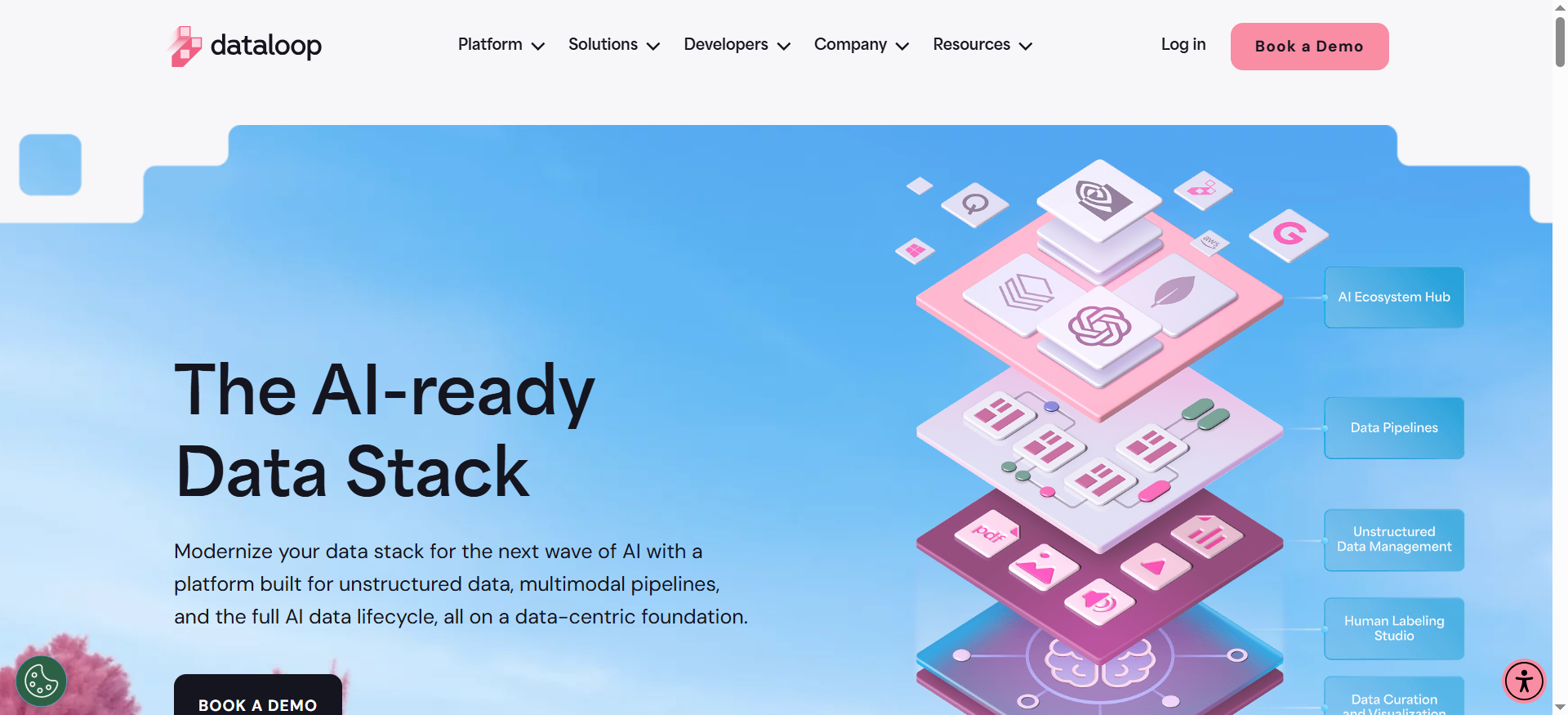
Dataloop is an end-to-end AI data management platform that covers the full lifecycle from data annotation through pipeline orchestration and model deployment. It supports image, video, audio, text, LiDAR, and document annotation with built-in automation, human-in-the-loop workflows, and quality validation tools.
Why Teams Use It
Teams choose Dataloop when they want a single platform that handles not just annotation but also data ops, pipeline automation, and deployment. Instead of stitching together separate tools for labeling, quality control, and model serving, Dataloop unifies these workflows. This reduces handoff friction and makes it easier to maintain data lineage from raw input to production model.
What It Is Good For
Dataloop is strongest at managing complex annotation pipelines that involve multiple stages, annotator teams, and quality gates. Its AI-powered tools include automatic annotation with pre-trained models, smart object tracking for video frames, and active learning that prioritizes the most impactful data to label next. The platform also handles scene classification, clip-level annotation, and frame-by-frame labeling on a single interface.
When It Is a Good Fit
Dataloop fits best for enterprise and mid-market teams that need to manage large-scale annotation operations with strict quality requirements and compliance needs. Its GDPR, ISO 27001, ISO 27701, and SOC 2 Type II certifications make it suitable for regulated industries like healthcare, finance, and defense. Teams in regulated sectors should also review AI governance software for enterprise to manage compliance alongside annotation workflows. It works well when you need to coordinate across data managers, annotators, and ML engineers on a single platform.
When It Is Not a Good Fit
Dataloop is not ideal for small teams or individual researchers who just need a lightweight annotation tool. The platform's breadth means there is a steeper learning curve compared to focused tools. Custom pricing without a free tier also makes it harder to evaluate before committing. If you only need annotation without pipeline management, simpler tools like Label Studio will be more efficient.
How to Use It
Contact Dataloop for a demo and pricing. Once onboarded, create a project, define your annotation schema, and upload or connect your data. Use the automation tools to generate initial annotations with pre-trained models. Set up review workflows with embedded validation and quality checks. Build pipelines that connect annotation to model training and deployment in a unified interface.
Key Capabilities
Dataloop provides end-to-end pipeline management from annotation to deployment, AI-powered auto-annotation with pre-trained models, smart object tracking using optical flow for video annotation, active learning that prioritizes high-impact data for labeling, embedded validation and quality tools across annotator teams, GDPR, ISO 27001, ISO 27701, and SOC 2 Type II compliance, role-based access control, SSO, 2FA, and detailed activity logs, and support for image, video, audio, text, LiDAR, and document data types.
Pricing
Dataloop offers custom pricing based on your specific needs, data volume, and team size. Contact their sales team for a quote.
Free Tier?
No. Dataloop does not offer a publicly available free tier. You can request a demo and trial through their sales team.
Downsides / Limitations
No transparent pricing or free tier makes evaluation harder. The platform's comprehensive scope means teams that only need annotation are paying for pipeline features they may not use. Some users report that the initial setup and configuration process is more involved than simpler alternatives. Documentation for advanced pipeline configurations could be more detailed.
How to Choose the Right Data Labeling Tool for Your AI Project
The right data labeling tool depends on three things: your data types, your team's technical depth, and your budget. If your team has strong engineering resources and wants maximum control, Label Studio gives you open-source flexibility without per-unit costs. If you need managed labeling at enterprise scale with quality guarantees, Scale AI handles the operational burden. Labelbox sits in the middle, offering a strong self-serve platform with automation that works for teams ranging from startups to large enterprises. SuperAnnotate is the best choice for computer vision teams that need pixel-level precision, and Dataloop wins when you need end-to-end pipeline management beyond just annotation.
Start by defining your annotation requirements: what data types you are working with, how many items you need labeled per month, and what accuracy thresholds your models require. Then test two or three options on the same dataset with the same labeling schema. The tool that delivers the best balance of quality, speed, and total cost of ownership for your specific workflow is the right choice. For a side-by-side view, see our top-rated data labeling tools for AI projects.
What Is Data Labeling and Why Does It Matter for AI
Data labeling is the process of adding structured annotations to raw data so that machine learning models can learn from it. Every supervised learning model, from image classifiers to large language models, depends on labeled data during training. The labels tell the model what patterns to look for and how to map inputs to outputs.
The quality of your labeled data directly determines the ceiling of your model's performance. A model trained on noisy, inconsistent, or biased labels will produce noisy, inconsistent, or biased predictions, regardless of how sophisticated the architecture is. This makes the choice of labeling tool a foundational decision in any AI project because it affects annotation quality, consistency, throughput, and cost at every stage of the ML lifecycle.
For AI teams in B2B, SaaS, and fintech companies, data labeling often becomes the bottleneck in the ML pipeline. The right tool removes that bottleneck by automating repetitive tasks, enforcing quality standards, and integrating with downstream training workflows.
How Data Labeling Tools Fit Into the ML Pipeline
Data labeling tools sit between raw data collection and model training in the ML pipeline. After you collect and clean your data, labeling tools help you annotate it with the categories, bounding boxes, segmentation masks, or text tags that your model needs to learn. The labeled output then flows into your training pipeline, typically through cloud storage integrations or API exports.
Modern labeling tools also feed back into the pipeline through active learning loops. Your model generates predictions on unlabeled data, and the labeling tool routes the most uncertain or valuable samples to human annotators. This creates a continuous improvement cycle where each batch of labels makes your model better, and each model update makes your labeling more efficient.
What to Look for When Evaluating Data Labeling Platforms
The evaluation criteria for data labeling platforms should go beyond feature checklists. Start with data type coverage: does the tool support all the modalities you work with today and might need in the next 12 months? Then check annotation quality controls: consensus mechanisms, review workflows, and inter-annotator agreement metrics matter more than raw labeling speed.
Integration depth is the third priority. Your labeling tool needs to connect to your cloud storage, ML framework, and model registry without custom glue code. Check for native integrations with S3, GCS, Azure, and your specific ML stack. Finally, evaluate total cost of ownership, not just per-label pricing. Factor in setup time, training your annotators, maintaining the platform, and the engineering hours needed to keep the pipeline running.
Open Source vs. Commercial Data Labeling Tools
Open-source tools like Label Studio give you maximum flexibility and zero licensing cost, but they require engineering resources to deploy, maintain, and scale. You own your infrastructure and data, and you can customize every aspect of the annotation interface and workflow.
Commercial platforms like Labelbox, SuperAnnotate, and Dataloop trade some of that flexibility for managed infrastructure, enterprise support, and built-in quality controls. They reduce the operational burden on your team but add ongoing subscription costs. The right choice depends on your team's engineering capacity: if you have dedicated ML infrastructure engineers, open source may deliver better ROI. If your engineers should be focused on model development rather than annotation infrastructure, a commercial platform pays for itself in saved engineering time.
How AI-Assisted Labeling Reduces Annotation Costs
AI-assisted labeling, also called model-assisted labeling or pre-annotation, uses your existing models to generate initial annotations that human reviewers then correct. Instead of labeling every item from scratch, annotators verify and fix machine-generated labels, which is significantly faster than manual annotation.
Labelbox, Label Studio, SuperAnnotate, and Dataloop all support some form of AI-assisted labeling. The effectiveness depends on how good your pre-trained models are: if they are already 80% accurate, your annotators only need to fix 20% of labels, cutting labeling time and cost dramatically. The key is to set up a feedback loop where corrected annotations flow back into model training, so each iteration improves both the model and the pre-annotation quality.
Data Labeling for Computer Vision vs. NLP vs. Multi-Modal AI
Computer vision labeling requires tools that handle bounding boxes, polygons, segmentation masks, keypoints, and 3D point clouds. Precision matters because pixel-level errors in training labels translate directly to model errors in production. SuperAnnotate and Scale AI are strongest here.
NLP labeling involves text classification, named entity recognition, sentiment analysis, and relationship extraction. These tasks need different UI patterns: inline text highlighting, span selection, and document-level classification. Label Studio and Labelbox handle NLP annotation well.
Multi-modal labeling, where a single task requires annotating across data types (e.g., labeling both the image and the text caption in a document), is increasingly common in generative AI workflows. Labelbox and Label Studio are best positioned for multi-modal tasks because their template systems let you combine annotation types in a single interface.
How to Scale Data Labeling Without Sacrificing Quality
Scaling labeling operations means adding more annotators, increasing throughput, and maintaining consistency as volume grows. The biggest risk is quality degradation: more annotators means more variation in how labels are applied.
The solution is a combination of clear annotation guidelines, consensus mechanisms (multiple annotators label the same item and disagreements are resolved), automated quality checks, and regular calibration sessions where annotators align on edge cases. Tools like Labelbox, SuperAnnotate, and Dataloop have these quality controls built in. Label Studio requires more manual setup for multi-annotator quality management but gives you full control over the process.
Start with a small team of well-trained annotators, document your guidelines thoroughly, and only scale once your quality metrics are stable. Rushing to scale before quality is established creates expensive rework.
Frequently Asked Questions
Label Studio is the best free data labeling tool for AI. Its open-source Community Edition is completely free with no limits on users, tasks, or data volume. You can install it via pip or Docker and start labeling immediately. SuperAnnotate also offers a free plan, but it is limited to 3 users and 5,000 items, and Labelbox's free tier caps at 500 LBUs per month. For teams with engineering resources to self-host, Label Studio delivers the most value at zero cost.
Data labeling costs vary widely depending on the tool, data type, and annotation complexity. Labelbox charges $0.10 per Labelbox Unit on its Starter plan, where one LBU roughly corresponds to one labeled item depending on complexity. Scale AI pricing is custom but typically runs higher due to managed workforce costs. Label Studio is free for the software, but you pay for annotator time and infrastructure. As a rough benchmark, simple image classification might cost $0.02 to $0.10 per image, while complex segmentation can run $0.50 to $5.00 or more per image.
Yes. Label Studio and Labelbox both support LLM evaluation, fine-tuning data preparation, and RLHF (Reinforcement Learning from Human Feedback) workflows. Label Studio has specific templates for conversational AI evaluation and RAG assessment. Scale AI also offers a GenAI Platform designed for LLM evaluation and alignment. These tools let you collect human preferences, rank model outputs, and generate the training data that RLHF requires.
Managed data labeling (like Scale AI) means the vendor provides both the platform and the workforce. You submit data and receive labeled output. Self-serve platforms (like Labelbox, Label Studio, SuperAnnotate, and Dataloop) provide the software, but you supply and manage your own annotators. Managed services cost more but reduce operational burden. Self-serve platforms give you more control over quality and cost but require you to recruit, train, and manage annotators. If you are considering outsourced annotation, see our guide to the best platforms for freelance AI data annotation.
Use consensus labeling where multiple annotators label the same items and disagreements are flagged for review. Set up automated quality checks that compare annotations against gold-standard labels. Run regular calibration sessions where your team aligns on edge cases. Monitor inter-annotator agreement metrics and investigate drops. Labelbox, SuperAnnotate, and Dataloop have these quality controls built in. With Label Studio, you can configure custom quality workflows but it requires more setup.
Modern data labeling tools handle images (classification, detection, segmentation), video (frame-by-frame or clip-level), text (NER, classification, sentiment), audio (transcription, speaker diarization), LiDAR and 3D point clouds, time series data, documents and PDFs, and HTML content. Labelbox and Label Studio have the broadest multi-modal support. Scale AI and SuperAnnotate are strongest on 3D and computer vision data. Dataloop covers the widest range for pipeline-integrated annotation.
For most startups, open-source Label Studio is the best starting point because it has zero licensing cost and no usage limits. If your team has at least one engineer who can handle deployment and maintenance, Label Studio lets you invest your budget in annotator time rather than software fees. Transition to a commercial platform like Labelbox when you need enterprise features, your annotation volume exceeds what your team can manage on self-hosted infrastructure, or you need SOC 2 compliance and SSO without building it yourself.